
ThinkPad E14 Gen 7 Gives Intel the Edge, Leaves AMD Behind


The ThinkPad E14 Gen 7 looks like a balanced business laptop at first glance. But dig into the details, and it’s clear Lenovo plays favorites offering modern Intel CPUs and display upgrades, while AMD buyers get stuck with dated hardware and lower specs.
Intel models feature newer chips and sharper screens
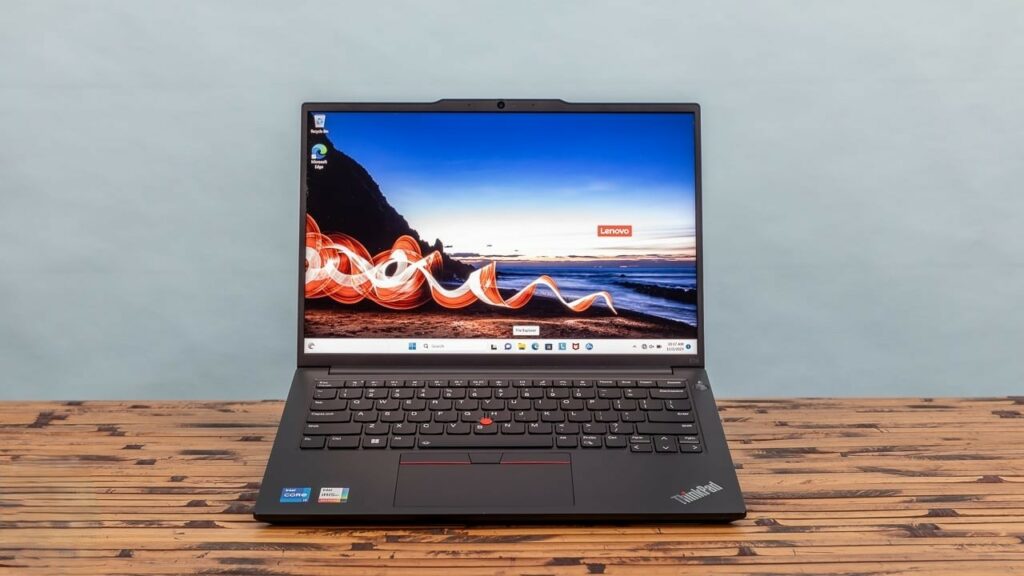
Lenovo equips the E14 Gen 7 with Intel’s latest Arrow Lake and Lunar Lake processors. While both offer solid performance for office tasks, the standout feature is the optional 120 Hz IPS display. It’s a noticeable upgrade bringing smoother visuals and 400 nits of brightness and it’s only €60 extra on the base Intel model. At a total cost of €750, that’s a smart bump in value.
Our testing shows the Intel models are competitive in both battery life and general performance. Lunar Lake didn’t always outperform Arrow Lake, but the difference wasn’t dramatic. The display upgrade, however, changes the experience entirely especially for users who work long hours on the built-in screen.
PS5 Slim Noise Tests Hint at Quieter Gaming Experience
AMD option saddled with rebranded Zen 4 chips
While the Intel variants keep pace with modern hardware trends, Lenovo limits the AMD version of the E14 Gen 7 to rebranded Zen 4 chips. There’s no Zen 5 in sight, even though it’s already hitting other laptops in this price range. That’s not the only downgrade.
The AMD variant ships with a matte 1080p screen capped at 300 nits brightness and low color accuracy. There’s no 120 Hz panel option, and even the pricier AMD SKUs some hitting €1,000 still come with this outdated display.
Where the ThinkPad E14 Gen 7 shines and where it falls flat
Here’s a breakdown of what makes or breaks this laptop, depending on your CPU choice:
Intel advantages:
- Access to 120 Hz / 400-nit screen
- Arrow Lake and Lunar Lake options
- Better screen upgrade pricing (€60)
AMD drawbacks:
- Limited to older Zen 4 CPUs
- No screen upgrade option
- Lower brightness and weaker color gamut
AMD fans get the short end of the stick
This uneven configuration feels more like a strategic choice than a technical limitation. Lenovo could’ve paired newer AMD chips with a better screen, but chose not to. That makes the AMD version harder to recommend even to users who prefer AMD’s efficiency or architecture.
In short: If you’re eyeing the ThinkPad E14 Gen 7, skip the AMD version. Intel doesn’t just get better chips it gets the better laptop.
Old silicon in a new shell doesn’t fool anyone.
Your comment has been submitted,
it will be published after approval.