
WhatsApp Officially Introduces Passkey Support for Enhanced User Security


WhatsApp has officially rolled out passkey support across Android and iOS devices, providing a robust alternative to traditional SMS verification codes. By leveraging biometric authentication and device-specific screen locks, this new security measure allows users to access their accounts without waiting for six-digit codes. The implementation of passkeys represents a significant shift toward passwordless authentication, ensuring that personal identification is verified directly on the user’s hardware. This update, now available globally, strengthens the overall account protection framework while addressing common vulnerabilities associated with mobile messaging services by prioritizing data privacy and seamless verification processes.
- WhatsApp now utilizes cryptographic passkeys to replace traditional SMS codes for account verification.
- Biometric data remains stored locally on the user’s device to ensure privacy compliance.
- The passkey feature facilitates uninterrupted account access during international travel or network outages.
Passkey implementation effectively eliminates common user frustrations such as forgotten passwords or delayed verification codes.
Passkey Technology Strengthens Account Security Architecture
Traditional SMS verification methods are increasingly susceptible to interception and phishing attacks. In contrast, passkey technology employs advanced cryptography that binds an account to the user’s physical hardware. By requiring a local biometric scan or a verified screen lock, the system ensures that only the authorized owner can gain entry to the account. This architectural change creates a formidable barrier against unauthorized access attempts, significantly reducing the risk of account compromise in the digital landscape.
Device Compatibility Requirements Must be Met
To benefit from this enhanced security, users must ensure their hardware meets specific technical requirements. Android devices must run version 9 or higher and feature an active screen lock alongside a current password manager. Apple users require an iPhone 8 or a newer model, operating on iOS 16 or later versions. Users without an enabled screen lock must configure their device security settings before they can successfully register a passkey for their messaging account.
Installation Procedures Ensure Secure Access
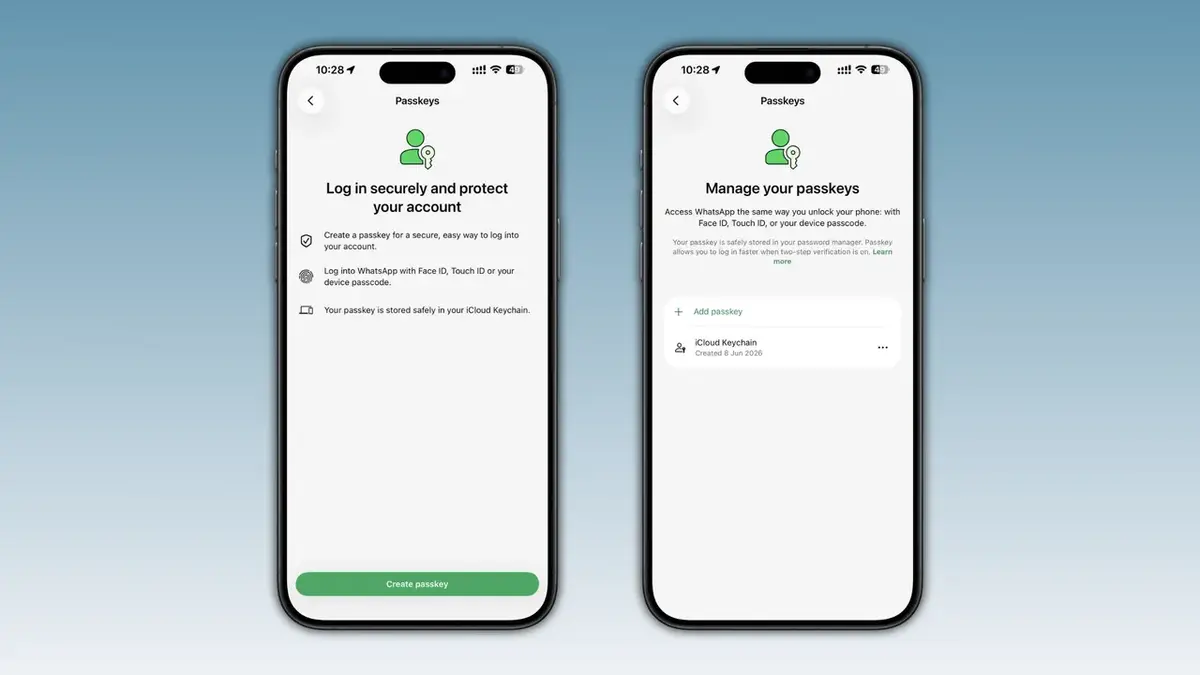
Activating the passkey feature is a straightforward process managed within the application settings. Users should navigate to the Account tab, select the Passkeys option, and follow the prompts to link their device. Once the key is generated, it is stored in the device’s secure password manager, streamlining future login attempts. This system is designed for ease of use, allowing users to replace old credentials by simply overwriting them if they desire a change in authentication methods.
Users retain full control to revoke or update their authentication keys at any time through the security menu.
Account Continuity Remains Fully Protected
While the adoption of passkeys is not mandatory, cybersecurity professionals highly recommend the transition to improve individual protection standards. The feature offers a distinct advantage during international travel where cellular service may be unreliable or SMS delivery is inconsistent. If a user reinstalls the application, the system automatically detects the existing passkey, allowing for a rapid and secure recovery of the account. This proactive approach ensures that users maintain constant connectivity while minimizing the risk of lockout situations caused by external network issues.
Have you already migrated your account to the new passkey security standard? We invite you to share your experiences, thoughts, or any technical questions you may have in the comments section below.
Your comment has been submitted,
it will be published after approval.