
YouTube Updates Shorts Interface to Improve User Experience

YouTube officially announced a series of significant updates to its short-form video platform, YouTube Shorts, on Thursday to streamline the user interface and enhance viewer engagement. By implementing these structural changes, the platform aims to provide a more intuitive and distraction-free experience for its global community. The update introduces several features that align Shorts more closely with contemporary social media standards, including a cleaner visual layout and improved playback controls. These modifications reflect YouTube’s ongoing commitment to evolving its video ecosystem to meet modern consumption habits while maintaining its distinct competitive position in the digital market.
- YouTube introduced a new clear screen mode to remove text and icons from the video display.
- The platform replaced the standard like button with a heart-shaped icon for user interactions.
- Playback controls were expanded to allow users to watch videos at 2x speed.
- The dislike button was officially removed from the Shorts interface to prioritize positive user feedback mechanisms.
YouTube Implements a Cleaner Interface for Viewers
The most notable addition to the interface is the clear screen mode, which allows viewers to watch content without the distraction of overlaying text or navigational icons. This design choice mimics successful features seen on other short-form platforms, emphasizing the content itself rather than the utility buttons. 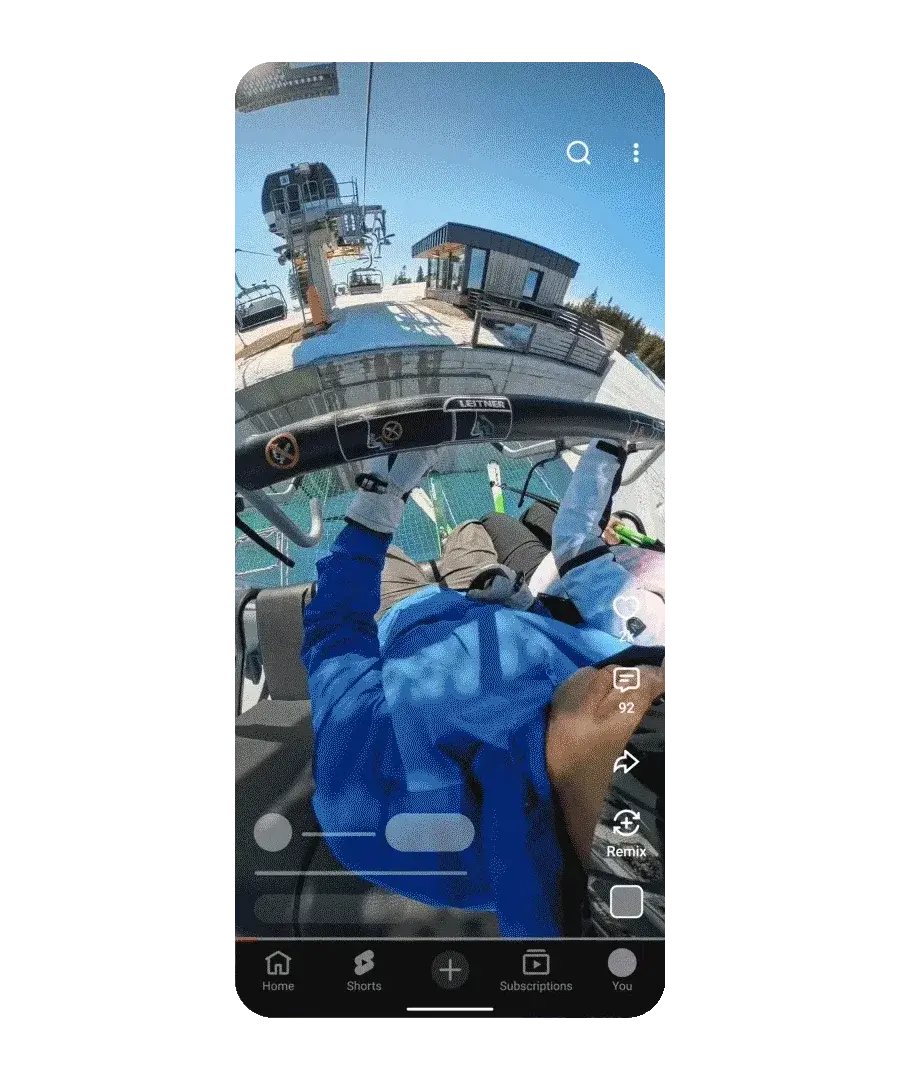
The introduction of the heart icon replaces the traditional like button, marking a shift toward more emotive social interaction.
Playback Controls Provide Greater Flexibility
Users now enjoy significantly more control over their viewing pace with the introduction of a 2x playback speed option. By pressing and holding the screen, users can accelerate the video, which immediately reverts to normal speed upon release. For those who prefer a constant accelerated experience, a simple gesture of tapping the player and sliding downward locks the video into 2x speed. Furthermore, users can now easily mute videos by accessing the settings menu directly from the active player, offering better control over the auditory environment.
Dislike Button Faces Complete Removal
In a major shift in policy, YouTube has decided to remove the dislike button entirely from the Shorts interface. While this feature was previously a standard way to signal negative sentiment, the platform now encourages users to provide feedback through the three-dot menu. Through this menu, viewers can select ‘not interested’ or ‘don’t recommend channel’ to refine their personalized feed and maintain a cleaner viewing experience.
These structural refinements represent a strategic pivot toward a more streamlined, competitive interface for the Shorts platform.
As YouTube continues to refine its platform, the role of user feedback becomes even more critical in shaping future design decisions. We would love to hear your thoughts on these changes; do you find the cleaner interface and new controls helpful for your daily browsing, or do you miss the traditional layout features?
Please share your personal experiences with the new Shorts interface in the comment section below to help us understand how these updates impact your viewing habits.
Your comment has been submitted,
it will be published after approval.