
WhatsApp Enhances Security With New Passkey Device Pairing

WhatsApp is currently developing a more secure and efficient method for users to link their accounts across devices by integrating passkey technology on the Android platform. This upcoming feature, currently in the early stages of development, aims to provide a sophisticated alternative to the traditional QR code scanning process. By allowing users to authenticate their identity through biometric data or existing screen lock mechanisms, the instant messaging giant seeks to streamline the linking experience while simultaneously bolstering account defenses against unauthorized access. Although the feature is not yet available to beta testers, it represents a significant shift toward modern authentication standards.
- WhatsApp is developing a passkey-based system to supplement the existing QR code pairing method.
- The system utilizes biometric data or device screen locks to enhance user authentication security.
- Users must have a pre-configured passkey set up within their account settings to utilize this new functionality.
- The implementation of this feature aims to reduce reliance on traditional QR scanning while maintaining current security protocols.
Passkey Technology Elevates Digital Security Standards
The transition toward passkey technology marks a critical evolution in how messaging platforms handle user authentication. Unlike traditional SMS-based verification, which can be vulnerable to interception, passkeys offer a robust, hardware-backed layer of protection. By anchoring the connection process to the user’s local device security, WhatsApp effectively mitigates the risks associated with malicious account takeovers and unauthorized device syncing.
Passkey authentication provides a significantly higher standard of security compared to traditional verification methods.
This integration extends the utility of passkeys beyond simple login procedures, moving them into the realm of device-to-device communication. As cyber threats become more complex, shifting the burden of verification from temporary codes to encrypted local keys ensures that only the authorized account holder can initiate a successful connection.
Device Pairing Processes Become More Efficient
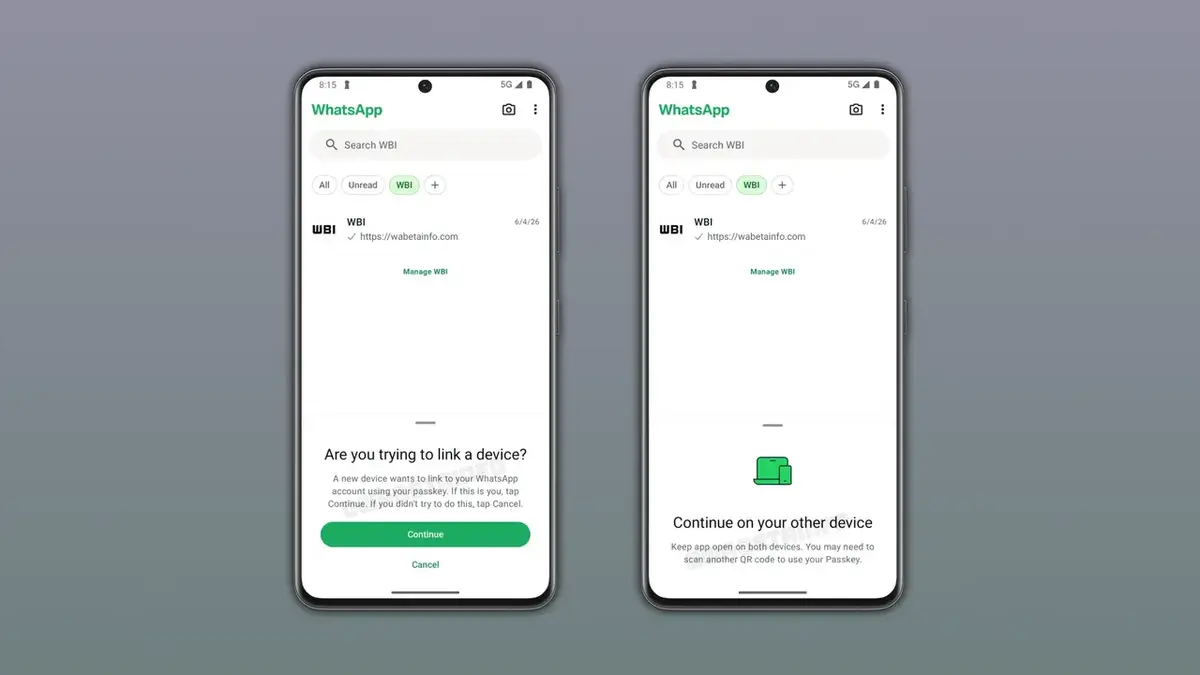
The proposed workflow for the new linking feature prioritizes user convenience. When a user attempts to link an additional device, the application will query the local password manager for an existing passkey. A confirmation prompt will then appear, requiring the user to verify the action. Once the user confirms, the system completes the authentication, bypassing the need to position a smartphone camera over a screen.
QR Code Methods Remain as an Alternative
Despite the introduction of this advanced technology, the company is not abandoning the QR code system. The existing method will continue to function as a primary or secondary option, ensuring compatibility across various device types and user preferences. In specific high-security scenarios, the application may still request a QR scan to verify the user’s physical presence, maintaining a balance between speed and strict security protocols.
The new pairing method optimizes user convenience without compromising established safety measures.
Users Must Configure Passkey Settings Early
To prepare for the rollout, users are encouraged to configure their passkeys in advance. Navigating to the Settings, Account, and Passkeys menu allows individuals to establish these credentials using their device’s built-in security. Ensuring an active screen lock and a compatible password manager is the only requirement for enabling this feature. As development progresses, the company plans to introduce these changes to beta testers before a wider release to the public. The industry remains focused on how these biometric-driven updates will influence future standards for global messaging security.
How do you feel about the transition from QR codes to biometric passkeys for your WhatsApp account? Share your thoughts on whether this shift provides the right balance between speed and security in the comments section below.
Your comment has been submitted,
it will be published after approval.