
Google Updates Android Backup Policy Affecting Cloud Storage Limits

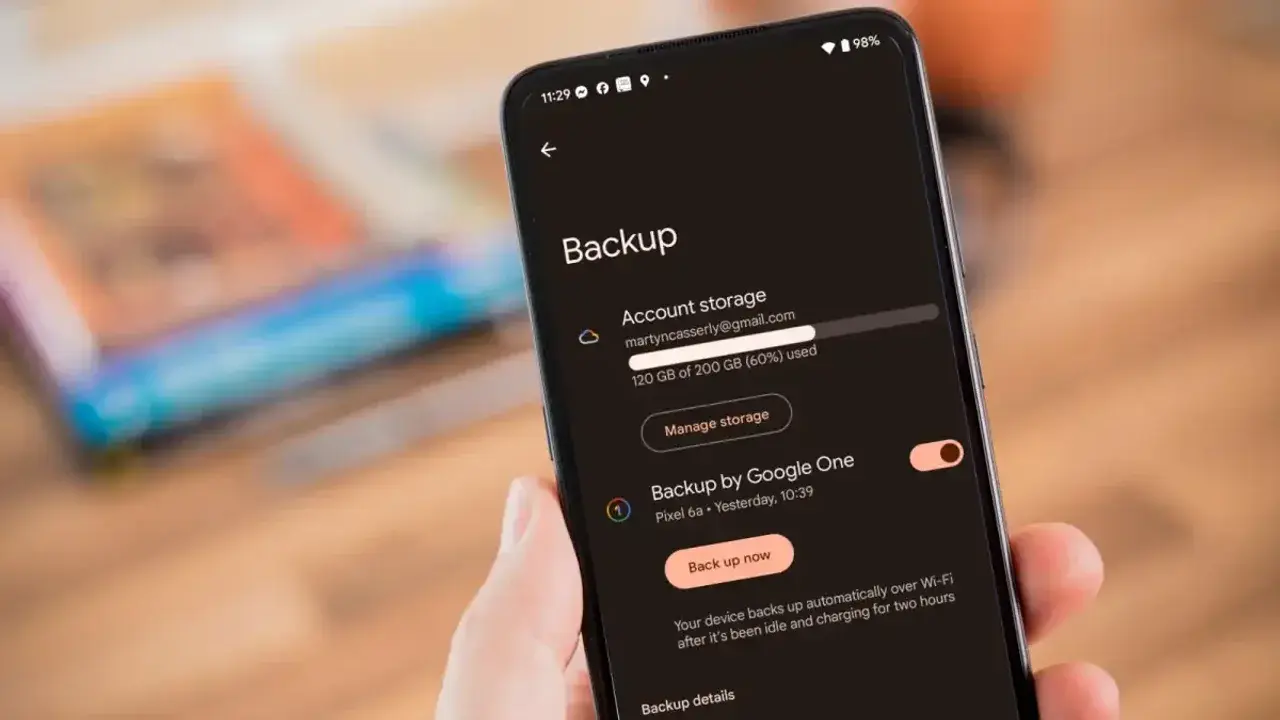
Google has officially announced a significant shift in its Android backup policy, fundamentally changing how user data consumes Google Account storage. Starting recently, the company now includes all system backup data—including SMS messages, call history, and device settings—within the standard 15 GB free storage allotment or existing Google One subscription plans. Previously, these specific system-level backups were exempt from the storage quota, which primarily accounted for Google Photos media and MMS attachments. This policy adjustment, which impacts both new and existing Android users, aims to centralize data management under a unified cloud storage infrastructure while enhancing transparency for individual account holders.
- Google now incorporates all Android system backups including call history and device settings into the standard cloud storage quota.
- The company estimates an average increase of 40 MB in backup size for the typical user account.
- Users gain granular control over specific data types through new toggle switches within their device settings.
- New policy implementation began on July 7 for new users, with a 45-day rollout period for existing accounts.
Storage Limits are Being Adjusted for All Users
The transition to this new storage model is designed to harmonize how Google manages data across its diverse ecosystem. While the inclusion of system data is expected to consume a small portion of the available cloud space, the company maintains that the impact remains minimal for most users, averaging approximately 40 MB of additional usage. This change effectively ends the era of unlimited system-level backups that were previously excluded from the primary storage tally.
Google has already begun notifying existing users via email regarding their current storage status and the anticipated impact on their individual accounts.
New Management Tools are Being Provided to Users
To mitigate concerns regarding storage depletion, Google is introducing more robust management tools. These features allow users to selectively toggle which specific categories of data—such as SMS, call logs, or general device settings—are included in their backups. By providing these per-app controls, the company intends to empower users to maintain tighter oversight of their digital footprint. 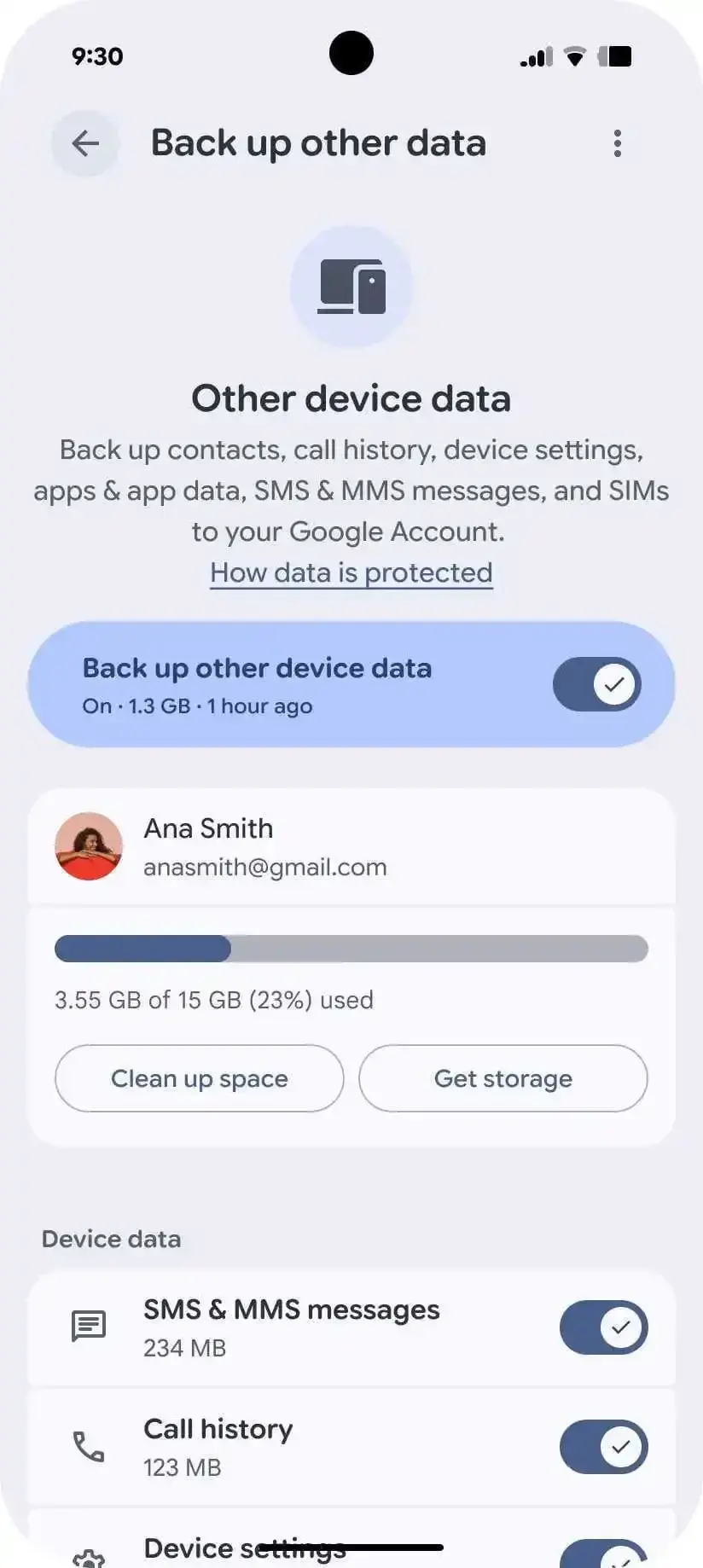
For those utilizing Google Pixel devices, these settings are easily accessible through the system configuration menu under the “Accounts and Backup” or “Google Backup” sections. Alternatively, users can navigate directly to these options by utilizing the search function within the Settings application. This level of transparency is intended to ensure that users remain fully informed about how their personal data occupies their allocated storage space.
Data Consolidation Simplifies the Backup Process
The core objective of this update is to streamline the restoration and migration experience for Android users. By consolidating all backup data into the Google Account infrastructure, the company simplifies the process of transitioning to new hardware. 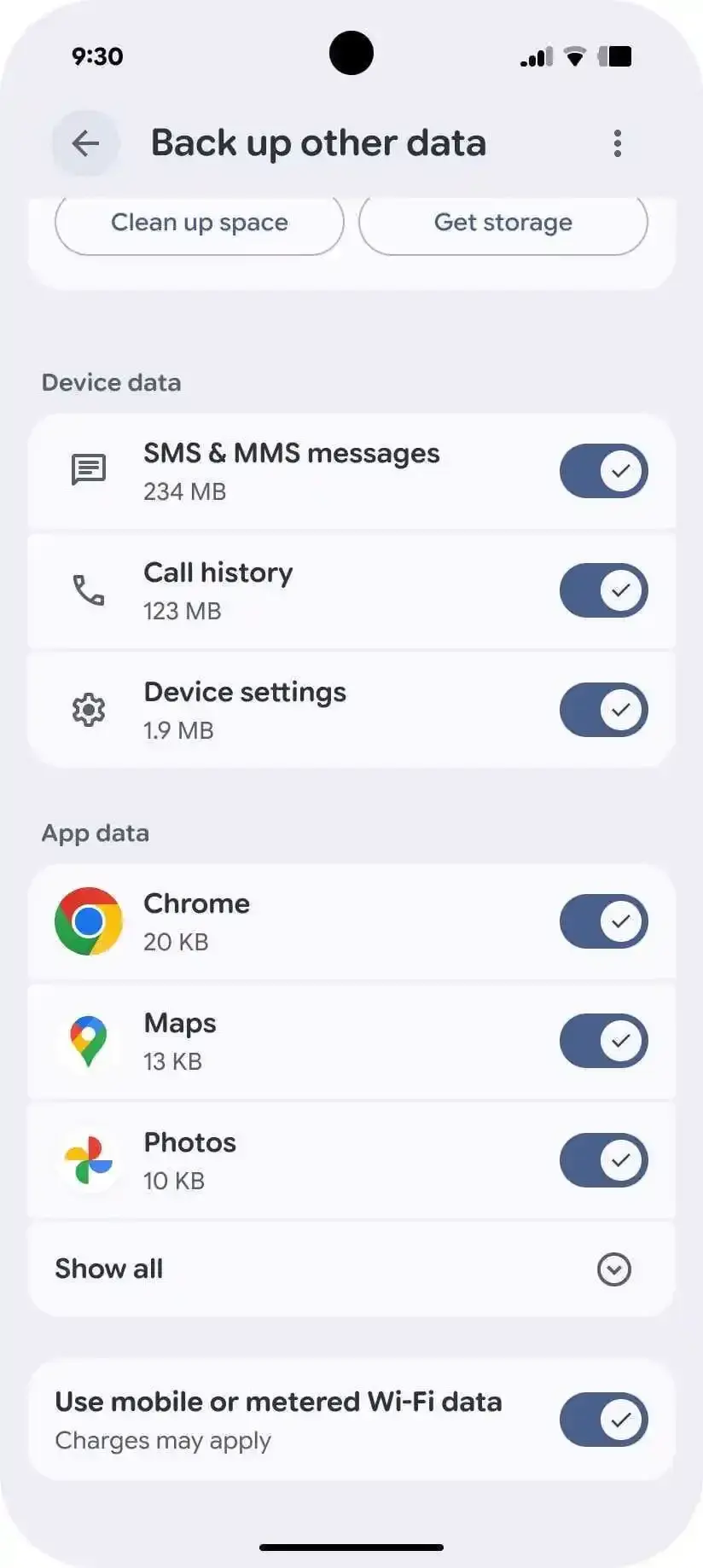 As cloud-based storage becomes the central hub for mobile information, the ability to restore call history, messaging data, and custom device configurations becomes more seamless and reliable.
The integration of these backups into the primary storage quota is expected to be fully finalized for all global accounts within the coming months.
Ultimately, while this policy requires users to monitor their storage more closely, it provides a more predictable and unified platform for data synchronization. Users can continue to monitor their storage consumption and manage their subscription tiers through the Google One interface to prevent any unexpected interruptions in their backup services.
How do you feel about this new storage policy, and will you be adjusting your backup settings to save space in your Google account? Share your thoughts and experiences in the comments section below.
Your comment has been submitted,
it will be published after approval.