
Google Launches New Selfie Video Authentication for Account Access

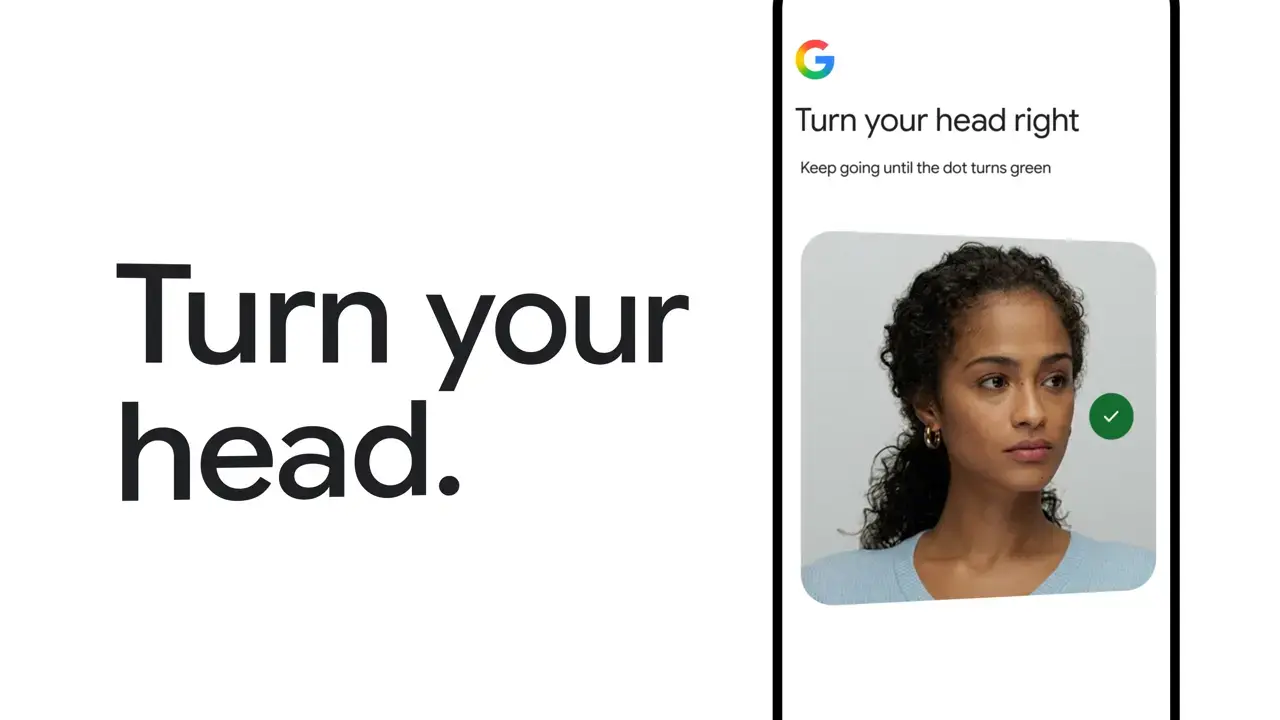
Google has officially introduced a groundbreaking, password-free sign-in method that utilizes biometric selfie video verification to enhance digital security. Designed to assist users who have lost their phones, forgotten their passwords, or cannot access recovery emails, this new feature allows individuals to regain account access through a secure facial recognition scan. Available on both mobile and desktop platforms, this system integrates advanced artificial intelligence to prevent unauthorized access while providing a seamless recovery path. By leveraging sophisticated encryption and liveness detection, Google aims to modernize account security and reduce reliance on traditional two-factor authentication methods.
- Google enables users to verify their identities using secure selfie video recordings for account recovery.
- The system incorporates advanced liveness detection to effectively mitigate risks posed by deepfake technology and fraudulent imagery.
- Users can synchronize their smartphones with desktop browsers to complete the identity verification process on computers lacking integrated cameras.
- All biometric data undergoes encryption at rest to ensure high standards of user privacy and information security.
New Authentication Systems Simplify Account Recovery
The implementation of the selfie video system prioritizes user convenience without compromising security. To set up the feature, users must follow guided on-screen instructions that require them to perform simple head movements. This process creates a detailed facial map, which is then securely processed to verify the user’s identity during future login attempts. The flexibility of this system allows it to operate across various devices, including smartphones and web browsers.
Google’s new verification tool ensures that users maintain control over their accounts even in the absence of traditional recovery methods.
For those accessing their accounts from desktop computers without webcams, Google offers a synchronization feature. Users can utilize their smartphone cameras as external security keys, effectively bridging the gap between mobile security hardware and desktop access. Interested users can visit g.co/signin-selfie to determine their account compatibility and initiate the setup process.
Advanced Security Measures Prevent Potential Deepfake Attacks
The rise of generative AI has created significant challenges for traditional biometric systems, particularly regarding deepfake synthesis. To counter these threats, Google has implemented a rigorous “liveness check” protocol. When a user requests account access, the system prompts them to perform real-time, randomized actions such as blinking or turning their head, ensuring the individual is physically present rather than using a static image or pre-recorded video.
Multi-layered security protocols protect users against sophisticated AI-driven impersonation attempts.
Privacy Policies Safeguard Personal Biometric Information
Data privacy remains a core component of Google’s new security framework. The company maintains a transparent stance, confirming that all captured video data is protected by encryption at rest. While this data is primarily utilized for authentication, users retain the option to contribute their information anonymously to help improve the system’s underlying algorithms. Furthermore, individuals can delete their biometric data from Google’s servers at any time with a single click, ensuring they maintain full control over their digital footprint.
Diverse Security Options Enhance Overall Account Protection
Despite the introduction of video verification, Google emphasizes that this method serves as an alternative to, rather than a replacement for, existing security measures like passkeys or physical security keys. Security experts recommend maintaining multiple recovery paths to ensure resilience against various cyber threats. By diversifying authentication options, users can better protect their personal information during emergencies when primary devices are unavailable.
We would love to hear your thoughts on this new, password-free future; do you feel comfortable using facial biometrics for your account security, or do you prefer traditional passwords? Share your opinions in the comments section below.
Your comment has been submitted,
it will be published after approval.