
Windows 11 Users Can Finally Disable Persistent OneDrive Notifications

Microsoft has officially addressed a long-standing point of contention for Windows 11 users by introducing a more manageable approach to OneDrive backup notifications. With the rollout of the latest updates, specifically observed in the Windows 11 24H2 stable version, the operating system now provides a direct option to permanently opt out of recurring cloud backup prompts. This change marks a significant shift in Microsoft’s user interface strategy, as it allows individuals to regain control over their desktop experience by dismissing persistent reminders that previously forced users into repetitive cycles of postponement.
- The latest Windows 11 24H2 update introduces an explicit “Opt out of backup” button for OneDrive users.
- This update effectively eliminates the previous limitation where users were only offered temporary delay options for cloud storage prompts.
- Microsoft maintains that users still have the freedom to choose third-party cloud storage alternatives like Google Drive or Dropbox.
OneDrive Notification Policies Are Changing
For years, the OneDrive integration within Windows 11 has been criticized for its aggressive push toward cloud synchronization. Previously, when the system prompted users to back up their local files, the pop-up interface provided limited choices, often restricting users to a “Remind me in 3 days” button. This design forced the notification to reappear incessantly, creating a loop that many users found intrusive during their daily workflows. 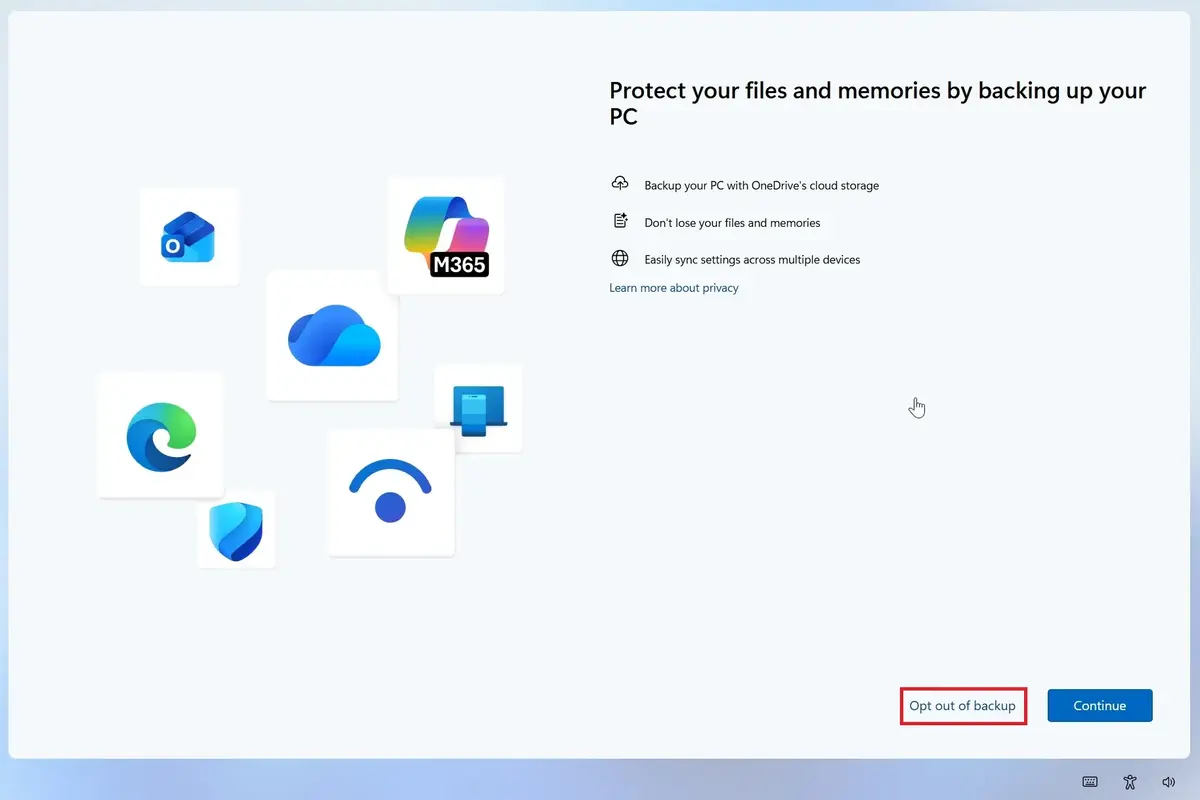
By integrating a clear “Opt out of backup” feature, Microsoft is acknowledging the feedback from its community regarding OS autonomy. While users can now permanently decline these requests, the company has implemented a secondary confirmation screen to ensure that the decision to bypass OneDrive backup is intentional. Users are still presented with a choice between “Skip for now” or “Back up now” to verify their preference, ensuring that data security remains a highlighted priority even as the intrusive nature of the prompts is reduced.
Alternative Cloud Solutions Are Remaining Viable
It is important to note that Windows 11 does not mandate the use of OneDrive as the exclusive cloud storage provider. Because the operating system is built with modularity in mind, users have the flexibility to install and utilize various third-party services that may offer better pricing, larger free storage tiers, or distinct synchronization features tailored to their specific needs. 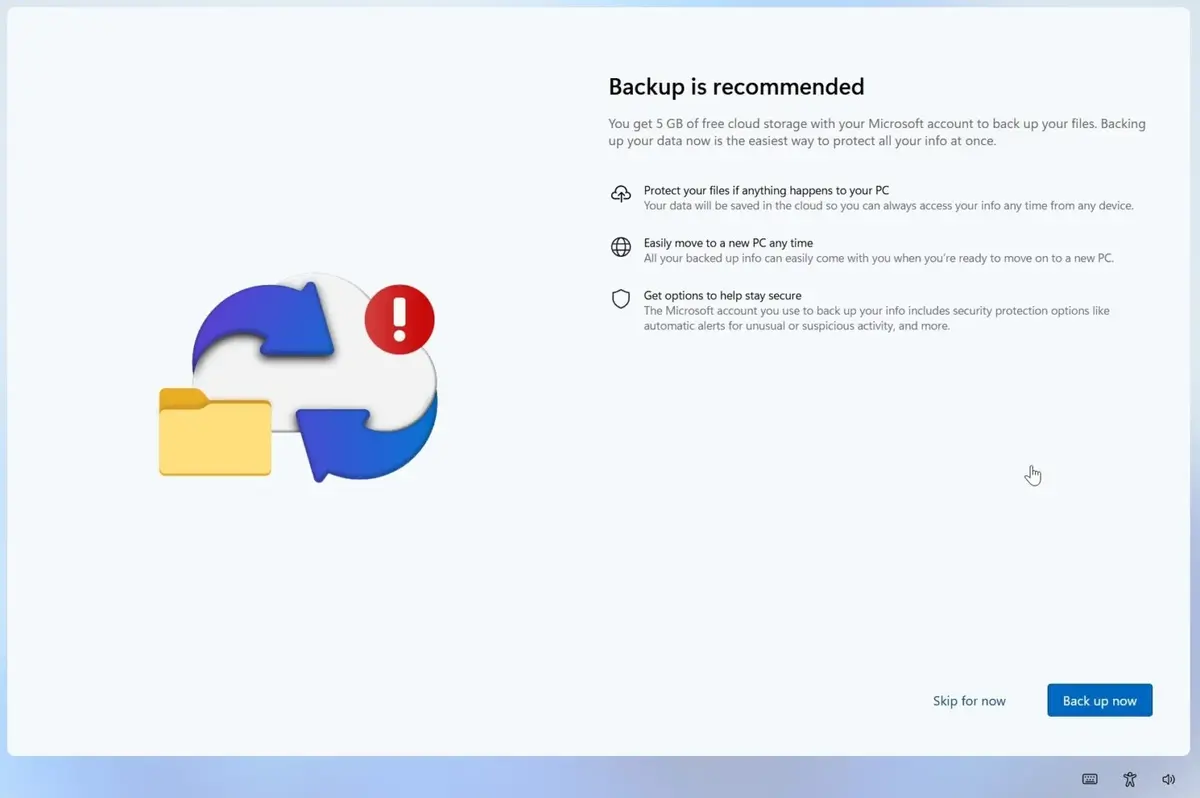
Microsoft continues to refine the Windows 11 ecosystem, focusing on performance optimizations for lower-end hardware, such as systems equipped with 8GB of RAM. The company is simultaneously expanding the functionality of the Phone Link application, which now allows for remote shutdown and restart capabilities for connected devices. While these technical advancements are crucial, the decision to simplify the OneDrive notification process demonstrates a more user-centric approach to software development. By providing the option to decline persistent prompts, Microsoft is effectively reducing software clutter, allowing for a cleaner and more efficient desktop environment that respects individual user preferences.
We are curious to hear your thoughts on these interface improvements; do you feel that the ability to permanently dismiss these notifications provides enough freedom, or would you prefer a more comprehensive overhaul of how Windows handles cloud integration?
Your comment has been submitted,
it will be published after approval.