
Wallspace Brings Native Live Wallpapers to macOS Devices

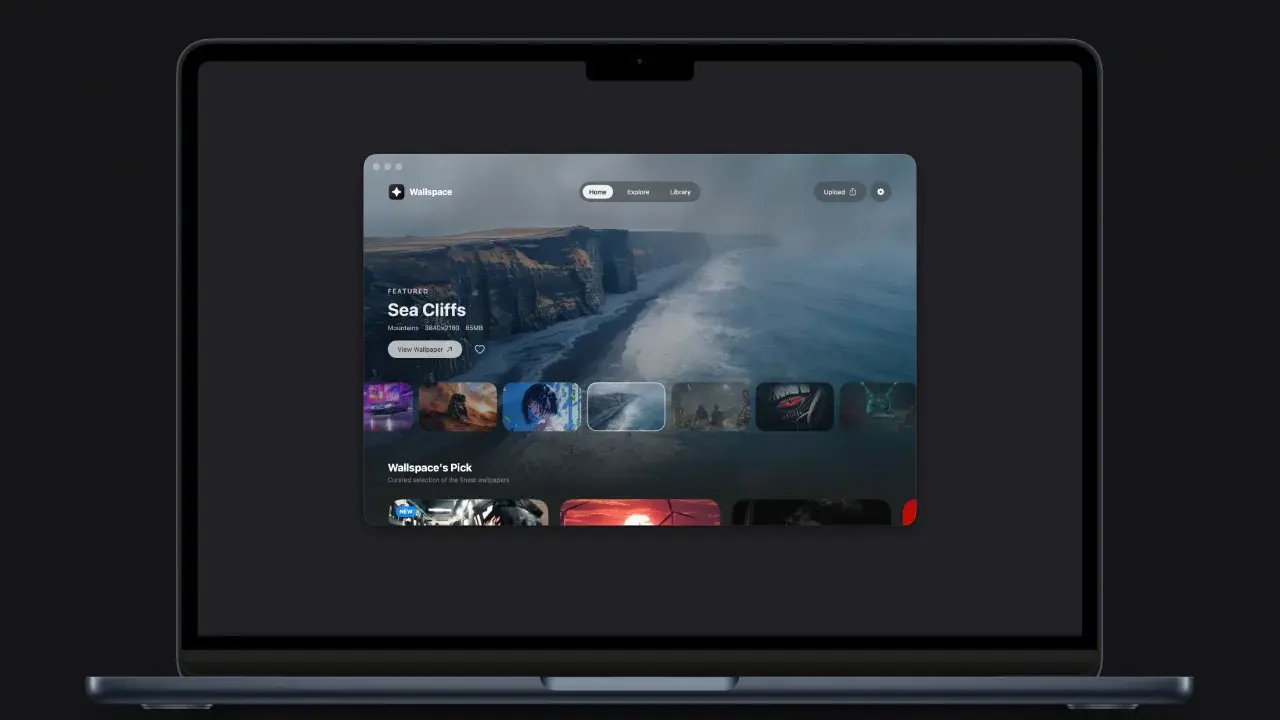
A new live wallpaper application named Wallspace has been officially launched for macOS users, offering a high-performance solution to desktop personalization. Developed natively using Apple’s Swift programming language, the application aims to solve the resource-heavy issues typically associated with live desktop tools. Available for macOS 15.0 and newer, Wallspace stands out by providing a seamless integration with the system, including lock screen support and extensive multi-monitor configurations, all while maintaining a minimal footprint on system resources for Mac users worldwide.
- The application utilizes native Swift architecture to keep CPU usage below two percent during background operation.
- Users can manage multiple displays independently or synchronize animations across all connected monitors at 4K resolution.
- A one-time purchase model replaces the subscription-based payment structure found in many competing software products.
- The software includes an integrated artificial intelligence search engine for discovering visual content based on descriptive text.
Native Swift Development Prioritizes System Performance
The primary criticism directed at previous live wallpaper utilities for Mac has been the excessive CPU consumption and accelerated battery depletion caused by web-based wrappers like Electron. Wallspace differentiates itself by adopting a fully native approach. By utilizing hardware-accelerated video playback, the application achieves a highly efficient performance profile. Under normal conditions, the app consumes less than two percent of the processor’s capacity, ensuring that the Mac remains responsive for other critical workflows.
Furthermore, the developers have implemented an intelligent pause mechanism. This feature automatically halts wallpaper animations when the device is running on battery power or experiencing high system load, effectively preserving battery health and maintaining consistent hardware performance during intensive tasks.
Multi-Monitor Support Enhances Visual Versatility
Wallspace caters to a wide spectrum of Apple hardware, ranging from the portable MacBook Air to the high-end Apple Studio Display. The application supports fluid 4K animations running at 60 frames per second. For professionals working with multiple screens, the software offers granular control over display configurations. Users have the flexibility to assign distinct animated backgrounds to every individual monitor or synchronize a single visual theme across an entire multi-panel setup.
Privacy Standards Guide the Artificial Intelligence Implementation
To assist users in finding the perfect backdrop, an AI-powered search engine has been integrated directly into the interface. This tool allows individuals to describe desired moods, scenes, or aesthetic styles using natural language, enabling the system to retrieve matching high-quality animations. In addition to the curated library, the app supports the direct import of local MP4 files without the need for manual file conversion.
Privacy remains a central pillar of the development philosophy. The application does not require users to create accounts, register personal information, or participate in data tracking, ensuring a secure experience for all Mac owners.
Flexible Acquisition Options are Provided for Users
Accessibility is a priority for the Wallspace team, evidenced by the availability of the application through Homebrew for developers and power users. While the core features are available to the public at no cost, the Pro version unlocks unlimited 4K downloads, exclusive lock screen customization, and priority access to community features. Unlike many modern utility apps that rely on recurring subscriptions, Wallspace maintains a transparent pricing policy, requiring only a one-time payment of 12.99 dollars to access the full feature set.
We would love to hear your thoughts on this new approach to macOS customization. Do you prefer animated backgrounds or a static desktop for your daily workflow? Share your opinions in the comments section below.
Your comment has been submitted,
it will be published after approval.