
Windows 11 Update Will Restrict Undervolt Software Usage


Microsoft is preparing to implement a significant change to Windows 11 system settings on October 13, aimed at bolstering core security standards. The technology giant plans to automatically enable the Memory Integrity feature across all compatible systems to mitigate threats at the kernel level. While this update provides a robust defense against malicious code, it poses a direct challenge to users who rely on undervolt software to optimize thermal management and power consumption. By enforcing stricter hardware access protocols, Microsoft is effectively limiting the functionality of third-party tools that require deep-level system permissions to modify CPU voltages.
- Microsoft will mandate the Memory Integrity feature on all Windows 11 systems starting October 13.
- The enforcement of this security layer will block the execution of popular tools like ThrottleStop and Intel XTU.
- Enabling Kernel Isolation may lead to measurable performance decreases in certain gaming environments.
Security Protocols Are Being Elevated at the Kernel Level
The strategic decision by Microsoft reflects a broader initiative to maximize the security architecture of the Windows 11 operating system. Known as Virtualization-Based Security (VBS), the Memory Integrity feature acts as a guardian, preventing unauthorized code from infiltrating the system kernel. By restricting the operation of unverified drivers and kernel-mode software, the company intends to create a formidable barrier against sophisticated cyberattacks. 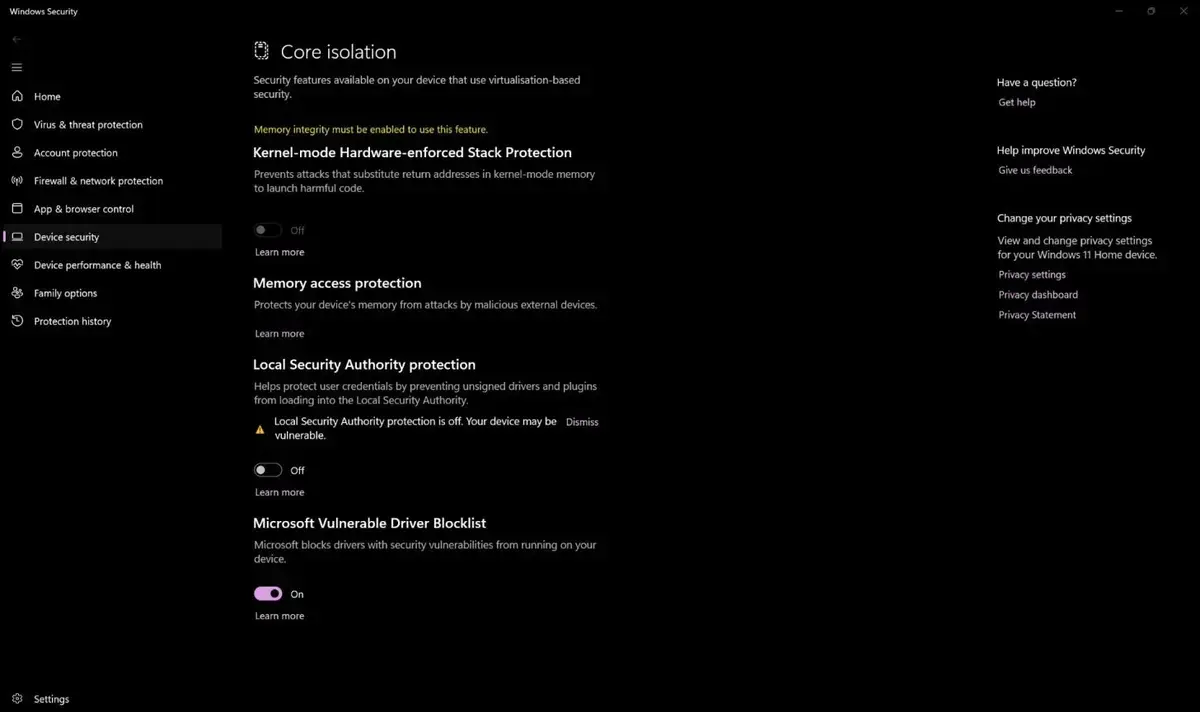
However, these stringent security measures create immediate conflicts with utility software that operates with elevated privileges. Tools that interface directly with hardware components are often flagged as potential vulnerabilities under the new security framework, leading to compatibility errors and system-level blocks that prevent them from launching entirely.
Undervolt Enthusiasts Must Choose Between Security and Performance
Many users of high-performance laptops and gaming desktops utilize undervolting to reduce excessive heat generation and battery drain. These tools typically function by bypassing standard power management controls, often requiring specific BIOS configurations such as disabled virtualization features. The automatic activation of Memory Integrity by Microsoft essentially nullifies these custom setups by forcing the system back into a restrictive state.
Consequently, power users face a difficult dilemma: they must either accept the default thermal and power profiles enforced by the OS or manually disable critical security features to regain control over their hardware. For those who prioritize a cooler and more efficient system, this update represents a significant setback in their ability to tune their machines for optimal performance.
Gaming Performance Can Be Impacted by Security Layers
The impact of Memory Integrity, also referred to as Kernel Isolation, on gaming performance has become a major point of contention within the tech community. Early reports and performance tests indicate that the overhead created by this security layer can lead to noticeable drops in frame rates (FPS). While modern, high-end CPUs may mask these losses, hardware that operates near its thermal or processing limits will likely suffer from reduced stability and reduced efficiency during intensive tasks.
Alternative Solutions Are Being Offered to Maintain System Balance
For individuals determined to maintain their custom configurations, the most viable path involves manually disabling Memory Integrity. However, experts emphasize that this action exposes the system to potential vulnerabilities and necessitates extreme caution when downloading files or installing software from unverified sources. Maintaining high performance while keeping a system secure requires a disciplined approach to cybersecurity awareness, as users must now become the primary gatekeepers of their digital environments.
How do you feel about Microsoft prioritizing system security over the flexibility of custom performance tools? Are you currently relying on undervolt software to manage your hardware, and will this update change your workflow? We invite you to share your thoughts and experiences in the comments section below.
Your comment has been submitted,
it will be published after approval.