
Samsung Galaxy S25 FE Gains Seamless iPhone File Sharing Support

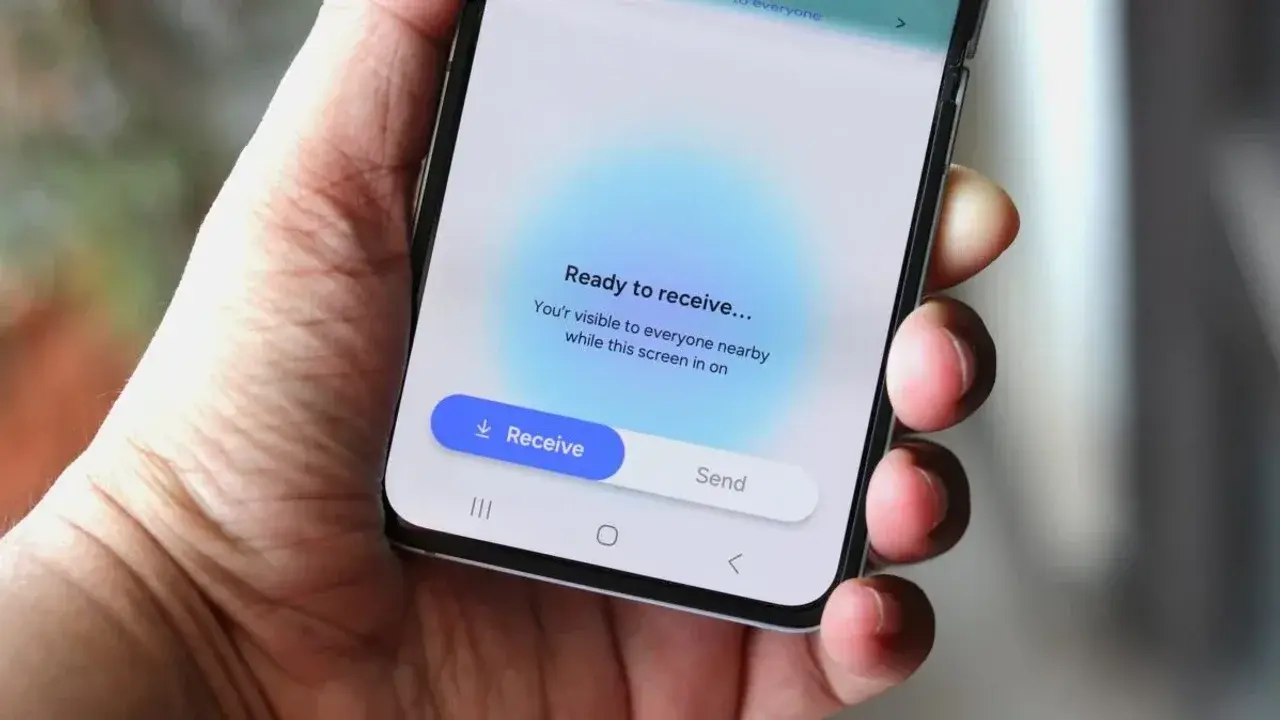
Samsung has officially expanded its cross-platform connectivity by bringing AirDrop-like file sharing capabilities to the Galaxy S25 FE. With the release of the stable One UI 9.0 update, users of this device can now utilize the Quick Share feature to transfer documents, photos, and videos directly to iPhones without relying on third-party applications. This integration, which follows a broader push by Google to bridge the gap between Android and Apple ecosystems, marks a significant milestone for Samsung’s Fan Edition lineup. By enabling this functionality, the company ensures that S25 FE owners benefit from the latest software standards that were previously limited to flagship models.
- Samsung introduced native cross-platform file sharing support for the Galaxy S25 FE via the stable One UI 9.0 update.
- The integration allows direct Quick Share transfers to Apple devices by leveraging established industry compatibility standards.
- This update removes the necessity for third-party file transfer applications during routine data sharing between Android and iOS users.
Software Updates Enable New Functionality
The transition toward more open device communication was first observed by industry analyst Tarun Vats, who highlighted the inclusion of this feature in the latest Samsung firmware. By aligning Quick Share with Apple’s proprietary protocols, the tech industry is slowly overcoming the long-standing “walled garden” limitations that have frustrated users for years. For owners of the Galaxy S25 FE, this update represents a vital enhancement to the device’s daily utility, ensuring it remains competitive in an increasingly interconnected market.
As Samsung continues to roll out its One UI 9.0 software, the company is prioritizing features that simplify the user experience. While high-end models like the Galaxy S26 series and Google’s Pixel 10 have already received similar updates, the addition of the S25 FE to this list demonstrates Samsung’s commitment to supporting its diverse range of smartphones. This strategic move effectively bridges the gap between hardware ecosystems, allowing for smoother interaction in environments where both Android and iOS devices are present.
Cross-Platform Compatibility Changes User Expectations
The ability to share files seamlessly across different platforms fundamentally changes how users interact with their mobile technology. Previously, transferring a simple image from an Android phone to an iPhone often required email attachments, cloud storage links, or dedicated transfer apps that were frequently slow or cumbersome. With the native implementation of this sharing protocol, the process is now almost instantaneous, reflecting a significant leap forward in user convenience.
Despite these improvements, the industry still faces challenges regarding universal adoption. While the Galaxy S25 FE is now capable of this direct communication, many other Android devices remain unable to interact with iPhones in the same manner. This disparity highlights that while the technology exists, its deployment is an ongoing process that depends on individual manufacturer updates and software compatibility levels. Samsung’s proactive approach here positions it as a leader in fostering an open mobile ecosystem.
Ultimately, the update serves as a testament to the evolving nature of mobile software, where the focus is shifting from exclusive features to shared standards. As users grow accustomed to this level of interoperability, the demand for similar features across all mid-range and budget-friendly devices will likely increase, placing further pressure on other manufacturers to follow suit.
We are curious to hear your thoughts on this cross-platform development; do you believe that seamless file sharing between Android and iOS will significantly change your daily digital workflow, or do you prefer using third-party services for your transfers? Let us know in the comments section below.
Your comment has been submitted,
it will be published after approval.