
YouTube Mobile App Unveils Major Navigation Design Changes

YouTube has officially announced a significant overhaul of its mobile application interface, marking one of the most substantial updates to the platform’s user experience in recent years. Starting this month, the company is relocating the long-standing Subscriptions tab from the bottom navigation bar to a new position at the top of the home feed. This strategic shift aims to create a more fluid browsing experience for mobile users while simplifying the overall navigation structure. As YouTube seeks to streamline content discovery, this redesign fundamentally alters how users access their favorite channels and interacts with personalized video feeds.
- The Subscriptions tab has been moved from the bottom navigation menu to the top of the interface.
- YouTube has eliminated the traditional navigation drawer to provide a cleaner, more modern look.
- Users can now create up to eight custom feeds based on specific interests using a new prompt-based feature.
- The rollout is currently limited to English-language users in the United States before expanding globally.
The Bottom Navigation Bar Faces Major Structural Changes
For users who have relied on the bottom menu since its implementation in 2017, this update requires a significant adjustment to established muscle memory. YouTube states that the redesign is intended to prioritize a more cohesive home experience. By shifting the Subscriptions shortcut to the top bar, the app frees up space in the bottom navigation, effectively removing the traditional navigation drawer entirely. 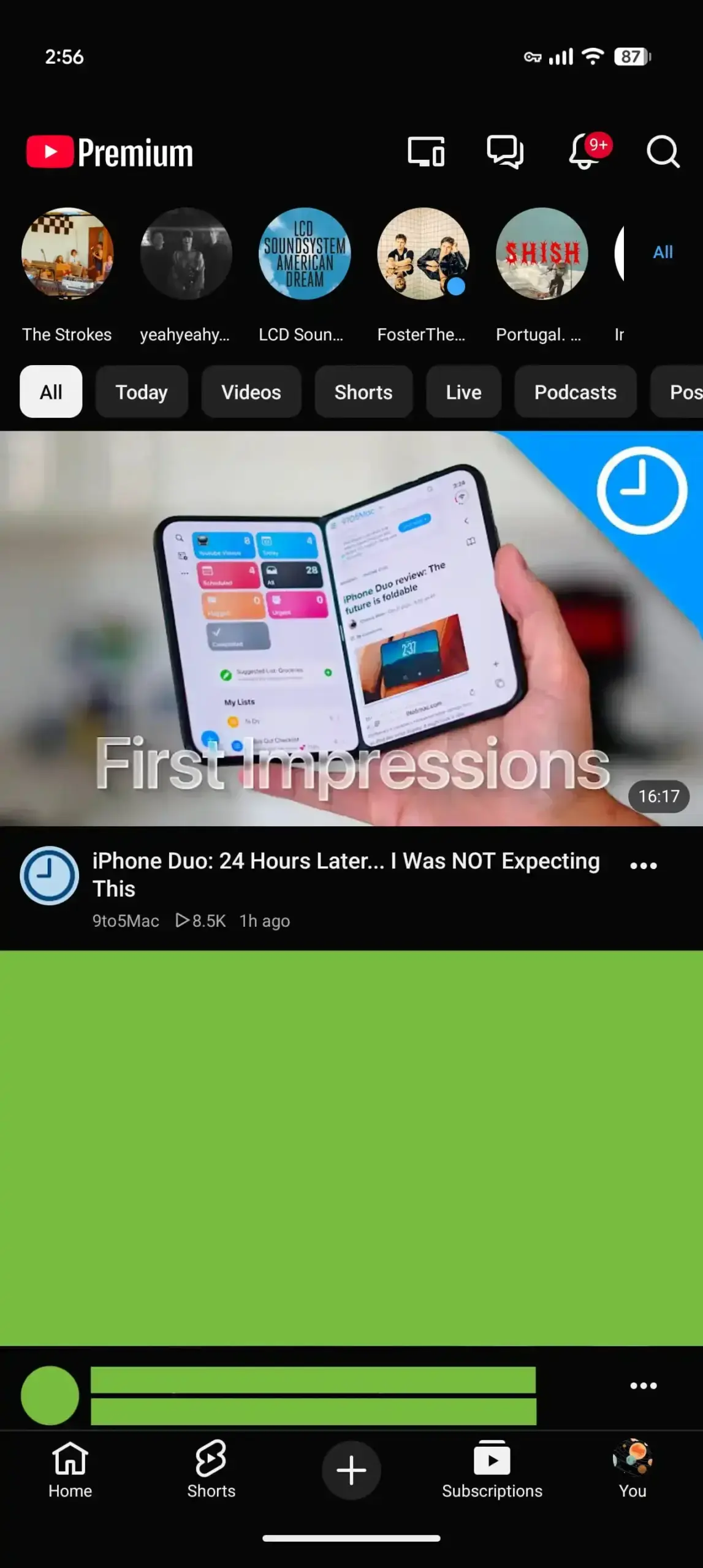
The new top bar serves as a consolidated hub for various feeds, placing the Subscriptions tab—now abbreviated as “Subs”—immediately after the Home option. This section is marked by a prominent red underline, ensuring that users can still find their subscribed content despite the change in location. 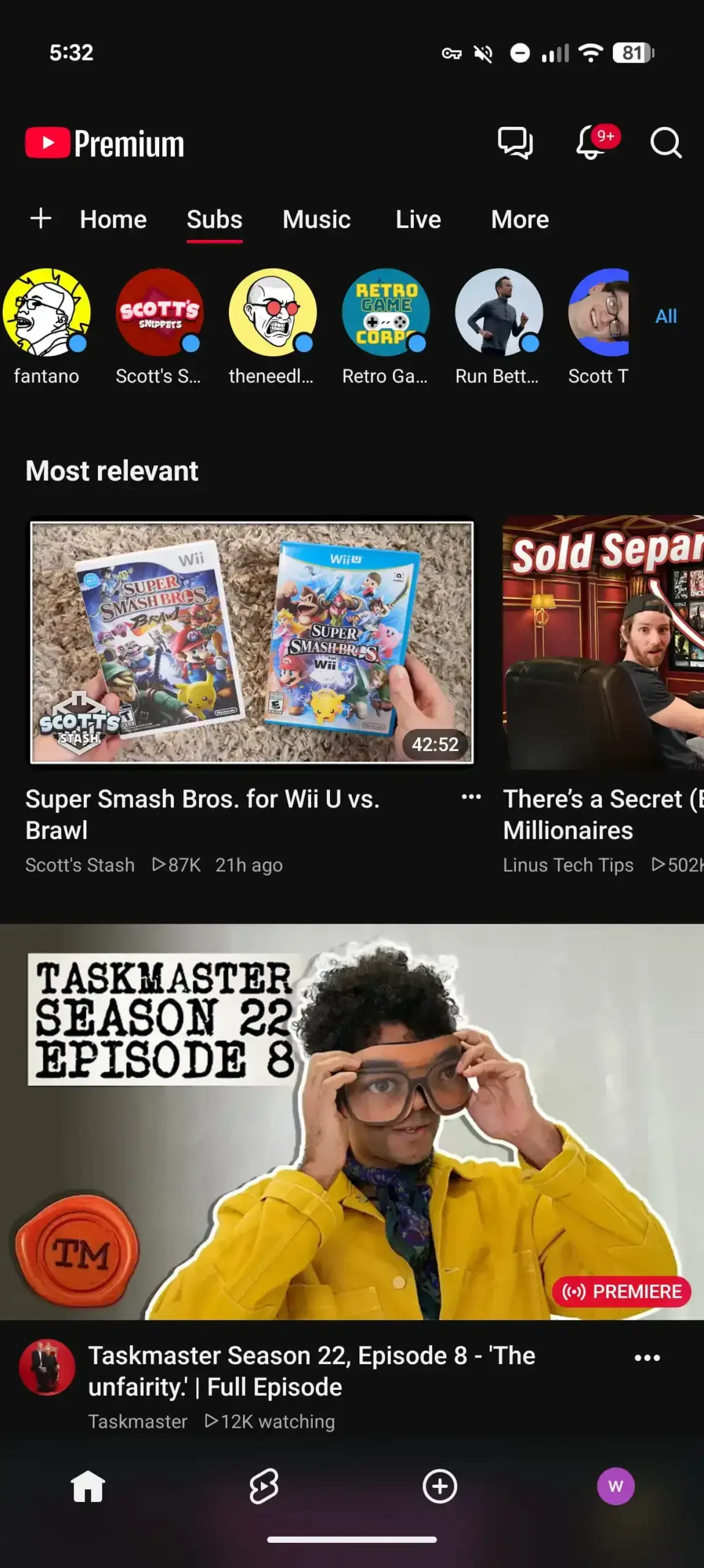 This minimalist approach is designed to reduce clutter and help users navigate between their main feed and specific interests with fewer taps.
Custom Feeds Allow for Personalized Content Discovery
Beyond the layout shift, YouTube is introducing advanced customization features that allow users to curate their own video streams. By tapping the plus icon on the home screen, users can describe the types of content they wish to see using natural language. For instance, a user could request “short guided meditation videos,” and the app will generate a dedicated tab for that specific topic.
These custom feeds appear alongside the standard Home and Subscriptions tabs, providing a personalized navigation experience. Users can easily manage these feeds via an editing box located at the top of each stream. While free accounts can save up to three custom feeds, YouTube Premium subscribers benefit from an expanded limit of up to eight, rewarding those invested in the platform’s ecosystem.
New Categories Expand the Top Navigation Bar
The updated interface also integrates new specialized feeds such as Live, Music, and Movies & TV into the top navigation bar. Notably, the Movies & TV section is context-aware; it will only appear for users who have active subscriptions to services like Primetime Channels. This integration makes premium content more accessible without overwhelming the primary feed.
Currently, these features are being deployed to logged-in users in the United States who have their app language set to English. As YouTube gradually rolls out these changes across both mobile and desktop platforms, the company anticipates a broader international release in the coming months. This redesign reflects the platform’s ongoing commitment to evolving its interface to match modern consumption habits.
We are curious to hear your thoughts on these significant changes to the YouTube interface. Does moving the Subscriptions tab make it easier for you to find your content, or will it take some time to get used to the new layout? Share your experiences and feedback in the comments section below.
Your comment has been submitted,
it will be published after approval.