
Google Gemini Interface Receives Major Dynamic Color Update

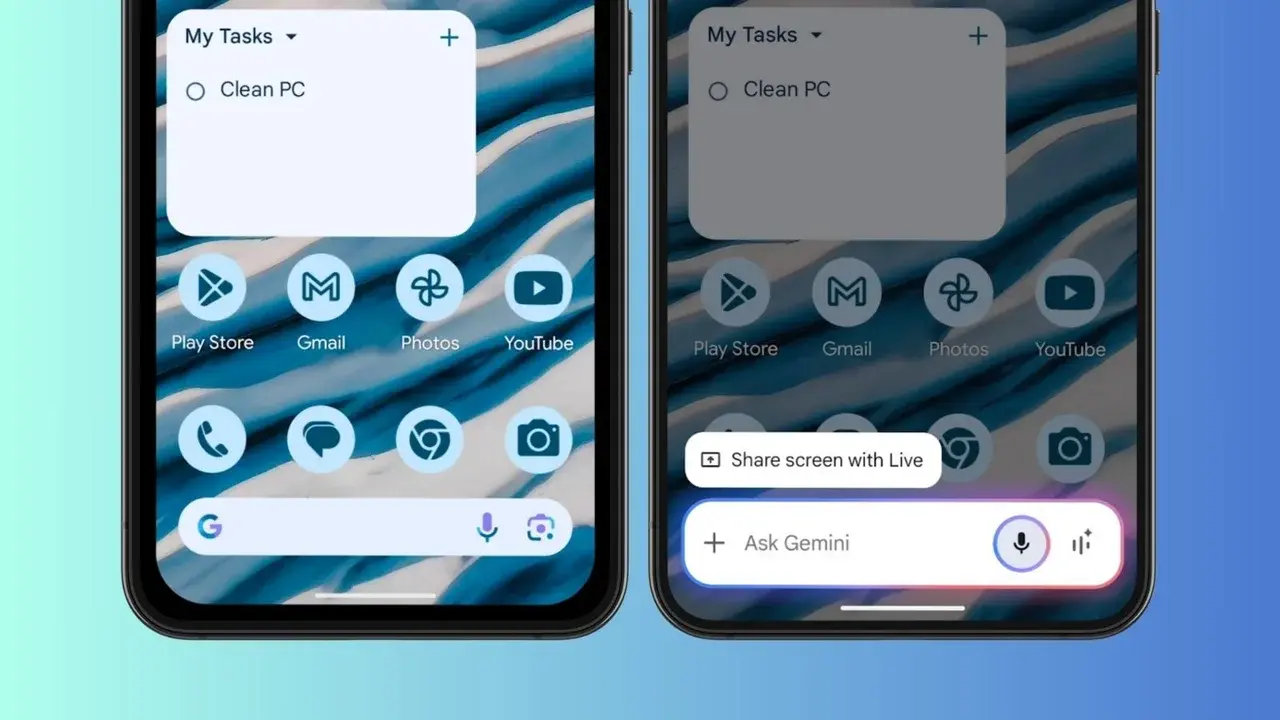
Following the announcement of the Neural Expressive design language at the I/O 2026 event, Google has officially begun rolling out a significant interface update for the Gemini AI on Android devices. Starting with version 17.28 of the Google application, users worldwide are gaining access to Dynamic Color support, which integrates the app’s aesthetic with the system-wide Material You theme. This update aims to enhance the visual cohesion and functional accessibility of the AI assistant, providing a more personalized user experience that adapts to individual wallpaper and theme settings across the mobile ecosystem.
- Google integrated Dynamic Color support into the Gemini interface through the latest app update.
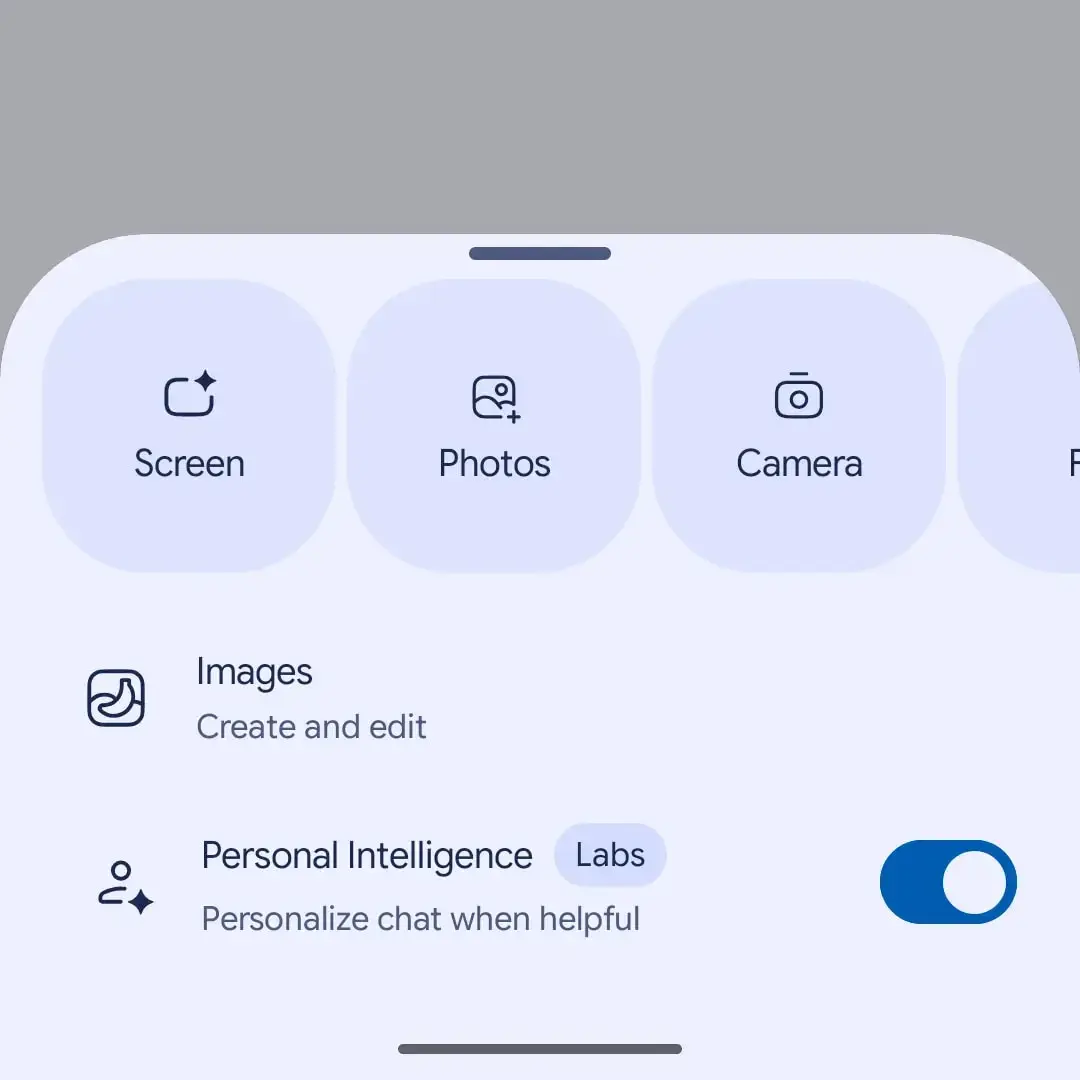
- The Screen Content tool was relocated to the primary carousel menu to improve accessibility.
- Version 17.28 of the Google application brings these visual and functional updates to the stable user base.
Gemini Adapts to Material You Design Standards
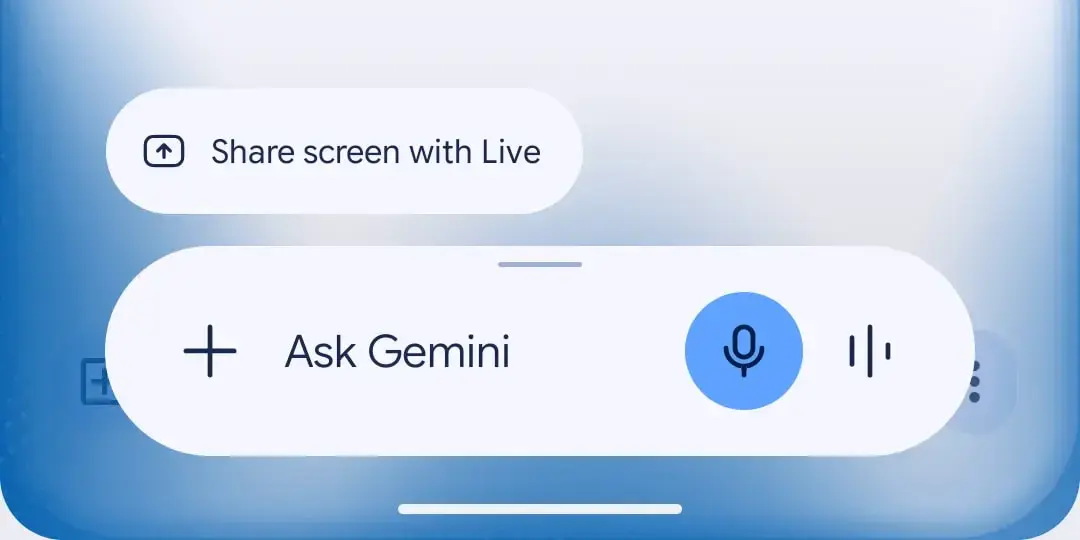
The most noticeable change in this update is the introduction of Dynamic Color support. This feature, which has been a staple of Android’s Material You design language, allows the Gemini interface to pull colors from the user’s wallpaper and apply them to various UI elements. For users who prefer dark mode, the transformation is particularly striking. Previously, the text input areas and interactive buttons were rendered in static gray tones. Now, these elements glow with the subtle hues of the system theme, creating a more immersive environment.
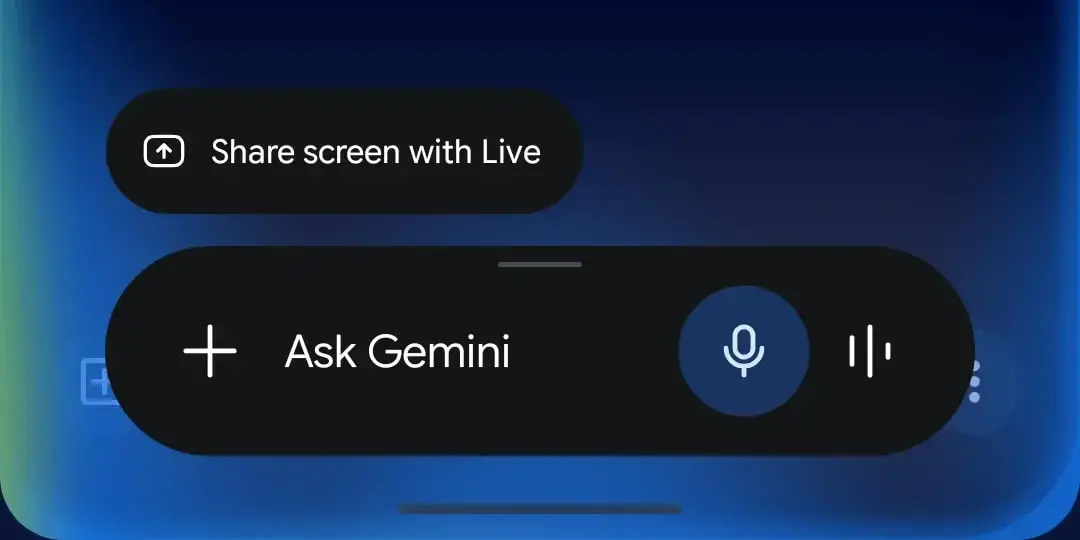
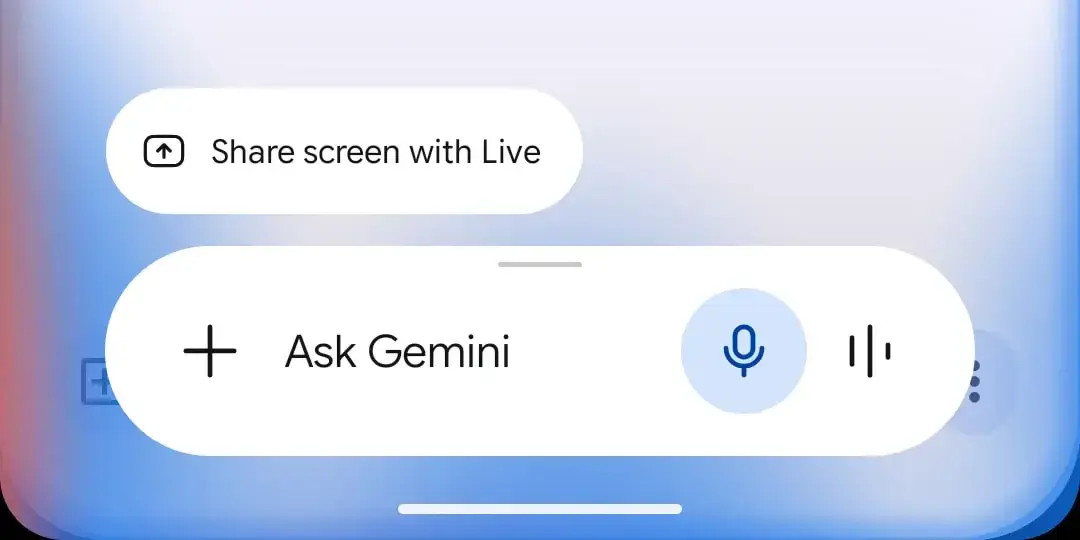
While the changes are most evident in dark mode, light theme users also see refinements within the application’s menus. When a user taps the plus icon to expand their options, the resulting menu now features a soft tint that matches the overall device palette. Furthermore, the carousel structure used to navigate through different tools has been given a more distinct thematic background. It is important to note, however, that the full-screen Gemini chat experience has not yet received the full Dynamic Color treatment, though it is expected in future iterations.

The integration of Dynamic Color represents a significant step toward making AI feel like a native part of the Android operating system.
Functional Improvements Streamline the User Experience
Beyond the purely aesthetic changes, Google has also focused on improving the functionality of the Gemini interface. One of the most critical adjustments involves the Screen content feature. This tool allows users to capture what is currently on their screen and immediately add it to an AI prompt for analysis or summary. Previously, this feature was tucked away in a list alongside Images and Personal Intelligence tools, making it somewhat cumbersome to access during a quick workflow.
In the new version, the Screen Content option has been moved directly into the main carousel menu. It now sits alongside frequently used tools such as Photos, Camera, Files, Drive, and Notes. This repositioning creates a much more compact and efficient workspace for the user. By placing these high-utility tools in a single, horizontal row, Google is reducing the cognitive load required to perform complex tasks involving multi-modal inputs.
{{WP_IMAGE_4}}
Centralizing productivity tools within a single carousel significantly reduces the number of taps required to process on-screen information.
The Update Reaches the Stable Version for All Users
This set of features was initially tested in beta versions, but with the release of version 17.28, it has officially reached the stable channel. This means that the majority of Android users should now have access to these improvements. If the changes are not yet visible on your device, there is a simple troubleshooting step you can take. By going into the system settings and Force Stopping the Google application, you can often trigger the app to refresh its configuration and activate the new interface elements.
The move to bring these updates to the stable version highlights Google’s commitment to a fast-paced development cycle for Gemini. As the competition in the AI space intensifies, ensuring that the interface is as polished as the underlying model becomes a key differentiator. The refined layout not only looks better but also facilitates a faster interaction loop between the user and the AI.
Google continues to strengthen the position of Gemini within the Android ecosystem by prioritizing both visual harmony and operational speed.
The transition to a more dynamic and expressive design language is just the beginning for Gemini. As Google continues to roll out updates inspired by the Neural Expressive design language, we can expect even deeper integrations across all Google Workspace apps and Android system components. These small but impactful touches ensure that the user experience remains modern and intuitive.
What do you think about the new Dynamic Color support and the rearranged menu in Gemini? Do these visual updates make the AI feel more integrated into your daily Android experience? Share your thoughts and observations in the comments below!
Your comment has been submitted,
it will be published after approval.