
What Is an LNB and How Should You Configure It?

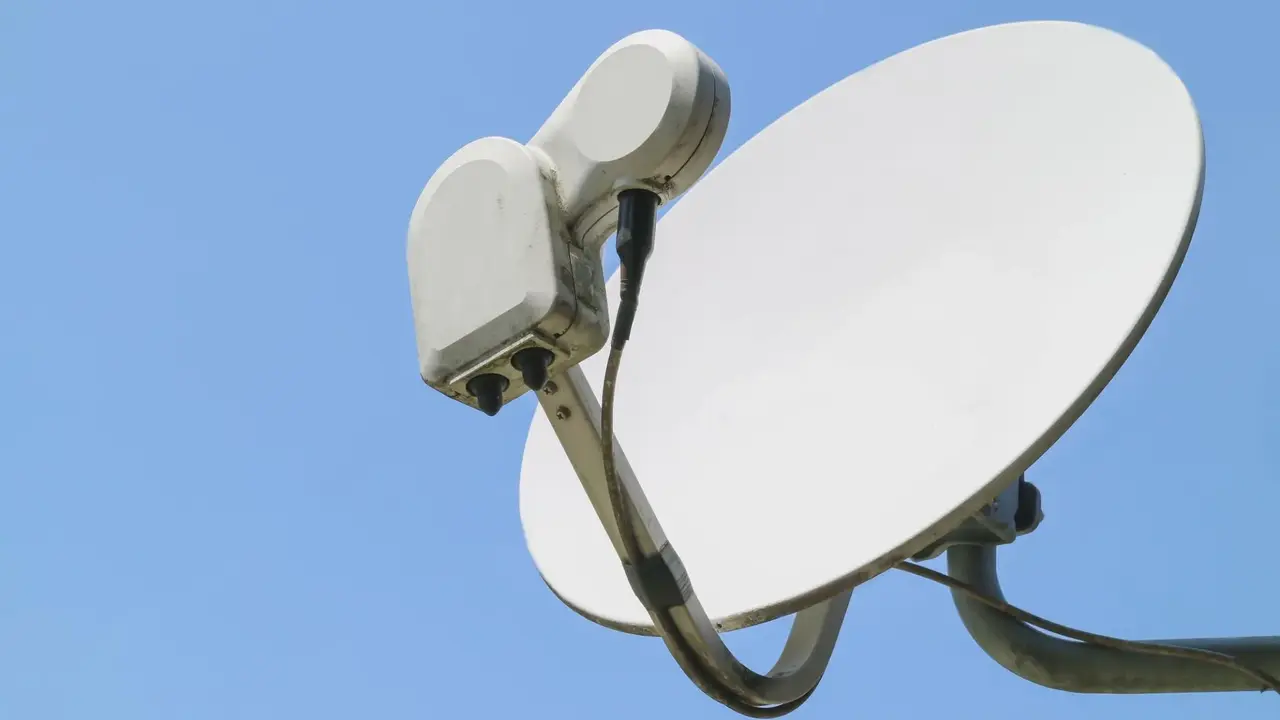
The Low Noise Block (LNB) serves as a critical component in satellite television reception, functioning as the primary interface between your satellite dish and your receiver. When users encounter issues such as signal loss, missing channels, or poor image quality, the LNB is often the first element that requires inspection. Located at the focal point of the dish, this device captures faint signals from the satellite and converts them into frequencies that a set-top box can process. Understanding what an LNB is and selecting the correct type for your specific setup is essential for maintaining a stable and reliable television broadcast experience in any household.
- The LNB acts as a signal converter that transforms high-frequency satellite transmissions into usable signals for television receivers.
- Universal LNB models remain the standard choice for most individual satellite dish installations in regions like Turkey.
- Users must configure the LNB frequency settings to 9750 MHz for low bands and 10600 MHz for high bands to ensure proper reception.
- The selection of an LNB type depends entirely on the number of satellite receivers connected to the antenna system.
The Core Functionality of the LNB Is Explained
At its core, the LNB is responsible for amplifying the weak signals collected by the dish while filtering out unnecessary noise. Without a properly functioning LNB, the satellite receiver remains unable to lock onto the signal, resulting in a blank screen or a “no signal” warning. Because the device is exposed to outdoor weather conditions, it is susceptible to degradation over time, which can lead to intermittent service interruptions or complete system failure.
Various LNB Types Are Available for Different Needs
Choosing the right hardware depends on how many devices you intend to connect to your satellite system. For a standard home setup where only one television is in use, a Universal Single LNB is generally sufficient. However, if you plan to connect multiple rooms, you must upgrade your hardware to accommodate the increased load. A Twin LNB provides two independent outputs, while a Quad LNB supports up to four separate receivers. For larger residential buildings or complex infrastructures that utilize multiswitch systems, a Quattro LNB is typically installed to distribute signals across multiple lines efficiently.
Correct Frequency Settings Are Essential for Performance
Once the physical hardware is installed, the software configuration within the satellite receiver must match the LNB specifications. For the majority of standard installations, the receiver should be configured to the Universal standard. In the installation menu, users should verify that the LNB frequency is set to 9750/10600 MHz. Additionally, the LNB power setting should remain enabled for individual household systems, though it is usually disabled in centralized apartment building setups where the power is provided by the central switch. Maintaining these settings ensures that the receiver correctly interprets the satellite data streams.
Centralized Systems Require Specific Adjustments
While individual homes follow standard configurations, centralized satellite systems often require more specialized attention. These systems frequently involve complex wiring and signal amplification distributed across many units. If you reside in an apartment complex, it is highly recommended to consult with your building management or a professional technician before altering any LNB settings. Incorrectly adjusting the frequency or power settings in a shared system can inadvertently disrupt the signal for other residents in the building, making professional installation a safer and more effective choice.
Have you recently encountered signal issues with your satellite receiver, or are you planning to upgrade your home antenna system? Share your experiences and any configuration challenges you have faced in the comments section below so we can help each other find the best setup solutions.
Your comment has been submitted,
it will be published after approval.