
ChatGPT Chrome Extension Now Reads Your Browser Tabs


OpenAI has officially launched a significant update for its artificial intelligence ecosystem, allowing the ChatGPT Chrome extension to read browser tabs directly. This integration, announced by the company to streamline digital workflows, enables users to grant the AI permission to analyze content across multiple open web pages simultaneously. By utilizing the new ‘@chrome’ tag within the web or desktop application, users can now instruct the model to synthesize information, compare data, and automate tasks based on the specific context of their active browser environment, representing a major step forward in AI-assisted productivity and real-time internet navigation.
- The new feature allows users to analyze information across multiple browser tabs by using the @chrome command.
- OpenAI has redesigned the ChatGPT side panel to provide seamless access to conversation history without leaving the active webpage.
- ChatGPT Work users gain additional capabilities, including the ability to organize browser tabs and perform automated system actions.
Productivity Workflows Are Enhanced by AI Integration
The ability to access browser tabs transforms how users handle complex research tasks. By processing data from multiple sources in real-time, ChatGPT can now perform comparative analysis with unprecedented speed. For example, a user shopping for furniture can have the AI compare product specifications, pricing, and shipping details across three different retailer websites simultaneously. 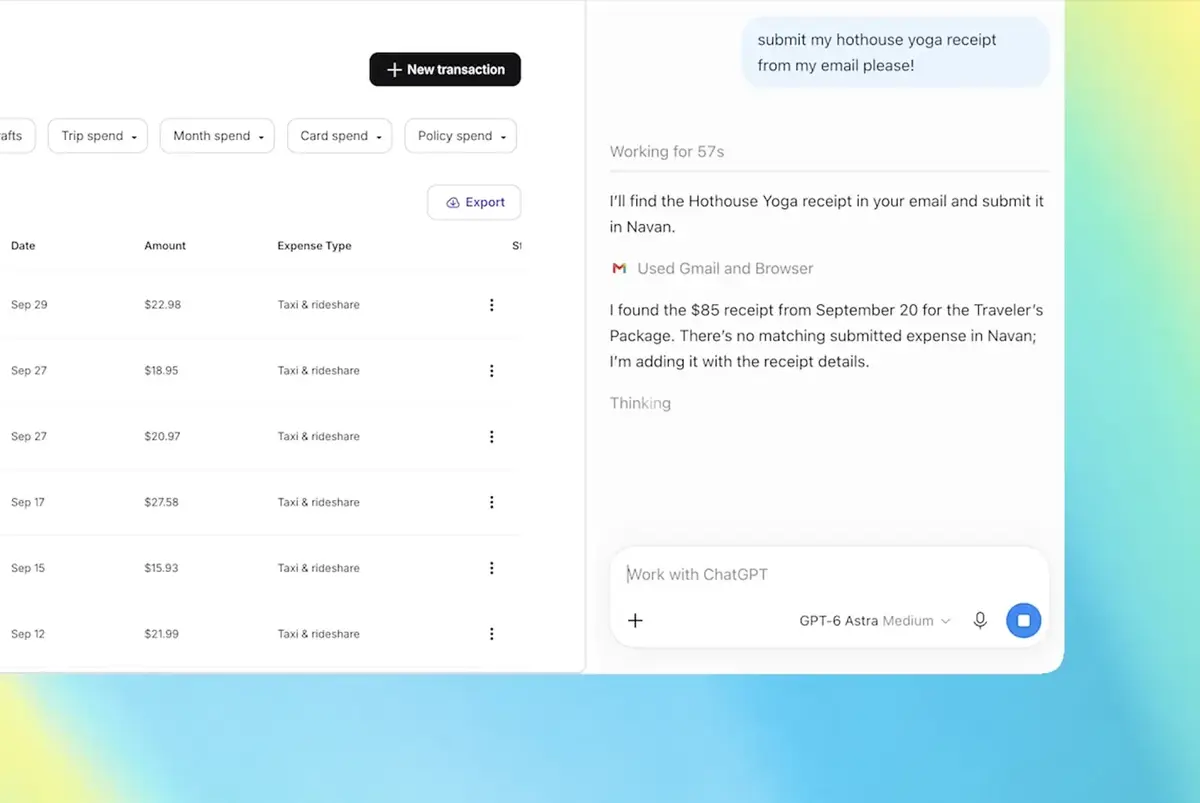
Beyond simple comparisons, the tool assists in administrative chores by populating online forms using information gathered from event summaries or personal documents. To ensure accuracy and maintain user trust, the system requests manual confirmation before submitting any sensitive information. This capability extends to professional tasks as well, such as analyzing contractor services from various websites to help draft professional email inquiries or organizing service provider comparisons into structured tables.
Side Panel Functionality Is Significantly Upgraded
Complementing the tab-reading feature, the updated side panel interface allows users to engage with ChatGPT’s full suite of tools while maintaining their current view of the web. This design choice aims to reduce context switching, which is often a major hurdle in digital productivity. Users can now reference their chat history or initiate new queries without ever needing to navigate away from their active browser tabs.
Furthermore, the update introduces advanced management features for ChatGPT Work accounts. These users can now delegate tasks such as file downloads or message drafting directly through the browser interface. The system also supports the automatic organization and grouping of tabs, a feature that mirrors similar functionality seen in competing browser-integrated AI tools. By bridging the gap between the browser and the intelligence layer, OpenAI is successfully creating a more fluid and integrated user experience.
Ultimately, these updates signify a shift toward a more proactive, context-aware AI assistant. By granting the model visibility into the active browser environment, OpenAI is enabling users to offload tedious manual tasks, effectively turning the browser into a more collaborative workspace. As these features continue to evolve, the distinction between active user input and automated machine processing is expected to blur even further.
We are curious to hear your thoughts on this new integration; how much time do you think you could save if ChatGPT handled your browser tab management and form filling automatically? Share your opinions in the comments section below.
Your comment has been submitted,
it will be published after approval.