
Android 17 Can Be Installed on Old Phones via LineageOS

The Android developer community is breathing new life into aging smartphones by offering Android 17-based custom ROMs through projects like LineageOS and GrapheneOS. While major manufacturers often cease software support after only a few years, these third-party developers provide critical security patches and modern features to dozens of legacy devices that would otherwise be obsolete. This initiative allows users to extend the functional lifespan of hardware that remains physically capable but lacks official software updates. By utilizing these open-source operating systems, tech enthusiasts can bypass planned obsolescence and enjoy the latest software experiences on their existing hardware today.
- LineageOS 24 provides Android 17-based software support for more than 170 different smartphone models.
- GrapheneOS offers a security-focused operating system specifically designed for Google Pixel devices.
- The new browser-based Lineage Flash Tools simplify the custom ROM installation process for users.
- Unlocking the bootloader and backing up data remain essential requirements before starting the installation.
Custom ROMs Extend the Functional Lifecycle of Mobile Devices
In the modern era of technology, hardware failure is rarely the primary reason why people discard their smartphones. Instead, the lack of consistent software support frequently forces users to purchase new models. Once a brand stops sending major operating system updates, the device loses access to new features and, more importantly, stops receiving security patches. This leaves personal data vulnerable to newly discovered exploits even if the phone’s processor and screen are still working perfectly.
Custom ROMs serve as a vital bridge for these devices. By providing regular security updates and the latest Android versions, third-party developers ensure that older smartphones remain relevant and secure. Among the various options available online, LineageOS and GrapheneOS have emerged as the most trusted names within the global community for their stability and commitment to user privacy.
LineageOS 24 Delivers a Clean Android 17 Experience
LineageOS 24 represents the latest iteration of the popular custom interface built on the foundations of Android 17. Developed by an international team of volunteers, this system aims to keep smartphones updated for a longer duration while giving users total control over their hardware. One of the standout features of this ROM is its lightweight nature, as it arrives without the unnecessary pre-installed applications, advertisements, and tracking services often found in manufacturer-specific software.
Because it is stripped of bloatware, LineageOS typically feels faster and more responsive than the original software provided by manufacturers. This is particularly beneficial for older devices that may have become sluggish over time due to heavy system overlays. While the OS does not include Google services by default to minimize data sharing, users have the flexibility to install Google app packages separately if they require access to the Play Store or other specific services.
Device Compatibility and Preparation Steps Remain Critical
Although LineageOS supports a vast array of devices, it is not a universal solution for every single phone ever made. The project maintains an extensive list of officially supported models on its Wiki page, which serves as the primary resource for downloads and installation guides. It is vital for users to verify that their specific device model and internal code name match the software build exactly to avoid bricking the hardware. 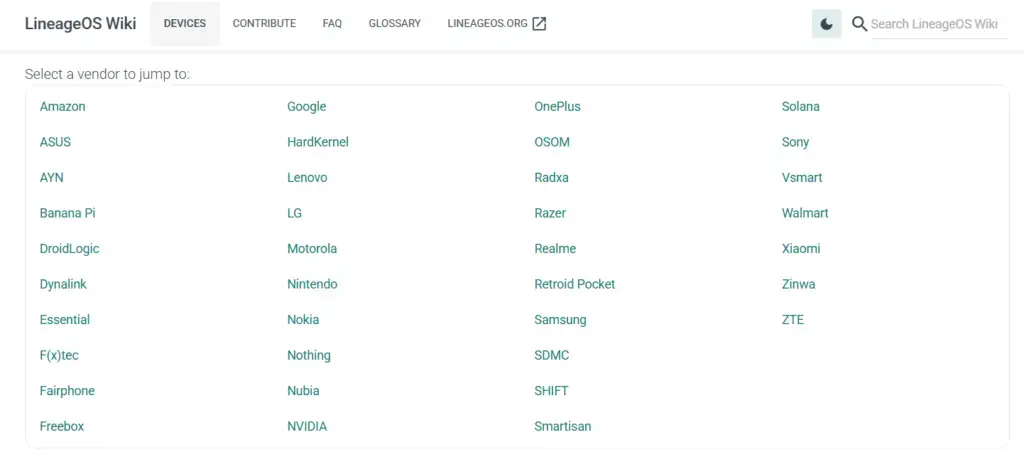
Preparation is the most important part of the transition to a custom ROM. Since the installation process involves replacing the entire system software, users must back up all photos, videos, and authentication codes. Unlocking the bootloader, which is a mandatory first step, will completely wipe the internal storage. Skipping these precautions can lead to permanent data loss, making a thorough backup non-negotiable before proceeding with the update.
Installation Processes Become Simpler with Browser-Based Tools
Installing a custom ROM was once a complex task reserved for technically proficient users, but the introduction of browser-based tools has simplified the workflow. Previously, users had to manually install command-line tools like ADB and Fastboot on their computers and execute specific technical commands. Now, much of this can be handled directly through Chromium-based browsers such as Google Chrome or Microsoft Edge. 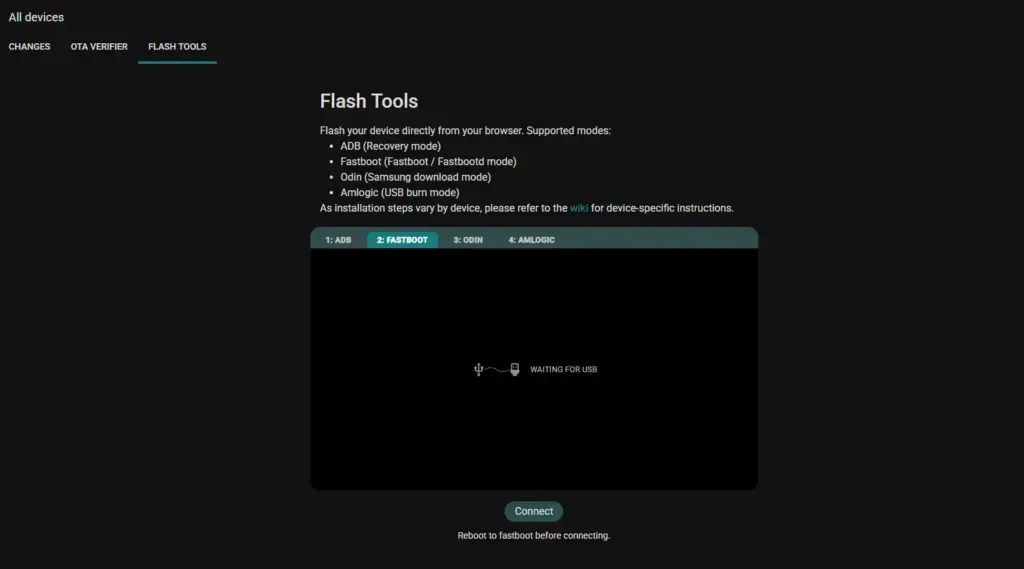
The new Lineage Flash Tools have lowered the barrier to entry for beginners, though the process still requires attention to detail. Users must still download the correct system image and manually unlock their device’s bootloader. By connecting the phone via a USB cable, the browser can flash the installation files directly onto the device. When followed carefully, these steps allow a smooth transition to a modern Android 17 environment.
GrapheneOS Prioritizes Privacy for Google Pixel Users
While LineageOS targets a broad range of hardware, GrapheneOS focuses exclusively on Google Pixel smartphones. This specialization allows the developers to take full advantage of the unique hardware-level security features found in the Pixel lineup. GrapheneOS is widely regarded as one of the most secure mobile operating systems available, catering to users who demand the highest levels of data privacy. 
Key features that set GrapheneOS apart include a hardened memory allocator that randomizes memory locations and the ability to disable data pins on the USB-C port. It also features a customizable auto-reboot timer to protect data at rest. For those who need specific apps, GrapheneOS runs Google Play services in a sandboxed environment, providing compatibility without compromising the core security of the system. Pixel owners can easily install this OS using a dedicated WebUSB installer.
Are you still using an older smartphone with a custom ROM, or do you prefer to upgrade to a new model once official support ends? Share your experiences and questions about installing custom firmware in the comments below.
Your comment has been submitted,
it will be published after approval.