
Android Find Hub Now Allows Removing Old Bluetooth Devices

Google has officially introduced a long-awaited update to its Android Find Hub application, enabling users to finally remove outdated Bluetooth audio devices from their tracking list. Previously, while smartphones, tablets, and smartwatches were automatically purged from the system after a factory reset, Bluetooth headphones and speakers remained permanently tethered to the user’s account. This latest update, currently rolling out to Android users globally, addresses the clutter issue by providing a manual removal option for various accessories, including Pixel Buds, JBL speakers, and OnePlus Buds, ensuring the device management interface remains accurate and organized for all connected hardware.
- Google updated the Android Find Hub application to support the manual removal of obsolete Bluetooth audio peripherals.
- The update effectively resolves the issue where audio devices remained in the system even after they were no longer in use.
- User reports from platforms like Reddit confirm that the feature has reached a wide audience across various Android devices.
Users Can Now Manage Their Device Lists
The accumulation of legacy devices within the Find Hub interface has been a point of frustration for many power users. As individuals upgrade their audio gear or replace lost hardware, the list of tracked devices often became populated with items that were no longer relevant or even functional. Previously, these entries could not be purged, leading to a cluttered user interface that hindered the efficiency of the service.
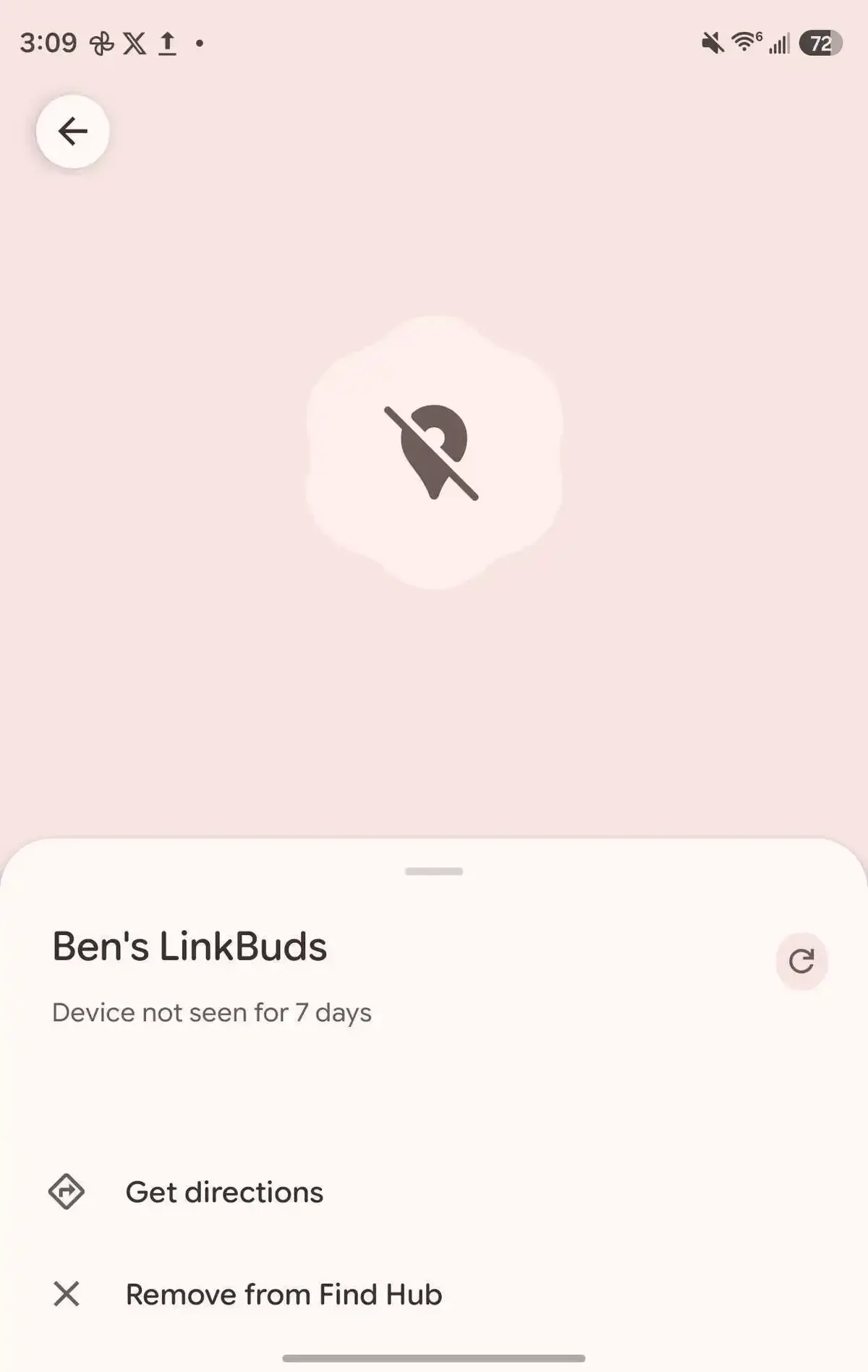
With the recent silent update, Google has empowered users to regain control over their device ecosystem. By navigating through the settings menu, individuals can now identify and delete entries for hardware that they have sold, lost, or discarded. This functionality is particularly useful for those who frequently test or rotate between different audio brands, such as Nothing, Sony, or JBL.
The new removal feature ensures that the Find Hub interface remains a clean and reliable tool for tracking essential hardware.
Interface Layouts Vary by Device Model
While the functionality remains consistent across the platform, the implementation of the removal shortcut varies depending on the specific model of the Bluetooth device. In many cases, the option is nested under the settings icon, providing a secure way to prevent accidental deletions. For example, users managing Sony WH-1000XM6 headphones will find the command within the secondary settings menu, while some iterations of the Sony LinkBuds feature a more direct shortcut on the initial management screen.
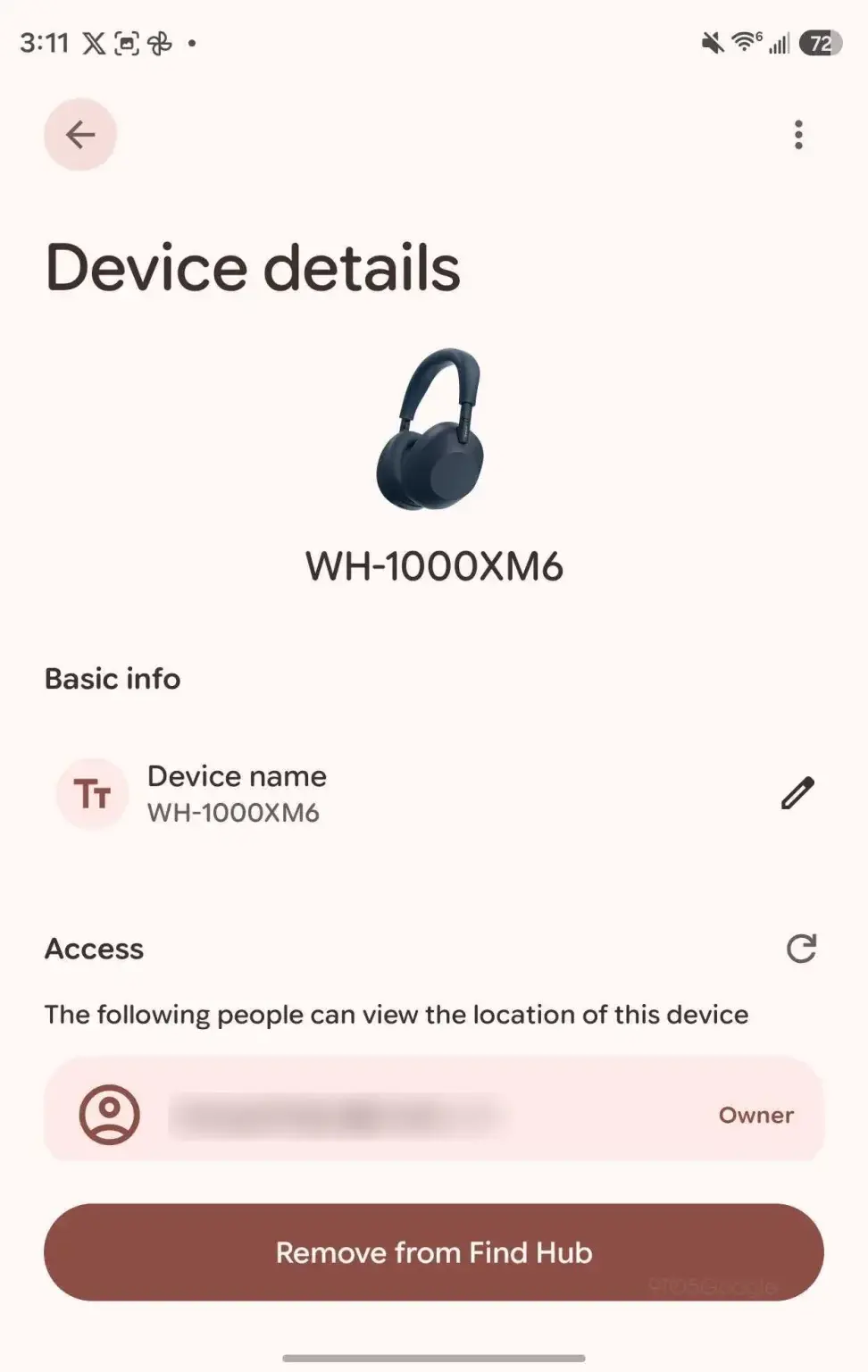
Despite these minor variations in UI layout, the core mechanism is standardized across the Android ecosystem. The ubiquity of this update suggests that Google is prioritizing a more streamlined experience for its service users. Feedback from the Android community has been largely positive, with many noting that the ability to prune the list significantly improves the overall utility of the Find Hub service.
General Efficiency is Being Improved
The primary goal of this update is to increase the overall ease of use for Android account holders. By allowing for the removal of redundant entries, Google is effectively reducing the noise within the application. This ensures that when a user needs to locate a currently active device, they are not distracted by a long list of obsolete entries. Maintaining a tidy account is essential for modern device security and management, and this update serves as a critical step in that direction.
We would love to hear your experience with the new device management options in the Find Hub app; please share your thoughts or any issues you encounter in the comments section below.
Your comment has been submitted,
it will be published after approval.