
Apple Releases macOS 27 Developer Beta 8 with New Features

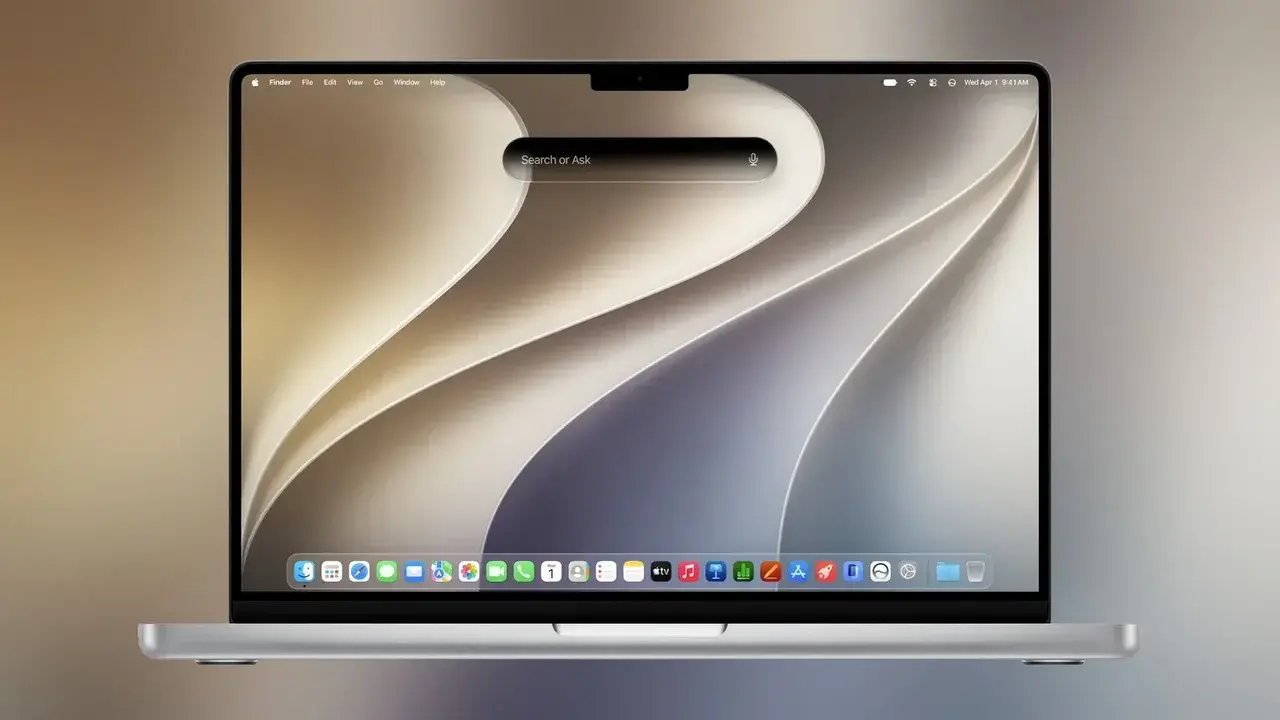
Apple has officially released the eighth developer beta version of macOS 27 Golden Gate, marking a significant milestone as the company approaches the final public launch of its upcoming operating system. This latest macOS 27 developer beta update focuses heavily on system stability, performance optimization, and final bug fixes to ensure a seamless transition for users worldwide. Available now for registered developers, the build serves as a crucial testing environment for refining the core architecture. With the official rollout only weeks away, Apple engineers are prioritizing feedback to finalize the user experience and ensure platform reliability.
- Apple has introduced the eighth developer beta of macOS 27 to refine system stability before the official public release.
- The update features a redesigned Siri infrastructure integrated with advanced artificial intelligence capabilities.
- New interface changes include the reintroduction of fixed-radius window corners and specific aesthetic enhancements like Golden Gate-themed wallpapers.
- Developers are encouraged to test their applications against this build to ensure full compatibility with the final version.
New AI Features Improve User Experience
The macOS 27 Golden Gate update introduces several high-profile features, most notably the revamped Siri application. By leveraging a new AI-driven infrastructure, the voice assistant is expected to handle complex natural language queries more effectively than previous iterations. 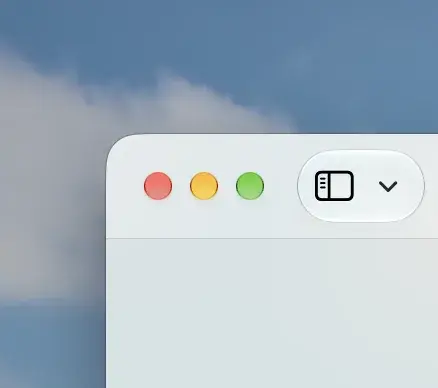 Additionally, the Shortcuts application has been updated with AI support, enabling users to generate complex automation tasks through simple natural language commands. Safari has also received a significant boost, now incorporating a command-based extension builder that empowers developers to create more dynamic browsing tools.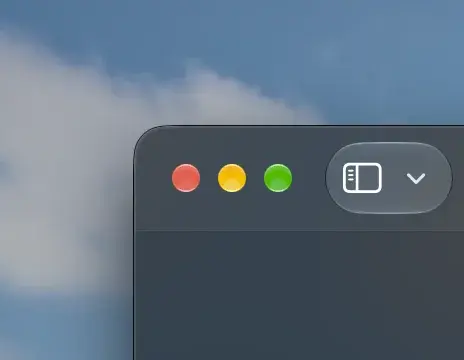
Interface Adjustments Enhance Visual Consistency
Apple is making strategic adjustments to the visual design language in this latest release. One of the most noticeable changes is the return to fixed-radius window corners, moving away from the dynamic radius approach introduced in macOS 26. 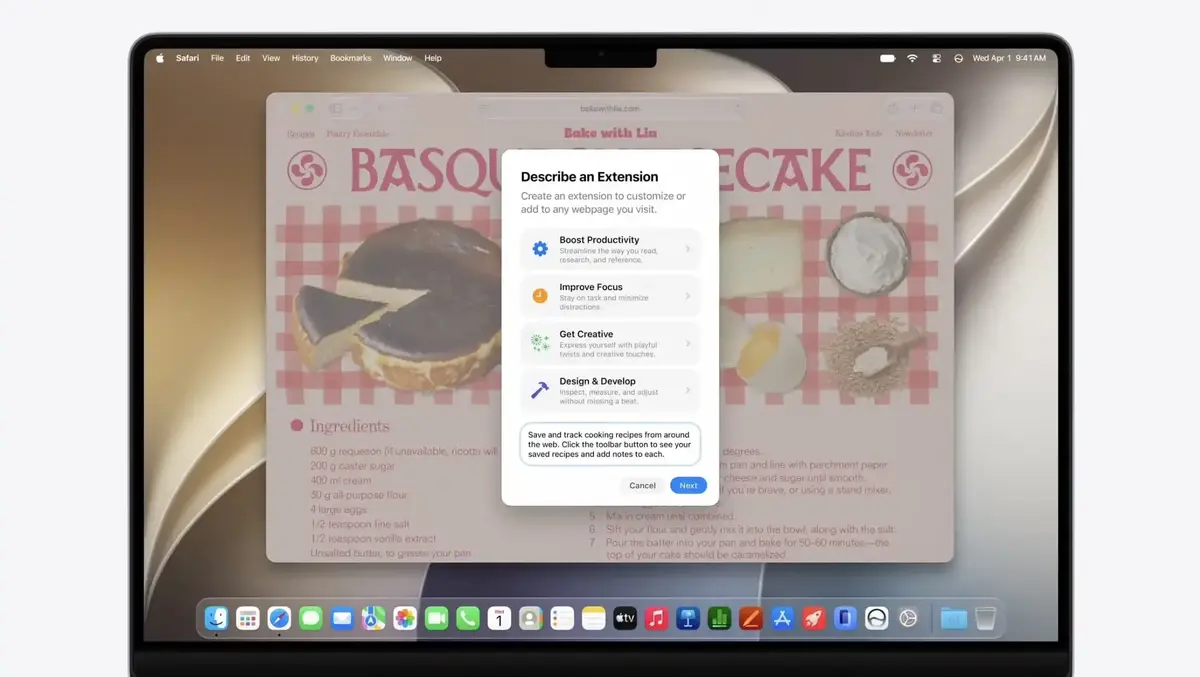 This design choice aims to provide a more uniform and structured look across the desktop environment. Furthermore, the inclusion of new Golden Gate-themed wallpapers and custom screen savers complements the overall aesthetic refresh.
 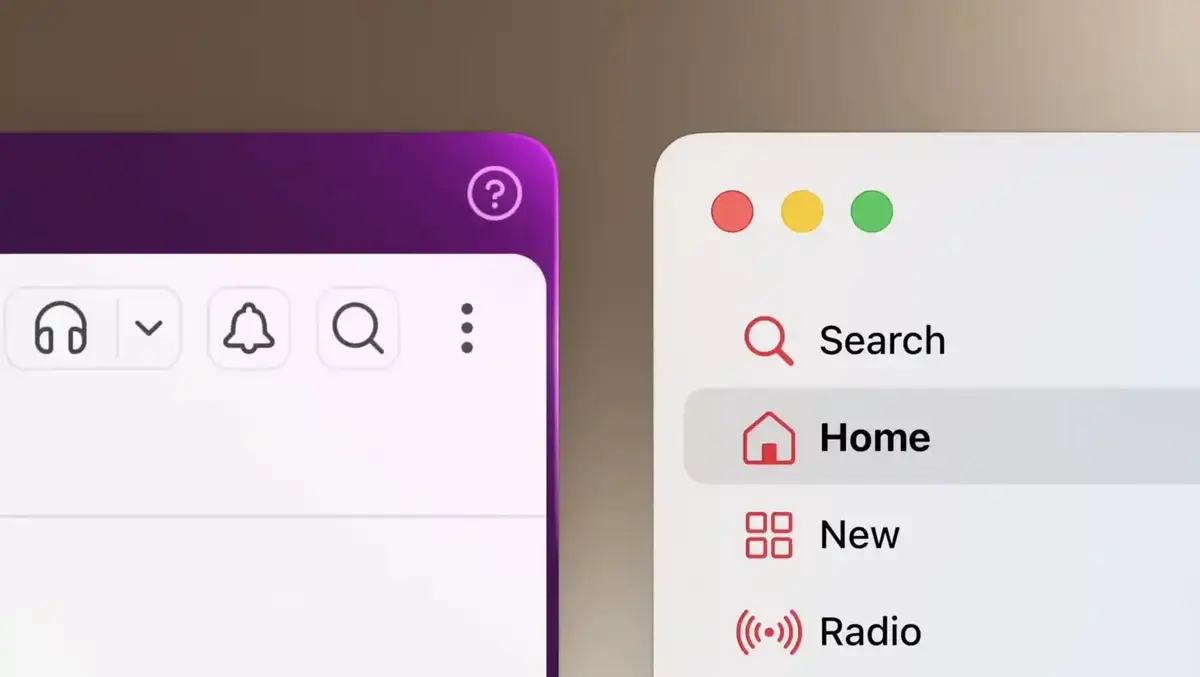 These adjustments, combined with the continued use of Liquid Glass-style window controls, ensure that the operating system maintains a high level of visual coherence.
Installation Steps Help Developers Prepare
For developers looking to deploy the latest software, Apple recommends performing a full device backup prior to installation to prevent potential data loss. 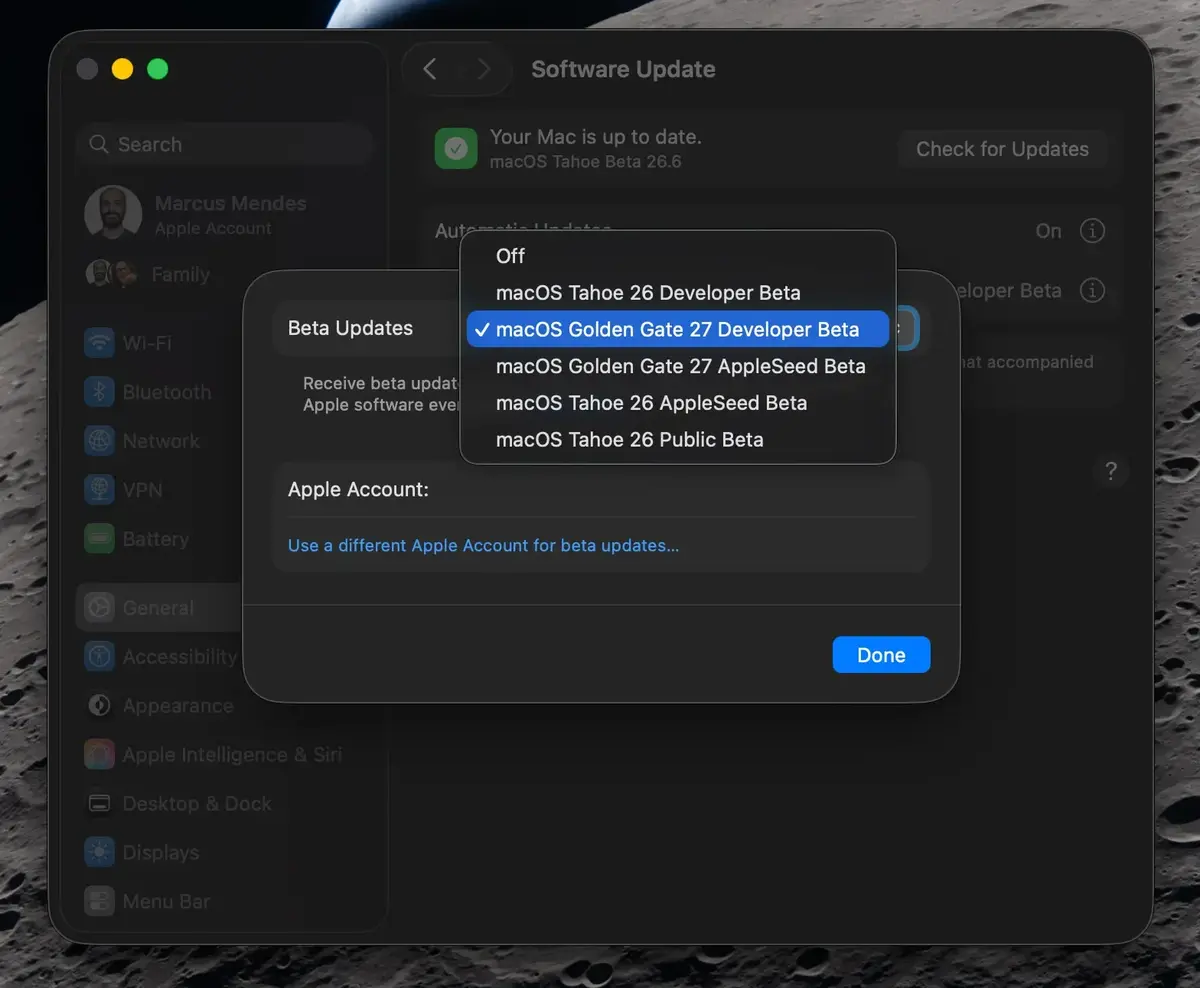 The update process can be initiated by navigating to System Settings and selecting the General menu, followed by Software Update. Users must click the information icon next to Beta Updates and select the macOS Developer Golden Gate Beta option to download the package. By following these steps, developers can ensure their testing environments are current and fully optimized for the upcoming public release. Apple continues to stress the importance of these final beta cycles in identifying edge-case bugs that could impact long-term system stability.
As we approach the final release of macOS 27, we are curious to hear your thoughts on the latest changes. Which of the new AI features are you most excited to integrate into your daily workflow, and how do you feel about the return to fixed-radius window corners? Please share your insights in the comments section below.
Your comment has been submitted,
it will be published after approval.