
DaVinci Resolve 21 Gains Photo Editing Feature

Blackmagic Design introduced the beta version of DaVinci Resolve 21, the latest iteration of its popular editing software, at the NAB 2026 broadcasting trade show. With this new update, the Australian tech giant aims to carry its success in video editing into the realm of photo editing. Thanks to the newly added “Photo” page, users can now process RAW images directly within the application.
This strategic move positions DaVinci Resolve 21 as a direct competitor to industry-leading software such as Adobe Lightroom and Photoshop. Additionally, the new version brings advanced AI-powered video tools, including face aging and reshaping.
- DaVinci Resolve 21 offers a dedicated “Photo” page to simplify photo editing processes.
- The software’s node-based color correction system can now be actively used in photo editing workflows.
- New AI tools allow for realistic changes to facial features and the age of individuals in videos.
- Cameras from brands like Canon and Sony can connect directly to the software for live shooting and setting control.
Photo Editing Processes Empowered by Node-Based Structure
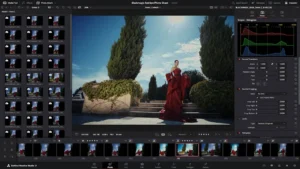
Instead of the classic layered structure photographers are accustomed to, DaVinci Resolve 21 brings the “node-based” workflow that has proven itself in the video world. Supporting RAW files from popular brands such as Canon, Fujifilm, Nikon, and Sony, the software successfully applies tools like primary color correction, curves, and noise reduction to photos. Users can perform complex edits by adding serial or parallel nodes and apply these settings instantly to an entire photo album.
The new Photo page integrates the powerful color tools used in video editing into static images, consolidating the entire creative workflow under one roof.
AI Tools Kickstart a New Era in Video Editing
Blackmagic Design is making revolutionary innovations not just in photography, but also in video. The “AI Face Age Transformer” tool analyzes a subject’s face to add wrinkles or fullness, digitally altering a person’s age.
The “AI Face Reshaper” allows for the millimetric reshaping of facial features such as eyes, nose, and mouth. The “AI Blemish Removal” feature, which removes skin imperfections without destroying natural texture, significantly speeds up post-production processes.
Professional Features Offered in Free and Paid Versions
Other standout tools in the new version include “AI UltraSharpen,” which sharpens low-resolution images, and “AI Motion Deblur,” which removes motion blur. For professional photographers, the ability to connect Sony or Canon cameras to the software for remote control of values like ISO, exposure, and white balance provides great convenience.
While many of these features are included in the free version, advanced tools such as AI Magic Mask and Film Look Creator are offered to users in the $295 Studio version.
Do you think DaVinci Resolve’s entry into the world of photo editing can shake Adobe’s dominance? Are you planning to try the new AI tools and the photo page? Share your views and experiences with us in the comments section.
Your comment has been submitted,
it will be published after approval.