
Firefox 153 Launches With Containers Enabled by Default


Mozilla has officially released Firefox 153, marking a significant milestone in browser security by enabling its popular Container feature by default for all users. This update, deployed globally this week, aims to provide robust data isolation capabilities directly within the browser environment. By separating browsing sessions into distinct containers, the software prevents data leakage between tabs and effectively hinders third-party trackers from building comprehensive user profiles. This structural change empowers Firefox users to maintain strict digital hygiene and privacy without requiring complex manual configurations or additional extensions during their daily web navigation.
- Firefox 153 enables the native Container feature by default to improve cross-tab data isolation.
- The browser introduces new mandatory permission prompts for websites attempting to access local network devices.
- Users can manage specific site permissions for local network access through the updated settings menu.
Containers Provide Enhanced Privacy and Session Management
The integration of Containers into the core Firefox experience simplifies how users manage multiple online identities. Previously, this functionality required manual activation, but it is now readily accessible upon installation. The browser provides four pre-defined categories: Personal, Work, Banking, and Shopping. 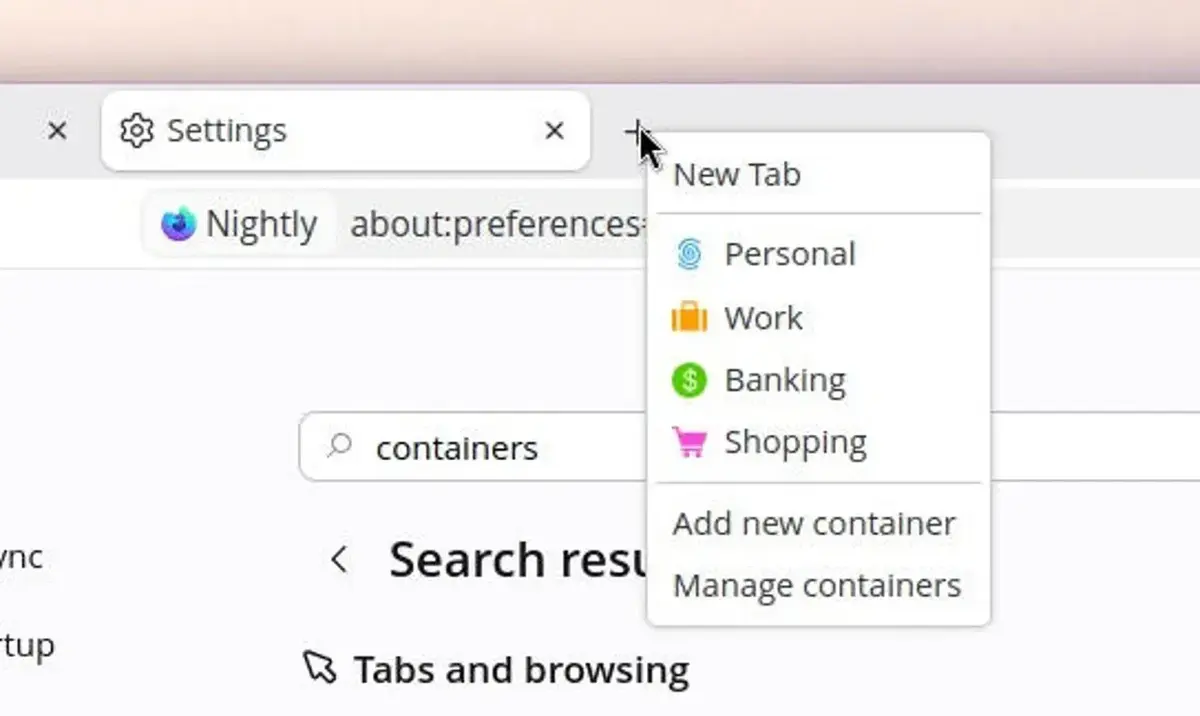
Users can initiate a containerized session by right-clicking the new tab button, which offers an intuitive selection process. For those seeking maximum security, the settings menu allows for a configuration that mandates a container selection for every new tab opened. 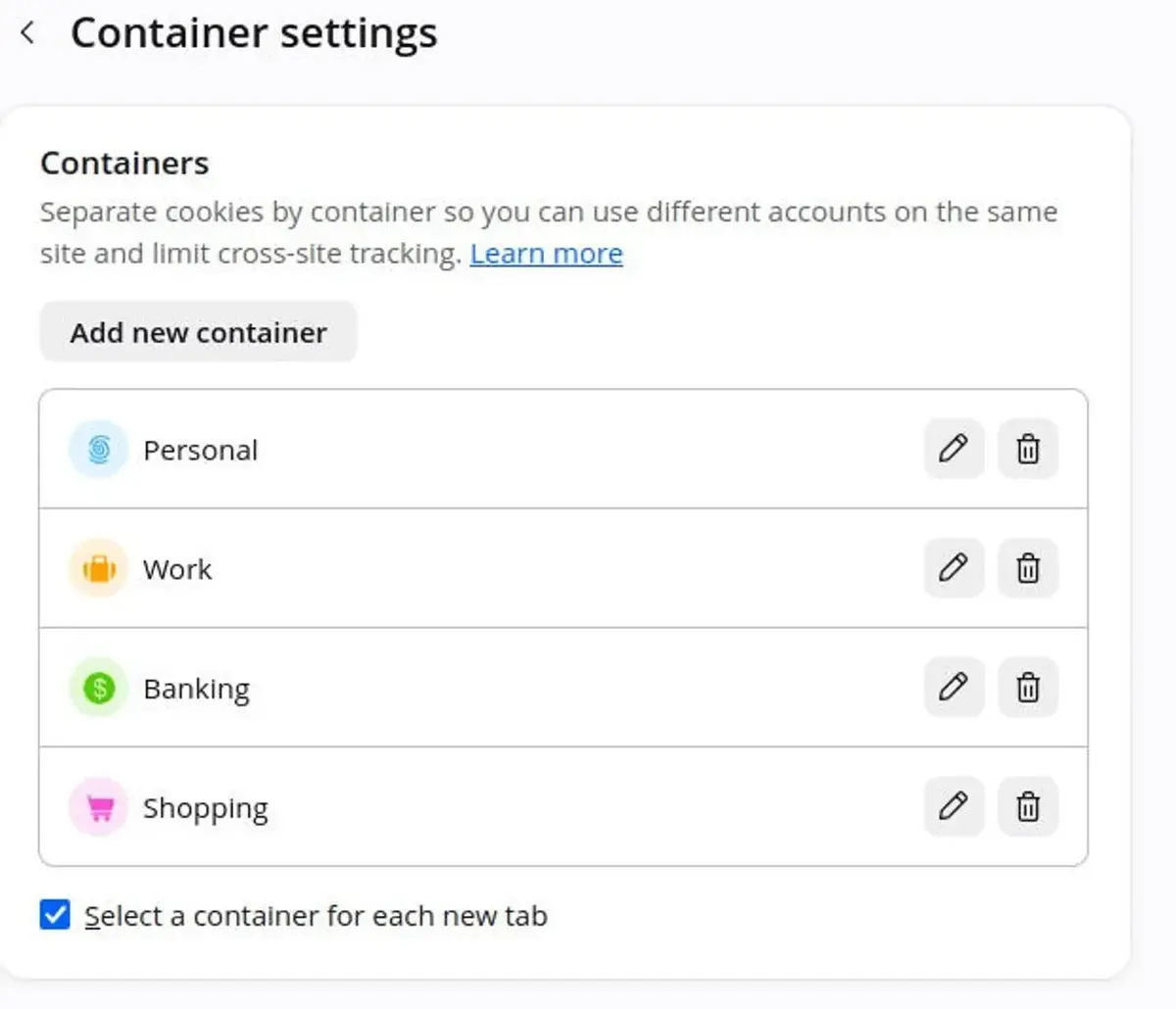
This architectural shift allows users to sign into multiple accounts for the same service simultaneously without session conflicts.
Furthermore, the system remains highly customizable. Users retain the ability to create bespoke containers tailored to their specific workflow requirements. By isolating cookies and temporary cache files, the browser ensures that activity in one container remains invisible to sites visited in another, effectively neutralizing cross-site tracking attempts.
Local Network Access Requires New Permissions
Beyond privacy improvements, Firefox 153 introduces critical defensive measures regarding local network communications. This update restricts how web pages interact with hardware residing on a user’s private network, such as routers, printers, or smart home appliances.
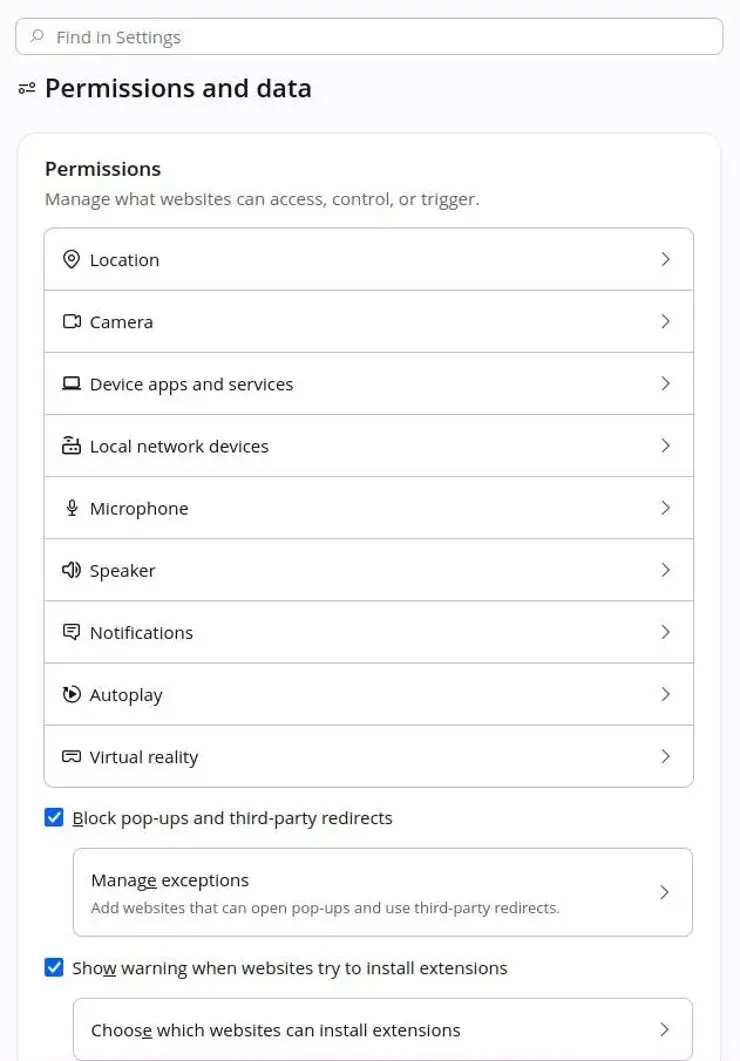
When a website attempts to initiate a connection to an internal device, Firefox will now trigger a mandatory permission request. This mechanism prevents malicious scripts from scanning or probing a user’s home or office network, which has historically been a vector for targeted attacks. Users maintain full control over these interactions via the ‘Permissions and Data’ section within the settings menu, where they can whitelist or revoke access on a per-site basis.
While this local network protection is currently in an experimental phase, it represents a proactive shift in Mozilla’s security strategy. By gradually rolling out these features, the company ensures that users are shielded from unauthorized network discovery while maintaining compatibility with legitimate web services that require local device communication.
We are interested to hear your thoughts on these new security enhancements; do you believe native container isolation is the most effective way to protect your browsing habits, or do you prefer other methods? Please share your feedback in the comments section below.
Your comment has been submitted,
it will be published after approval.