
Gboard Beta Update Introduces Customizable Emoji Size Settings


Google has officially introduced a significant update to its popular Gboard keyboard application, adding a highly anticipated “Emoji size” setting to the latest beta version. Released in Gboard 18.0.3.x, this feature allows users to personalize their typing experience by adjusting the dimensions of emoji icons and the density of the emoji grid on their screens. By providing granular control over how emojis appear, Google aims to improve visual clarity and usability across various display sizes, ensuring that the increasingly detailed emoji library remains easily accessible and legible for all mobile device users during their daily digital communications.
- The latest Gboard beta release includes a slider that allows users to modify emoji dimensions and row density.
- Users can access the configuration settings through the Preferences and Appearance menu within the application.
- The system provides multiple intensity levels, ranging from five to nine icons per row to suit individual preferences.
Settings Can Be Configured Easily
For users eager to experiment with this new layout, the configuration process is straightforward. By navigating to the Gboard Settings menu and selecting the Preferences and Appearance tabs, users will find a new slider positioned directly beneath the existing font size option. 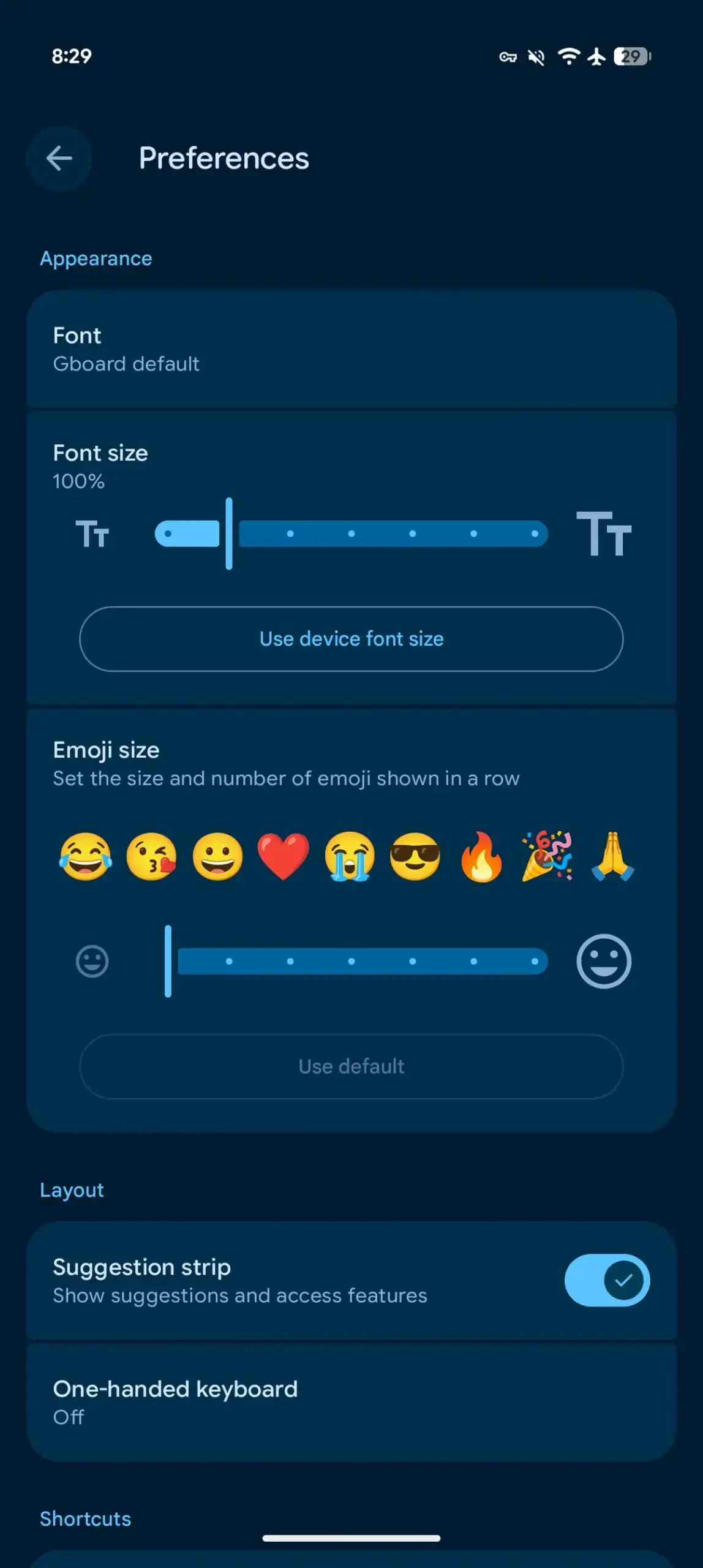 This interface provides an immediate preview, allowing users to visualize how their changes affect the keyboard layout in real-time. This ensures that the user can find the perfect balance between icon visibility and the amount of screen space utilized by the emoji panel.
The newly introduced adjustment tool modifies the standard emoji panel while leaving the specialized Emoji Kitchen section unaffected by these changes.
Customization Options Provide Flexibility
The feature is currently set to a default display of nine emojis per row, but users have the flexibility to reduce this number down to five. During testing on devices like the Pixel 10 Pro, it was observed that the system supports incremental adjustments, including specific options such as 8, 8+, 7, 7+, and 6. 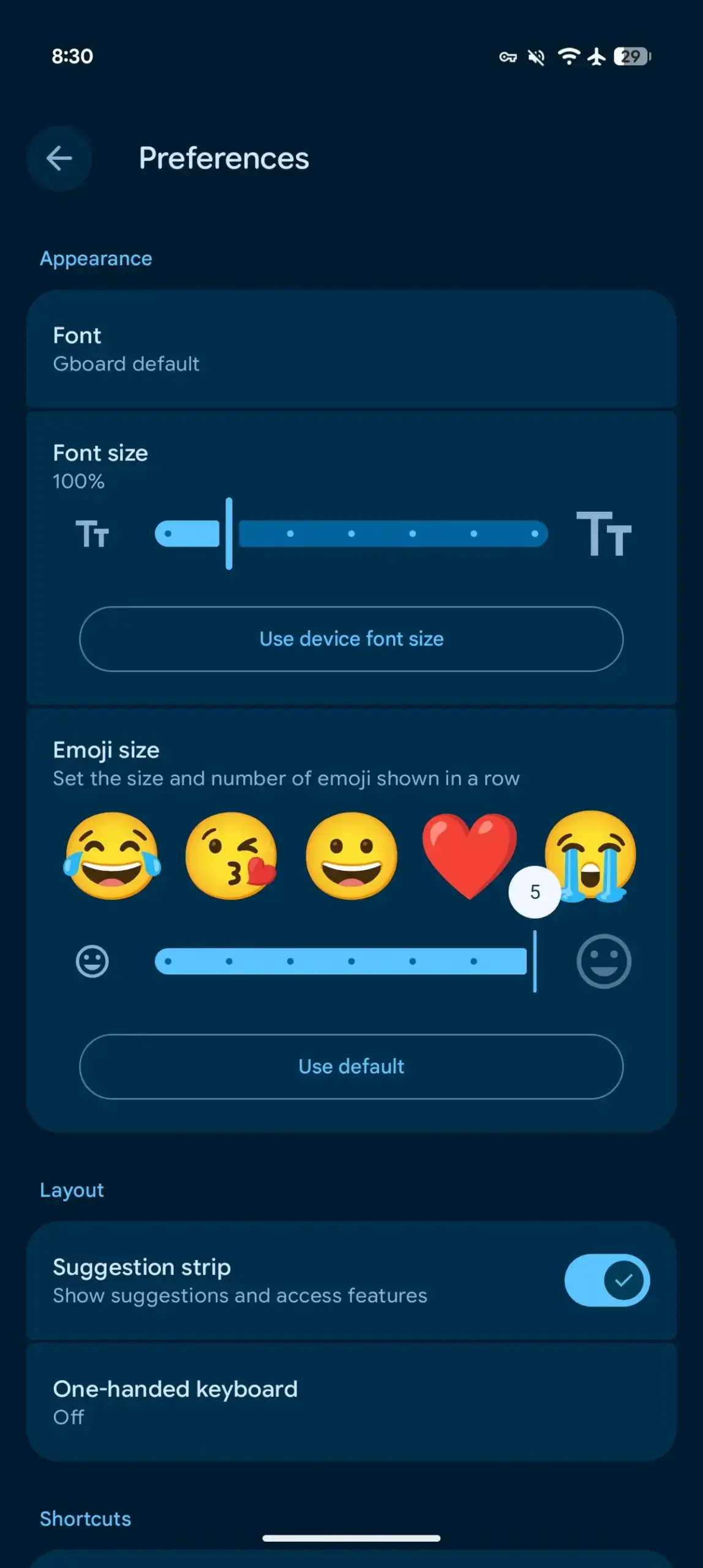 These “plus” options are particularly effective as they maintain a balanced emoji density while slightly increasing the scale of each icon, making them more prominent without cluttering the keyboard interface.
New Designs Are More Clearly Visible
This update is timely, especially given Google’s recent push toward high-quality 3D emoji designs introduced with the Pixel 11 series. The increased sizing capability allows users to fully appreciate the artistic details and craftsmanship present in these newer icons. By making these emojis larger and more distinct, Google is effectively enhancing the visual communication experience, particularly in messaging apps where nuances in expression are vital. This focus on detail ensures that the keyboard remains a central and enjoyable part of the user experience.
Users enrolled in the beta program can gain immediate access to these customization features by updating to Gboard version 18.0.3.x today.
We would love to hear your thoughts on these new Gboard customization options; do you prefer larger emojis for easier selection, or do you find the default layout more efficient for your typing style? Please share your feedback and experience with us in the comments section below.
Your comment has been submitted,
it will be published after approval.