
Google makes it easier to share files Android, Windows devices

Sending files to different devices is getting easier on Android. With new support for Files by Google, it will be possible to share entire files via Nearby Share while preserving the folder structure. This means you can send a folder from your Android phone to Windows or other Android devices with the touch of a button.
Android will make it possible to share files at the touch of a button
Nearby Share, Google’s AirDrop-like service for transferring files between Android devices, has been integrated into the Files app for some time. However, until now, it allowed files to be shared individually.
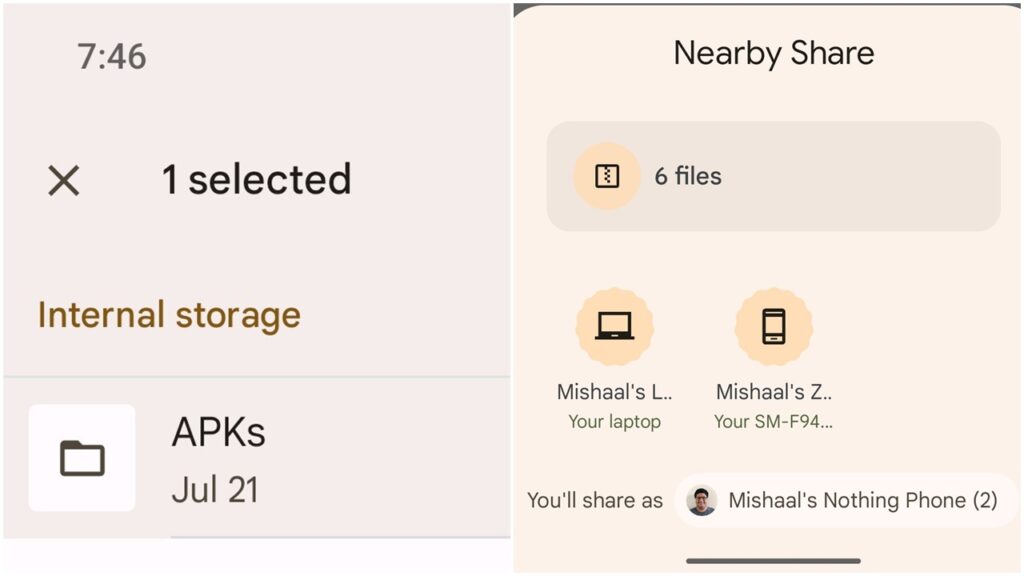
With the new update, users can long-press on a folder in the Files app, select Nearby Share, and send the entire folder to another supported device. Google is making sharing smoother by eliminating the need to compress folders before sending them to another device.
423234
It’s worth noting that this support currently only works in Google’s own Files app. For example, it’s not currently possible to share a folder with Nearby Share in Xiaomi’s native app. So for now, it is limited to Google’s app.
On the other hand, a while ago, Google officially released Nearby Share for Windows, which allows file transfers between Android and Windows. Similar to Apple AirDrop, Nearby Share eliminates the need for third-party apps. It both simplifies and standardizes the file sharing process for all devices.
Google has also partnered with several computer manufacturers to pre-install Nearby Share on their devices. This partnership aims to increase adoption of the new feature.
Your comment has been submitted,
it will be published after approval.