
Google Redesigns the Android Auto Media Player Interface

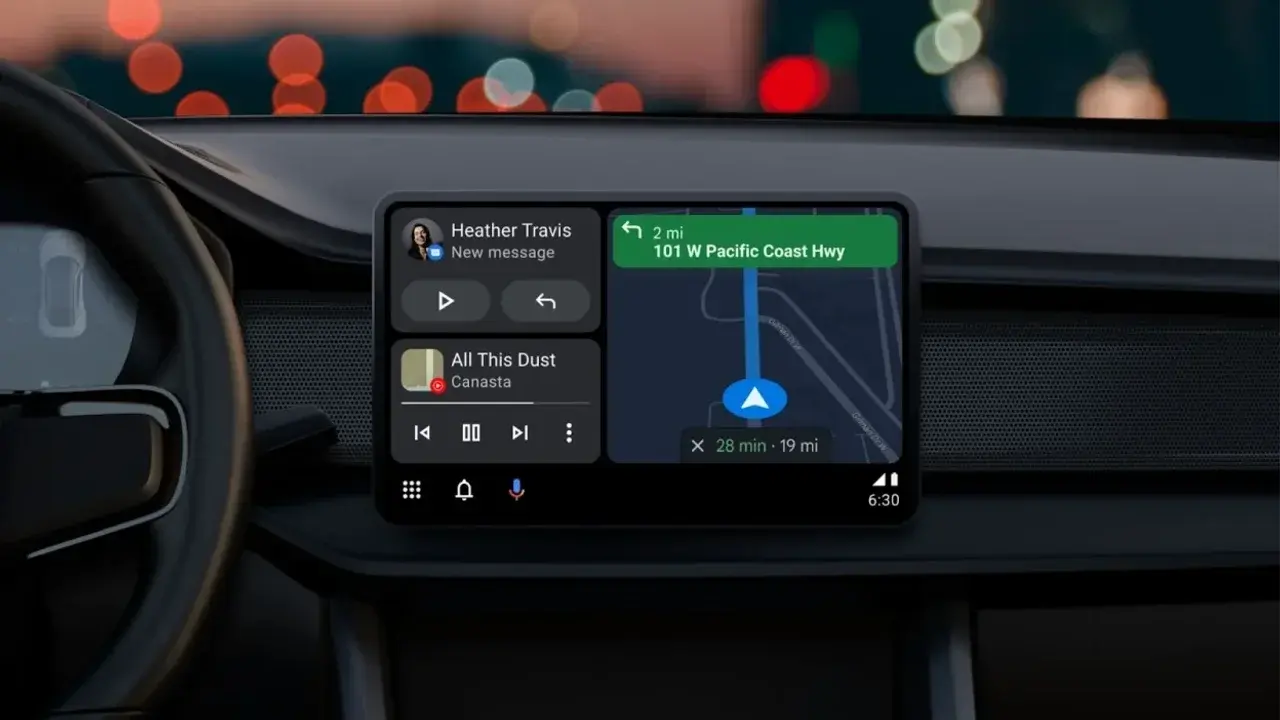
Google is currently developing a significant overhaul for the Android Auto media player interface, aiming to enhance both visual clarity and functional efficiency for drivers. Since the introduction of the current dashboard layout in 2023, the media player widget has remained largely static, often consuming excessive screen space with large album art while limiting user interaction options. This upcoming update, which is currently in the experimental phase, seeks to modernize the platform by optimizing the widget’s spatial arrangement to accommodate more controls and a refined aesthetic. The development highlights Google’s commitment to refining the in-car experience through iterative design changes.
- The updated interface reconfigures the widget to provide users with more direct control buttons.
- Dynamic controls will adapt based on the specific media application being utilized by the driver.
- Google plans to test these aesthetic and functional adjustments through upcoming beta software releases.
The New Design Optimizes Space for Enhanced Controls
The revised layout shifts the focus from purely visual elements to functional utility. In the proposed design, the album artwork is scaled down and centered, allowing for a more streamlined presentation of track information underneath. By reclaiming this screen real estate, the interface successfully integrates additional interaction options that were previously inaccessible on the primary dashboard view.
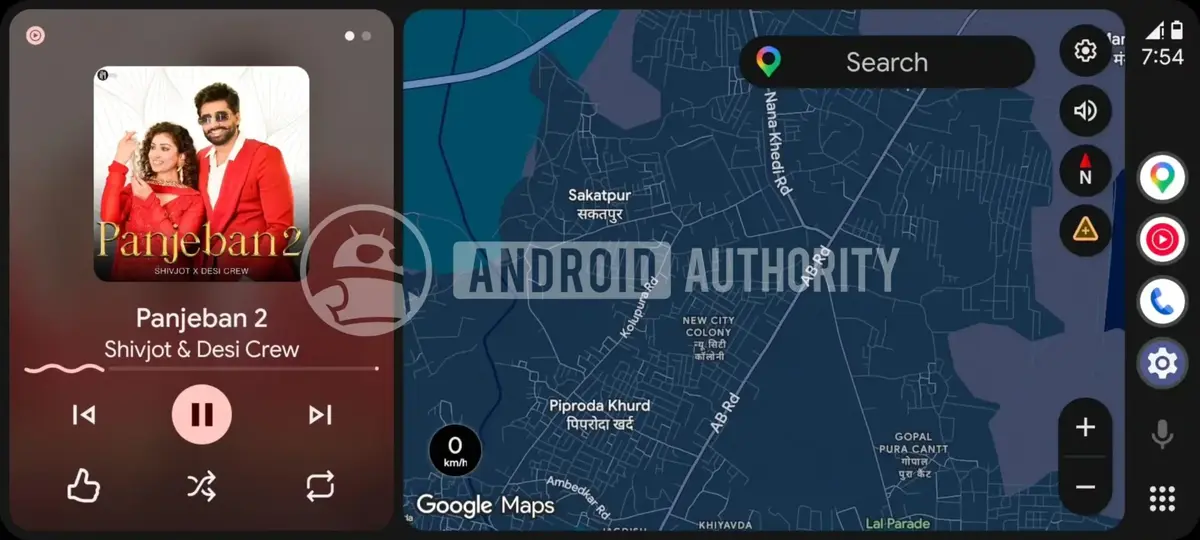
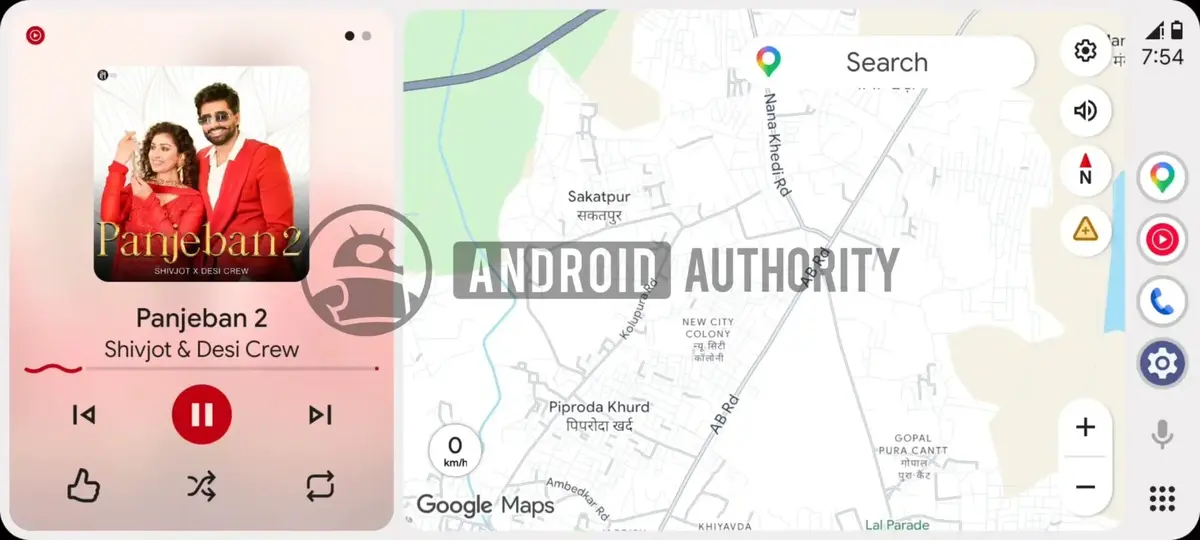
Beyond the standard play, pause, and skip functions, the new design introduces shuffle, repeat, and like buttons directly onto the main widget. This modification reduces the need for users to navigate away from the dashboard, thereby minimizing distractions while driving. The interface also utilizes a blurred version of the current album cover as a background, maintaining a cohesive look while ensuring text remains legible.
The integration of these extra buttons marks a significant step forward in making Android Auto a more capable and user-friendly command center.
Application-Specific Features Improve User Interaction
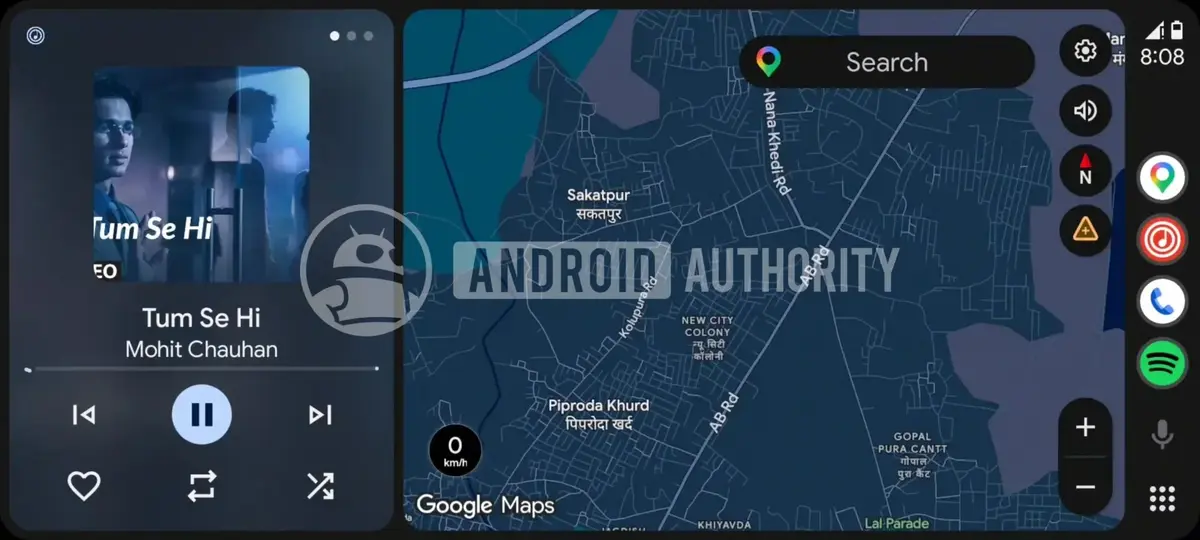
One of the most notable aspects of this update is the contextual nature of the controls. The media player will no longer offer a one-size-fits-all button array; instead, the buttons will change depending on the specific content being consumed. For instance, listeners using YouTube Music or various podcast applications will see specialized playback controls tailored to their specific media type.
This level of customization ensures that users have exactly what they need at their fingertips without cluttering the screen with unnecessary icons. Whether it is specific podcast navigation or advanced playlist management, the interface adapts to the user’s workflow.
Future Updates Will Likely Expand Functionality
While the exact release date for this redesigned media player remains unconfirmed, industry observers expect the feature to appear in upcoming beta versions of the platform. This update is widely considered a precursor to a broader suite of improvements planned for the Android Auto ecosystem later this year.
Users are also keeping a close watch on other anticipated features, such as the manual activation of ‘light mode’ within the system settings. As Google continues to refine the software, the focus remains on balancing aesthetic modernization with the high safety standards required for automotive environments.
We are eager to hear your thoughts on these upcoming changes to the Android Auto interface; do you believe these additional buttons will make your daily commute more convenient, or do you prefer a simpler, more minimalist dashboard design?
Your comment has been submitted,
it will be published after approval.