
iOS 16 Best features: Lock Screen, Messages, and more

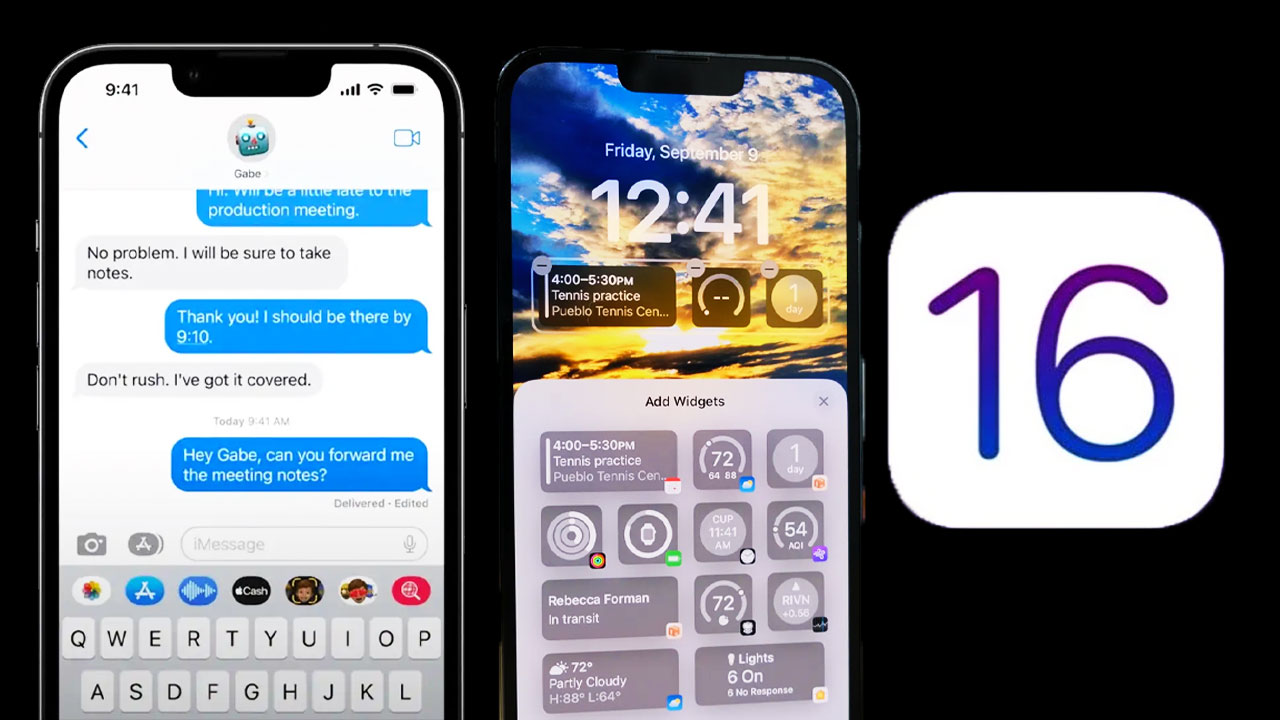
Apple launched its new mobile software update iOS 16 with significant features. Users had been waiting for this update for a long time, and finally the company released it. iOS 16 comes with many features from Focus Mode to Notifications. However, there are the most expected features by iPhone owners. Here are the best iOS 16 features.
New Lock Screen
Apple brings Lock Screen customization with the latest iOS 16, and it is one of the best iOS 16 features. You can now add widgets to your Lock Screen, choose custom fonts and colors, and apply different filters. You can also add the picture you want onto the Lock Screen. There are also multiple different Lock Screens and you can easily change them. Apple lets users use third-party apps to add widgets to the new Lock Screen.

New iMessage features: Undo send and Edit
People also waited for these messages features, unsend a message and edit a message. These features were tested during the best version of iOS 16. So, developers could experience those features. You can now edit or unsend an iMessage just by long-pressing on the message after you’ve sent it. However, there are limits to doing them. You can unsend a message for up to two minutes after you have sent it, while you can edit a message up to five different times. The tech giant also released other changes to Messages with iOS 16:
- Mark as unread
- Recover recently deleted messages
- SharePlay via Messages
- SMS Tapbacks on Android
- Audio message playback: fast-forward or rewind audio messages as you listen.

Notifications in iOS 16
The company has also brought some changes to the notifications in iOS 16, especially on the Lock Screen. Apple now cares more about your wallpaper. The notifications come in from the bottom of the screen anymore. However, there are also three options in the Settings. You can change the notifications’ counts tack and list. You can find all the details about iOS 16 best features and more here.
Your comment has been submitted,
it will be published after approval.