Mac users are facing a storage space issue that arises after an operating system upgrade. Users who upgrade to macOS Sequoia often notice that Apple Intelligence, Apple’s new AI platform, is silently taking up a significant amount of space on their devices when they check the system’s “Storage” panel. This data pile is a serious problem, especially for Mac owners with a 256GB SSD.
Apple Intelligence Takes Up a Lot of Space
A key question users have is: Can Apple Intelligence be deleted from a Mac to free up space? The short answer is: it’s not possible to completely remove Apple Intelligence like a standard app. Apple has integrated this technology as an integral part of macOS, a core system component.
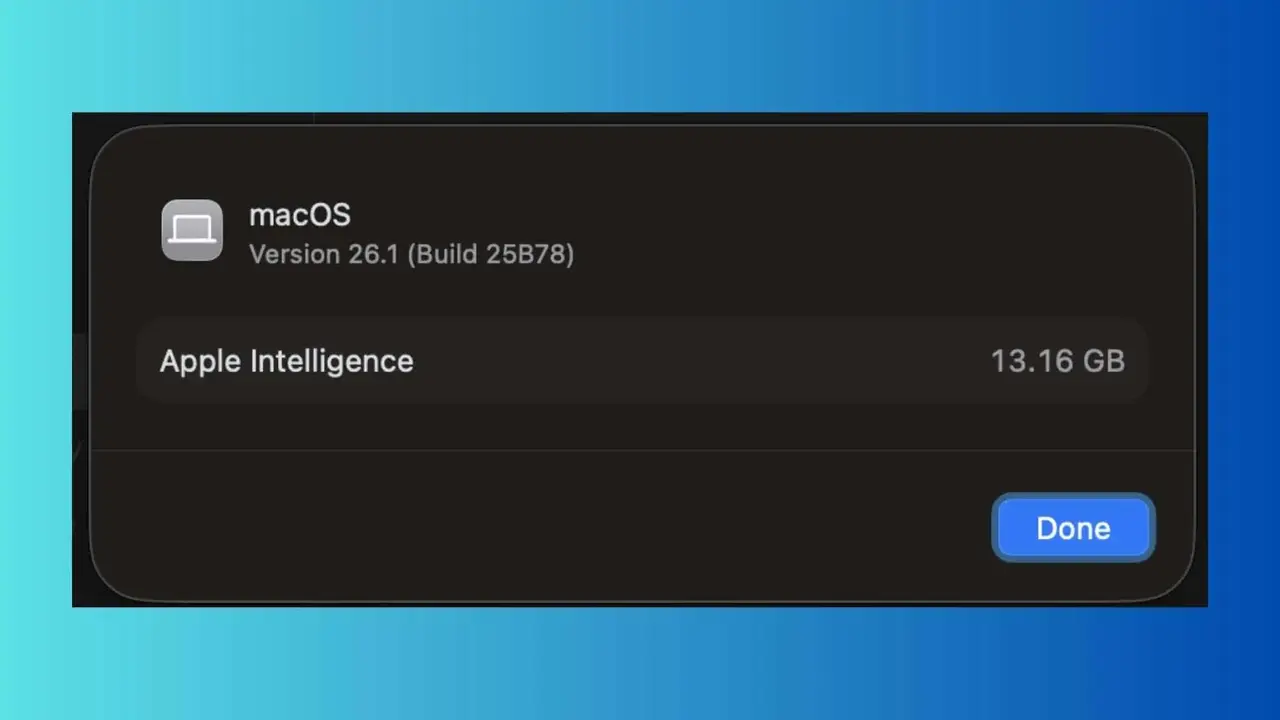
Apple’s own support documentation states that Apple Intelligence requires approximately 7GB of storage on the device, but some Mac users report that this figure reaches 10GB or more. The amount of space used varies depending on which features are enabled and whether the AI models have been fully downloaded.
By navigating to System Settings > General > Storage and clicking the information button next to the macOS tab, users will see a breakdown of how many models and related components are being used by Apple Intelligence.
The real confusion arises when downloaded models aren’t always deleted from the system, even when the feature is disabled in System Settings. Some users report reduced storage space after disabling the feature, while others report that the downloaded files remain.
Apple experts point out that because Apple Intelligence is a core part of macOS Sequoia, users can’t control system components at this level.