
Microsoft Plans to Make Windows 11 Right-Click Menus Customizable

Microsoft is finally addressing one of the most persistent user complaints regarding Windows 11 by introducing a fully revamped and customizable right-click menu. Since the release of the operating system, users have frequently cited the context menu as being overly complex, cluttered, and sluggish. According to a recent report from Windows Central, the tech giant is currently developing an overhauled interface designed to improve loading speeds and grant users granular control over their workflow. This significant update will allow individuals to reorganize items, hide unnecessary entries, and pin their most essential commands, marking a major departure from the current rigid structure of the Windows 11 context menu.
- Microsoft is redesigning the Windows 11 context menu to reduce loading times and improve overall system responsiveness.
- Users will gain the ability to customize the menu by reordering items and hiding unused third-party application extensions.
- The update functions as part of the broader Windows K2 initiative focused on enhancing operating system performance and consistency.
- A specific release date for the general public has not yet been announced by the company.
The New Design Will Prioritize Speed and Organization
The current iteration of the Windows 11 right-click menu often suffers from performance bottlenecks. Because the system attempts to load both native Microsoft shortcuts and various third-party application extensions simultaneously, the interface frequently experiences a noticeable delay when opened within File Explorer. This clutter not only affects aesthetics but also hampers productivity for power users who rely on quick access to specific tools.
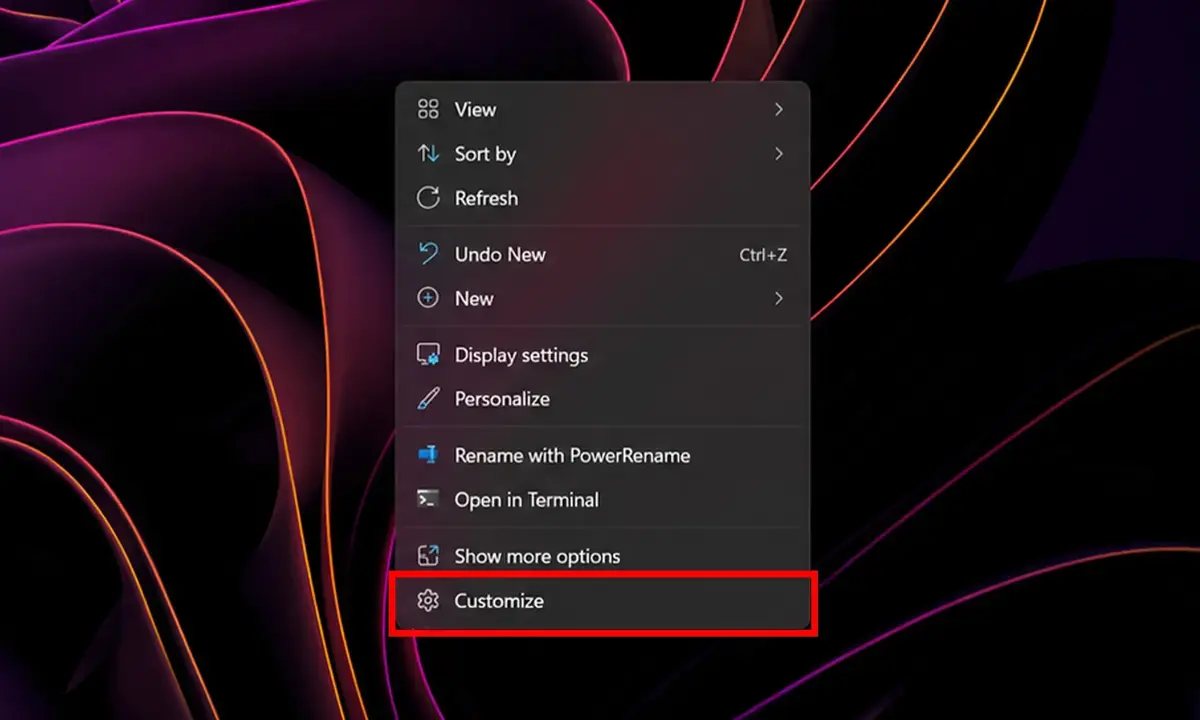
The upcoming compact menu design aims to prioritize frequently used actions while deferring the loading of heavier third-party plugins until they are actually required.
By implementing a more streamlined architecture, Microsoft intends to make the menu significantly more reactive. Furthermore, the inclusion of a dedicated “Customize” option at the base of the interface will empower users to tailor their environment to their specific needs. Marcus Ash, the Vice President of Windows and Devices Design and Research, has previously indicated that the engineering team is dedicated to making these context menus simpler and more personalized by default.
The Changes Align with the Windows K2 Initiative
These improvements are being developed under the umbrella of Microsoft’s Windows K2 initiative, which centers on elevating the consistency and performance standards of the entire operating system. As part of this commitment, Microsoft is systematically migrating various legacy components of Windows into the modern WinUI infrastructure to ensure a smoother, more unified experience across all touchpoints.
While the new menu is already operational within internal testing environments, Microsoft has yet to provide an official timeline for when Windows Insider participants or the general public can expect these changes to arrive.
As a core component of the user interface that millions of people interact with daily, the right-click menu represents a critical touchpoint for user satisfaction. Resolving its performance issues and introducing personalization features could resolve one of the most common points of frustration for the Windows 11 community.
We would love to hear your thoughts on these upcoming interface changes; what specific tools or shortcuts would you prioritize pinning to your right-click menu to improve your daily productivity?
Your comment has been submitted,
it will be published after approval.