
Microsoft Teams Updates AI Controls for In-Meeting Privacy

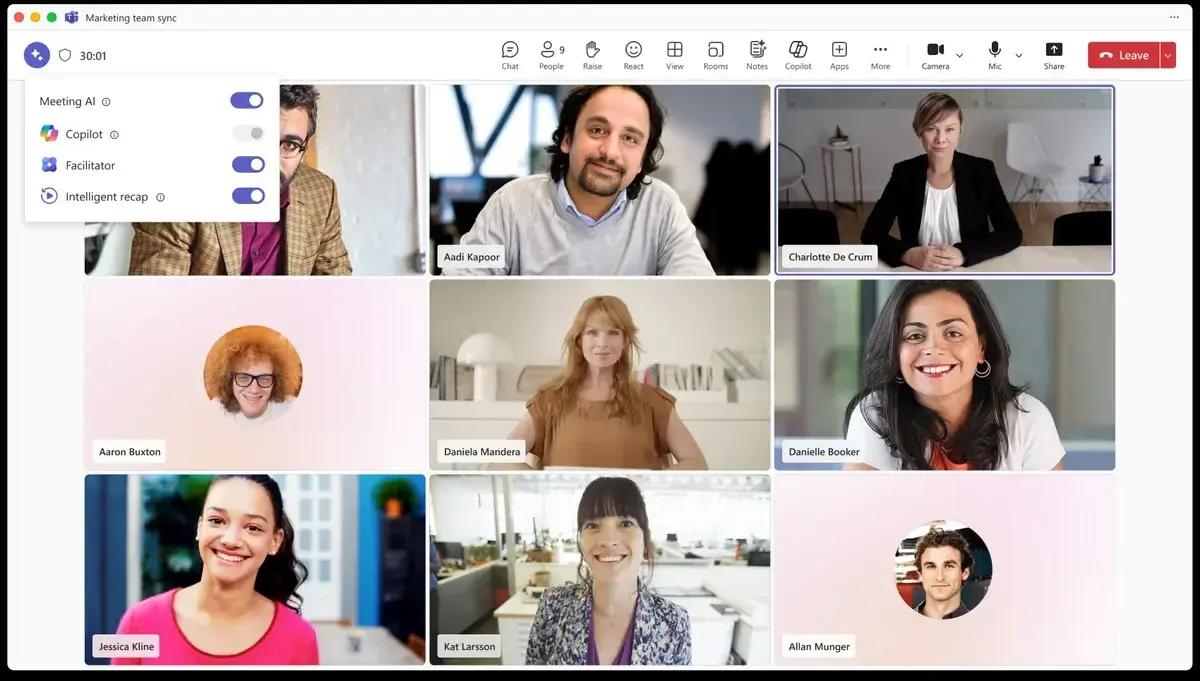
Microsoft has announced a significant update to its Microsoft Teams platform, introducing new in-meeting controls that allow users to disable generative artificial intelligence tools during live sessions. Following widespread feedback regarding data privacy and the operational transparency of AI features, the company confirmed that meeting organizers and presenters will soon possess the ability to manually toggle off specific tools like Copilot, Facilitator, and Intelligent recap. This transition is scheduled to begin in early July 2026, aiming to enhance user autonomy across Windows, macOS, mobile, and web platforms while addressing growing concerns about automated meeting surveillance and data processing.
- Microsoft will introduce a new toggle switch allowing organizers to deactivate AI tools during active meetings.
- The rollout of these manual controls will commence in early July 2026 and conclude by mid-July across all supported devices.
- Existing administrative policies and licensing agreements will remain unchanged, prioritizing enterprise-level governance.
Organizers Gain Direct Authority Over AI Tools
The core of this update centers on a user-friendly interface modification that provides meeting hosts with granular control over their digital environment. By utilizing a simple toggle button within the meeting interface, organizers can choose to disable specific AI features individually or as a collective suite. This shift is designed to provide immediate relief to users who have expressed apprehension over the automated nature of note-taking and summarization capabilities currently integrated into the Teams experience.
Microsoft intends to restore user confidence by ensuring that AI participation remains an opt-in experience rather than a default expectation.
While the new feature empowers individual meeting hosts, the overarching framework for these tools remains tied to organizational policies. If a system administrator has explicitly disabled AI features at the enterprise level, the toggle switch will not appear for participants. This maintains a balance between individual customization and corporate security standards, ensuring that internal compliance remains consistent across all global deployments.
Privacy Concerns Drive New Development Cycles
The Facilitator tool, which monitors meeting discussions to identify key takeaways and information gaps, has been a focal point for privacy-related critiques. Microsoft has consistently maintained that these tools operate under strict authorization protocols, yet the demand for greater visibility has prompted this strategic pivot. By integrating these controls directly into the meeting workflow, the company hopes to mitigate risks associated with accidental data capture and ensure that meeting participants feel comfortable during sensitive discussions.
This initiative underscores the agility of Microsoft’s product development team in responding to consumer feedback. As the company continues to refine its AI strategy, the focus is clearly shifting toward transparency and user-centric design. By the middle of July 2026, all Teams users will have the necessary tools to tailor their meeting environment to their specific privacy requirements. Whether this change will satisfy the broader concerns regarding artificial intelligence in the workplace remains a topic of active debate among industry experts and privacy advocates alike.
The upcoming update represents a fundamental shift in how collaborative software incorporates automated productivity assistants.
We invite you to share your thoughts on this development: do you believe these new controls are sufficient to ensure privacy during your professional meetings, or does the presence of AI still pose a concern for your team?
Your comment has been submitted,
it will be published after approval.