
Mozilla Brings Native Ad Blocking to Firefox for iOS


Mozilla has officially initiated the testing phase for a new, native ad-blocking feature integrated directly into the Firefox browser for iOS. This development marks a significant shift for mobile users, as it allows for the removal of advertisements and tracking scripts without the need for external third-party extensions. By implementing this system, Mozilla aims to provide a streamlined and private browsing experience on Apple’s mobile platform. The feature, currently undergoing evaluation, is designed to enhance page loading speeds and reduce the overall data consumption associated with intrusive web advertising and unwanted pop-up content.
- Mozilla is integrating a native ad-blocking system into the iOS version of Firefox to eliminate the dependency on third-party plugins.
- The filtering mechanism utilizes EasyList-based criteria to detect and prevent the loading of various advertisements and tracking elements at the network level.
- Users are required to manually enable the ad-blocking feature through the browser settings menu as it remains inactive by default.
Native Filtering Mechanisms Improve Browsing Performance
The core of this new functionality lies in its network-level approach to content filtering. Rather than relying on browser-based adjustments alone, the system identifies and blocks ad-network requests before they are fully rendered by the mobile interface. This method is particularly effective at minimizing the presence of bothersome pop-ups and overlay elements that often degrade the user experience on smaller screens. 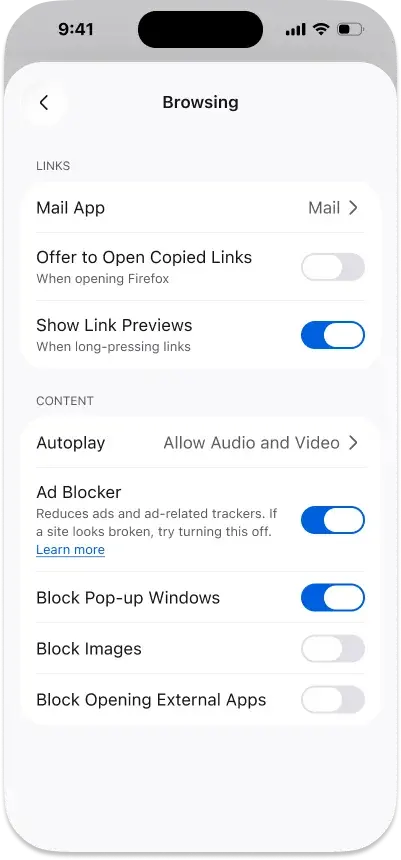
By preventing these resource-heavy elements from loading, Firefox effectively optimizes both the speed and the security of mobile browsing sessions.
The underlying architecture of this feature relies heavily on the industry-standard EasyList filter, which is widely recognized for its comprehensive coverage of ad-serving domains and tracker databases. Because the system operates directly within the browser core, it maintains a level of efficiency that is difficult to replicate with traditional, standalone ad-blocking applications. 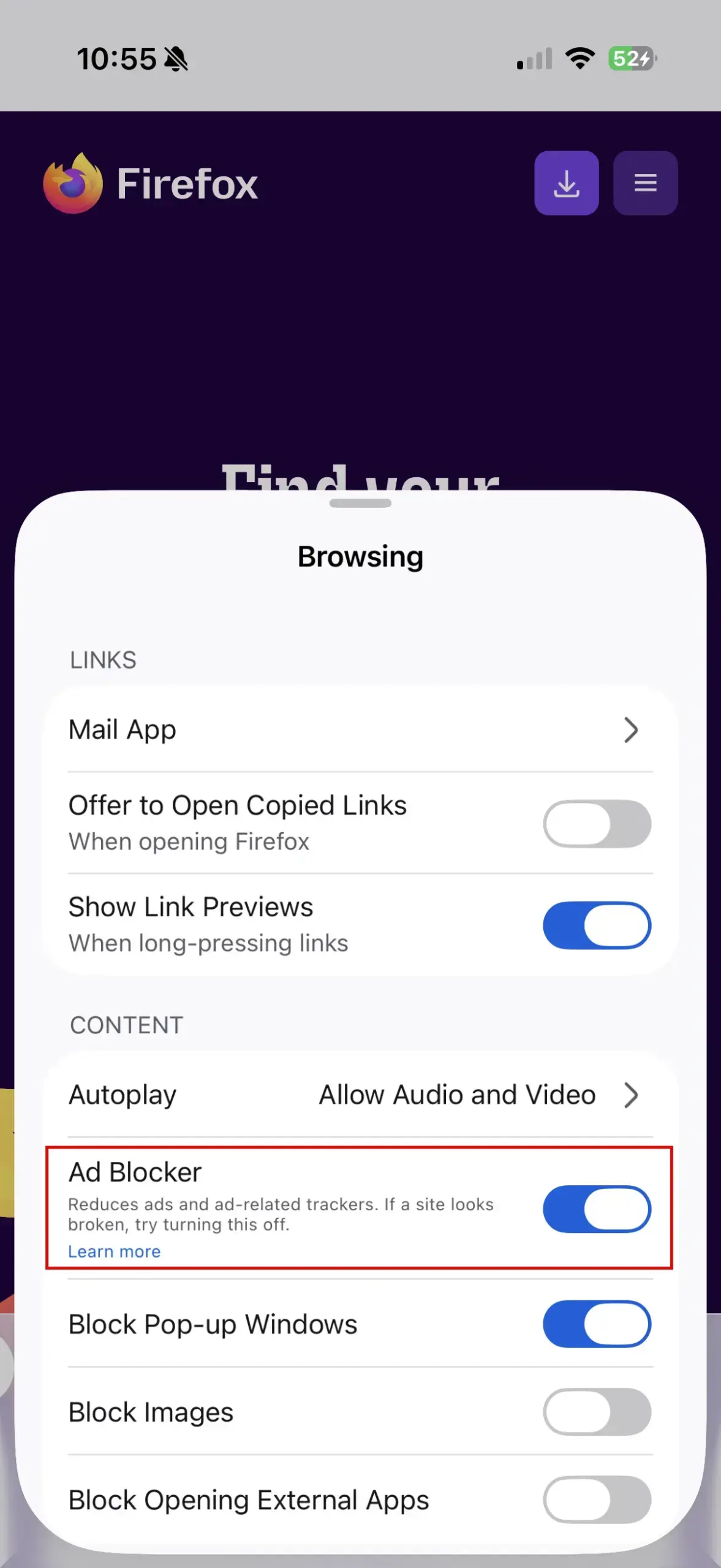
Certain Content Categories Remain Visible
Despite the robust capabilities of this native tool, Mozilla has clarified that the blocking mechanism has distinct limitations. The system is not designed to strip all forms of sponsored content from the internet. Consequently, advertisements that are integrated into search engine result pages will continue to appear as usual. 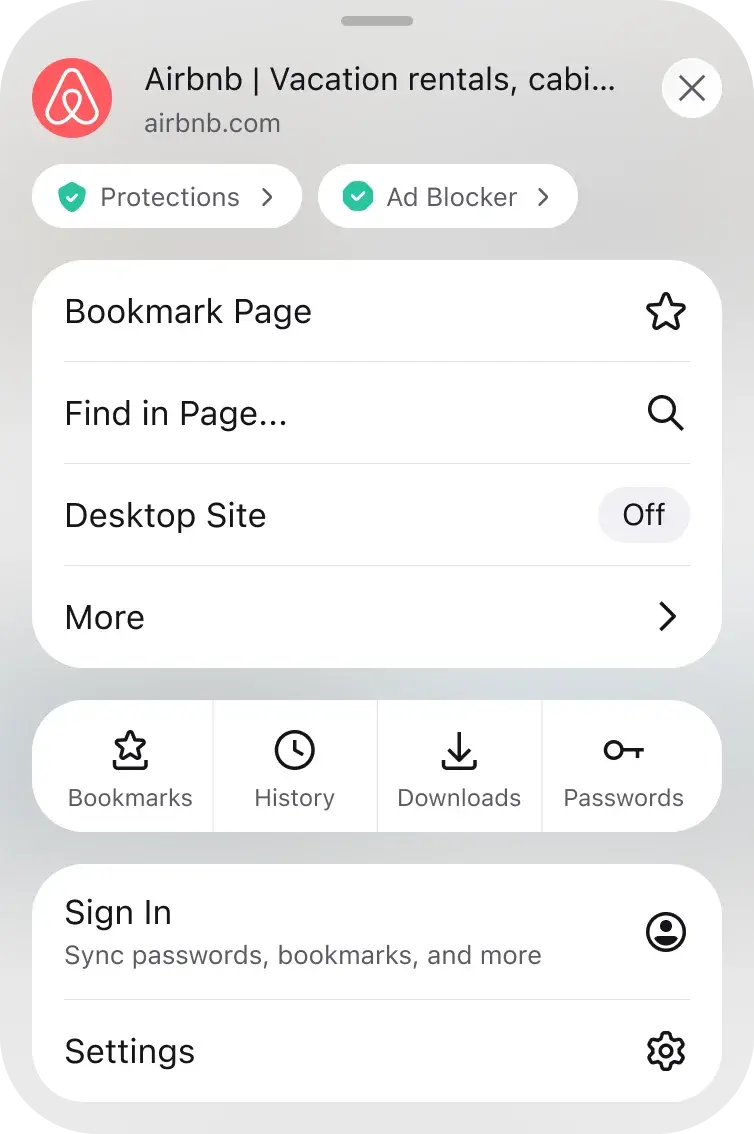
Furthermore, promotional content that is served directly by Mozilla on the Firefox homepage or within new tab sections falls outside the scope of this new filter. The company acknowledges that websites employ an increasingly diverse array of sophisticated technologies to deliver advertisements, meaning some edge cases will inevitably bypass the current filter list.
Users Control the Deployment of the Feature
In a move to ensure transparency and user autonomy, Mozilla has decided that the ad-blocker will be disabled by default upon deployment. This design choice forces the user to actively navigate to the settings menu to toggle the feature, ensuring that those who prefer to support publishers through advertisements retain full control over their browsing environment.
The integration also includes a site-specific control interface, allowing users to verify if the blocker is active on a per-page basis. Mozilla plans to roll out this update to the broader user base in a phased approach, gathering performance data to refine the filtering accuracy throughout the release cycle.
We are curious to know how you feel about this upcoming change; will a built-in ad blocker influence your choice of mobile browser, or do you prefer keeping your browsing experience unfiltered? Please share your thoughts in the comments section below.
Your comment has been submitted,
it will be published after approval.