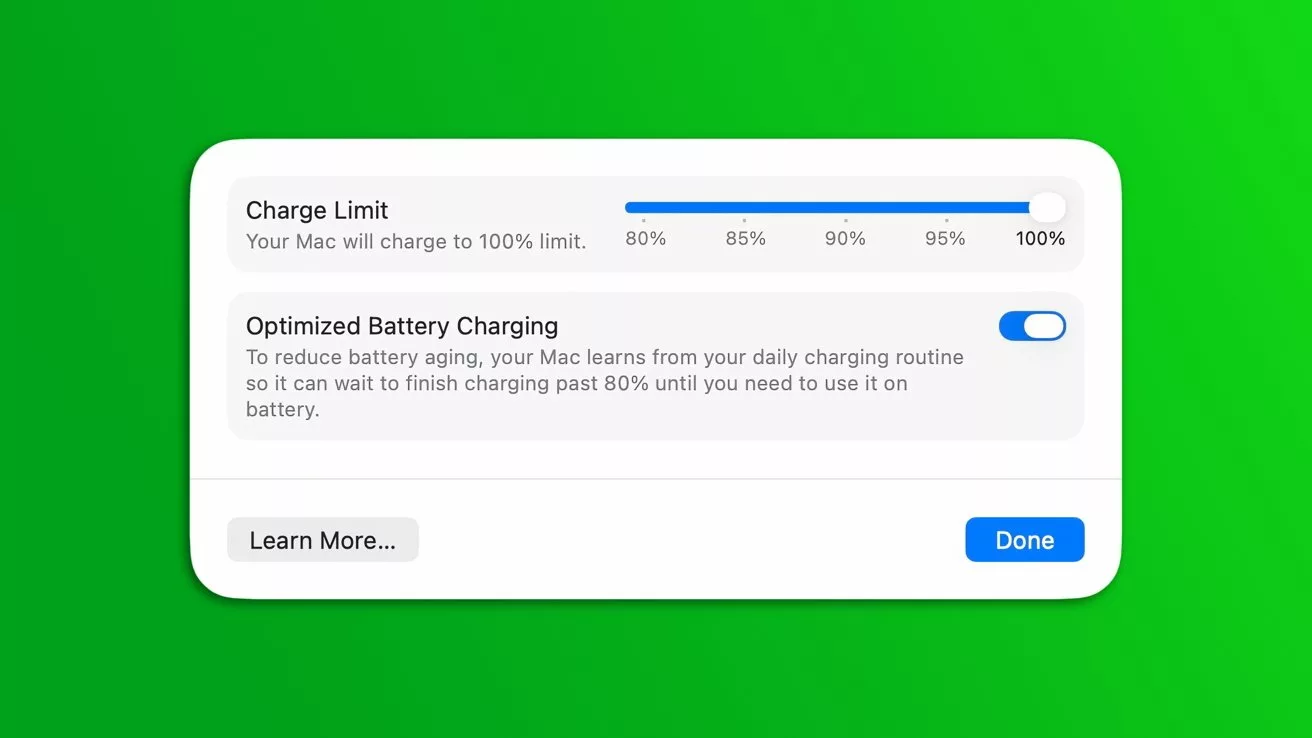
Apple is extending a popular battery management tool from its mobile devices to its computers, introducing the new MacBook charge limit feature with the release of the first macOS Tahoe 26.4 developer beta. This update is designed to help users preserve the long-term health of their MacBook batteries by giving them more control over charging habits, a welcome addition for anyone looking to maximize their device’s lifespan.
How the New MacBook Charge Limit Feature Works
This useful feature first appeared with the iPhone 15 series, which offered an optional setting to cap the charge at 80% to reduce battery aging. Apple later expanded on this with the iOS 18 update, allowing users to select a custom charging limit anywhere between 80% and 100%. Now, with macOS Tahoe 26.4, MacBook users get this same level of flexibility.
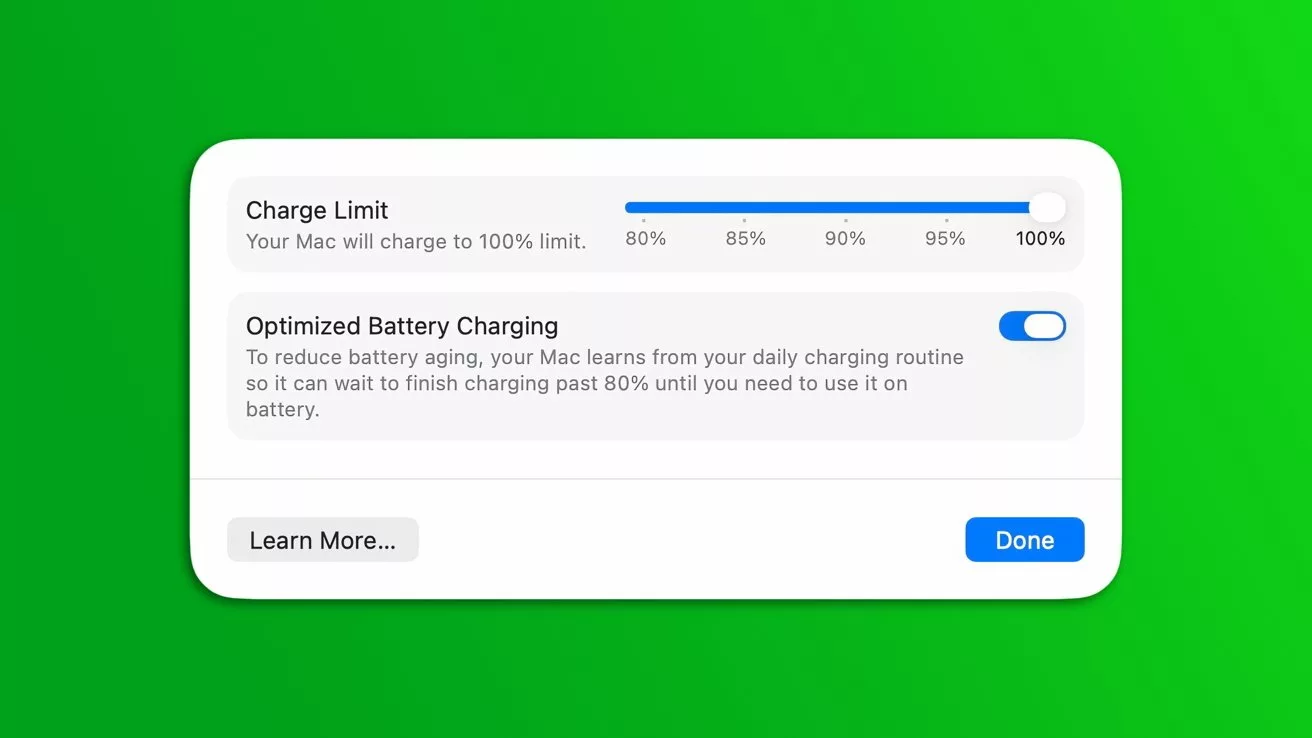
The new system includes a dedicated slider that makes it easy to choose a specific charging limit. This tool, integrated directly into the operating system, puts battery management firmly in the user’s hands. Activating the feature is straightforward: users simply need to open System Settings, navigate to the Battery section, and click the information symbol next to the Charging option to set their desired limit.
Automation and User Benefits
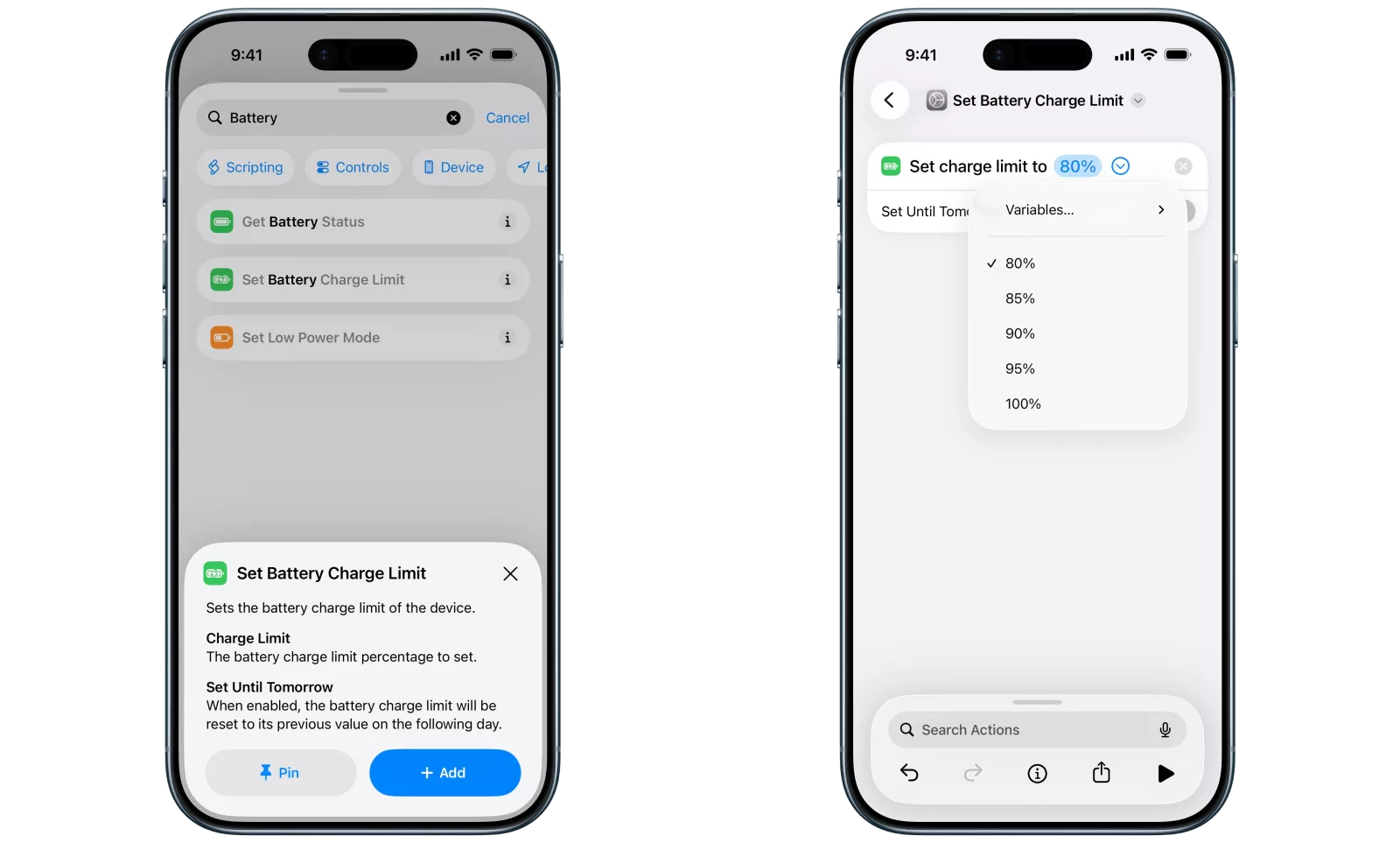
For developers and power users, another significant detail lies in its automation capabilities. The beta versions of both iOS 26.4 and macOS 26.4 integrate the Charge Limit feature into the native Shortcuts app. This integration allows users to create personalized device routines, such as automatically setting a lower limit during work hours and a higher one overnight.
While Apple’s decision to bring this feature to computers is a beneficial step, its effectiveness will depend on individual usage habits. For instance, users who keep their MacBook Pro plugged in all day at a desk will see the most benefit. However, for students or professionals who are constantly on the move, having a fully charged battery might remain a higher priority. This update provides a valuable choice for all types of users to better manage their hardware.
So, what are your thoughts on this new charging feature? Share your opinions with us in the comments!