
OpenAI Unveils ChatGPT Space to Transform AI Productivity

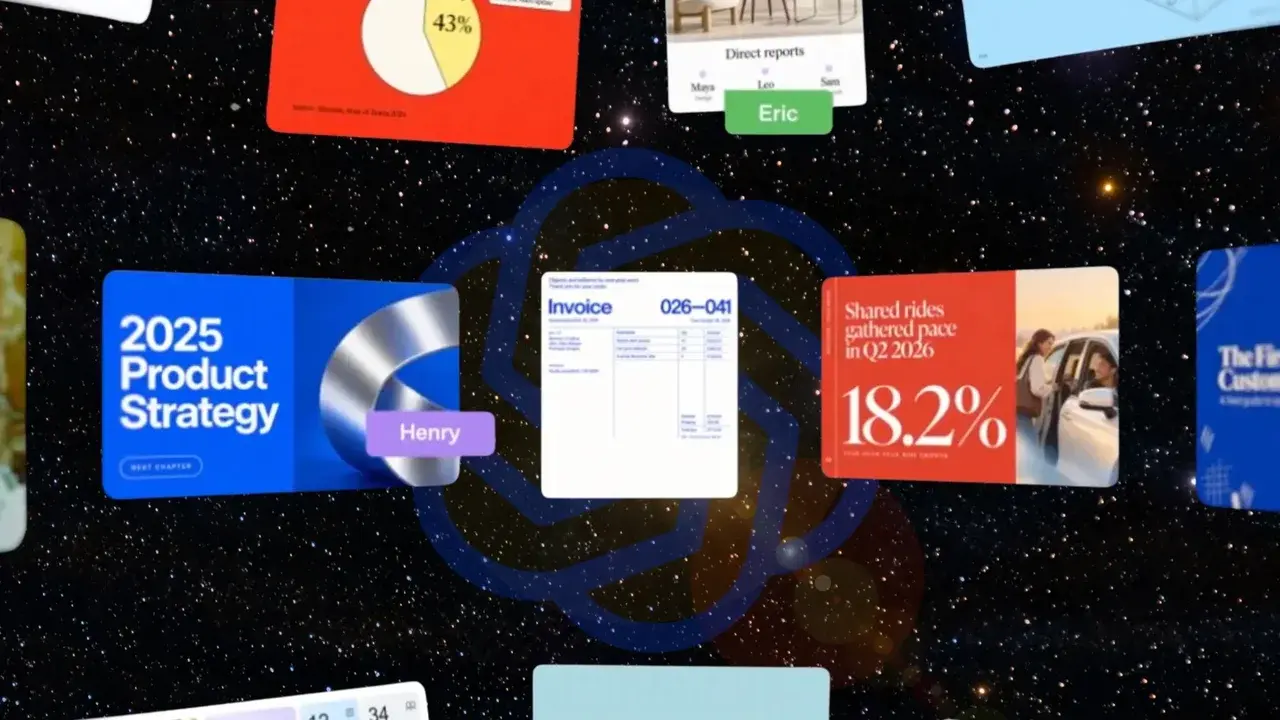
During its fourth annual DevDay event, OpenAI officially introduced a suite of new collaboration tools designed to transition ChatGPT from a simple chatbot into a comprehensive productivity platform. These features, led by the launch of ChatGPT Space, provide a centralized hub where Pro, Business, and Enterprise users can work alongside artificial intelligence on both the desktop app and the web. By integrating document creation through Pages and presentation tools through Slides, OpenAI aims to streamline professional workflows, allowing teams to develop, edit, and present ideas without leaving the ecosystem. This strategic move signals the company’s intent to compete directly in the enterprise workspace market.
- OpenAI launched ChatGPT Space as a dedicated environment for team-based AI collaboration.
- The new Pages and Slides features enable users to generate documents and presentations directly within the interface.
- A security layer called Private Intelligence was introduced to protect sensitive corporate data during AI interactions.
- The Dots agent feature allows the AI to perform specific tasks and process feedback within the workspace.
ChatGPT Space Allows Professional Teams to Collaborate
The introduction of ChatGPT Space marks a significant shift in how OpenAI envisions its flagship product. Rather than a series of isolated chat threads, Space offers a persistent environment where teams can organize their AI-assisted projects. This new hub is designed to be the primary point of entry for Pro, Business, and Enterprise subscribers, facilitating a more organized approach to long-term tasks. By providing a shared environment, OpenAI is making it easier for multiple users to interact with the same context and data sets.
Within this workspace, the AI functions more as a colleague than a simple tool. The interface has been optimized to handle complex projects that require ongoing refinement. This transition is essential for businesses that have struggled to integrate AI into their existing workflows due to the fragmented nature of chat-based interfaces. With Space, the context of a project remains intact, allowing team members to jump back into work without re-explaining requirements to the model.
Pages and Slides Help Users as They Create
To complement the new workspace, OpenAI has introduced Pages and Slides, which are specialized tools for content creation. Pages is currently live and provides a side-by-side editing experience where users can draft reports, articles, or code while the AI provides real-time suggestions. This collaborative approach ensures that the human remains in control of the creative process while leveraging the speed and analytical capabilities of the AI. The tool allows for granular editing, meaning users can highlight specific sections and ask the AI to rewrite or expand upon them.
Slides, which is expected to roll out in the coming weeks, addresses the need for visual communication. This tool enables users to generate full presentation decks based on their discussions within ChatGPT. A key advantage of this feature is its interoperability; users can present their slides directly within the ChatGPT interface or export them to Microsoft PowerPoint and Google Slides. OpenAI has focused on ensuring that the formatting remains consistent during these exports, solving a common pain point for professionals who need to move work between different software suites.
OpenAI Implements Measures to Protect How Data Flows
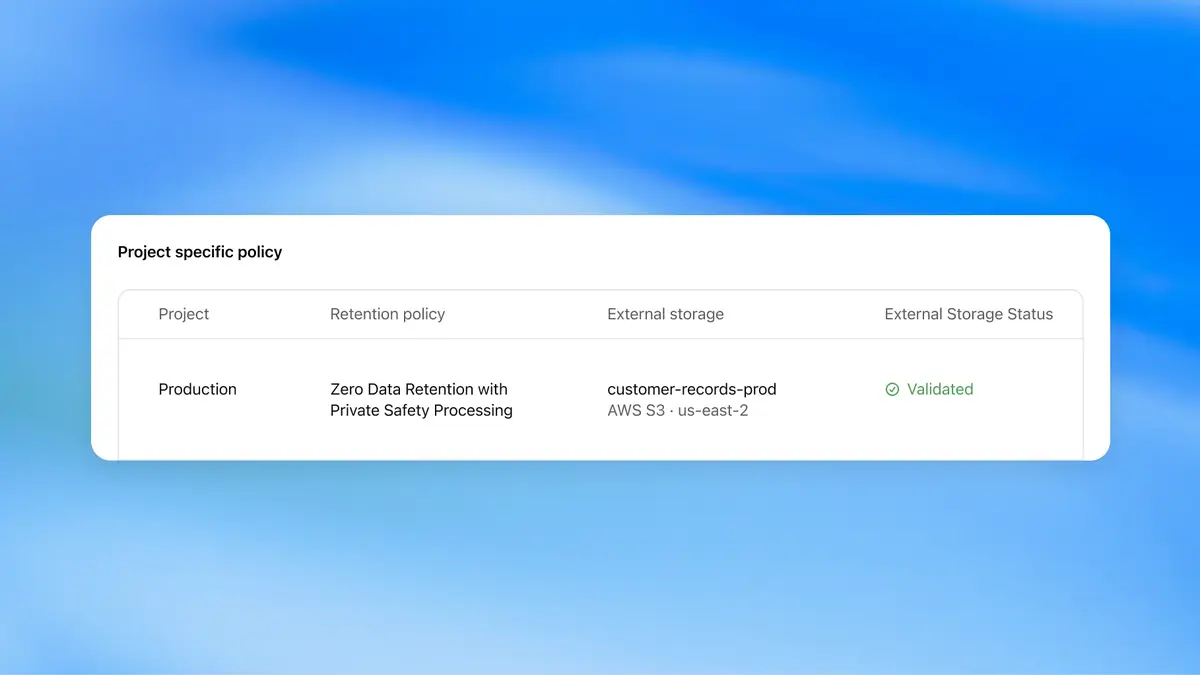
Security remains a top priority for enterprise clients, and OpenAI has responded by launching the Private Intelligence layer. This system is designed to provide enhanced control mechanisms for sensitive information, ensuring that corporate data is handled with the highest level of privacy. One of the standout features is the Zero Data Retention policy, which allows for automated security audits and content moderation without requiring OpenAI personnel to access the raw data. This level of automation is crucial for industries with strict compliance requirements.
Furthermore, the company plans to introduce Private Inference later this fall. This technology utilizes confidential computing methods to process data in an isolated environment, further shielding it from potential vulnerabilities. By combining these security measures, OpenAI is attempting to bridge the gap between AI utility and corporate safety standards. These steps are clearly intended to reassure large organizations that their intellectual property remains protected within the ChatGPT ecosystem.
Autonomous Agents Help Teams When They Work
The update also includes a new agentic feature called “Dots.” These autonomous components are integrated into the workspace to handle specific tasks and manage feedback loops. Unlike a standard chatbot that responds to prompts, Dots can proactively participate in a project by processing feedback and adjusting outputs accordingly. This adds a layer of efficiency to the workspace, as the AI can take over repetitive organizational tasks, allowing human workers to focus on high-level strategy and decision-making.
While CEO Sam Altman has clarified that these tools are parts of a larger system rather than a direct attempt to replace existing office suites, the impact on user workflow is undeniable. By consolidating document creation, presentation building, and team collaboration into a single platform, OpenAI is reducing the need for users to jump between multiple tabs and applications. This strategy mirrors the “cowork” approach seen in other AI platforms, but with the added scale of the ChatGPT user base.
The New Ecosystem Changes How Professional Workflows Function
Ultimately, the launch of Space, Pages, and Slides represents OpenAI’s evolution from a research-focused lab to a product-centric enterprise. By building a workspace where humans and AI work on the same content simultaneously, the company is redefining the boundaries of productivity software. The goal is to create a seamless transition from the initial spark of an idea in a chat to a fully realized presentation or document. This holistic approach ensures that the AI stays involved throughout the entire lifecycle of a project, rather than just the brainstorming phase.
How do you think these new productivity tools will change your daily professional workflow? Share your thoughts on whether ChatGPT can replace your current document and presentation software in the comments below.
Your comment has been submitted,
it will be published after approval.