Just unwrapped a PlayStation 5 for Christmas? Or maybe you’re loading up your backlog during the holiday sale? Either way, nothing kills the mood faster than a download bar that crawls like it’s stuck in 2006. The good news: you can double your PS5’s download speeds with one quick change.
PlayStation 5 download speeds suffer on default settings
Most PS5 consoles are set to connect over 2.4GHz Wi-Fi by default. It’s a common network band, but it’s not ideal for large downloads or stable online play. The result? Slower speeds, lag spikes, and games that take way too long to install.
That’s a problem if you’ve got your eye on heavy hitters like Silent Hill f or Ghost of Yotei or anything chunky, really. The PS5’s modern hardware deserves better, and luckily, it’s an easy fix.

Fortnite servers hit a major login snag, blocking players across all platforms from accessing Battle Royale and Zero Build modes.
The fix: Switch your PS5 to a 5GHz Wi-Fi connection
If your router supports dual-band Wi-Fi, you’re in luck. Switching your PS5 to the 5GHz band instead of 2.4GHz can make a massive difference. Download speeds can double or even triple depending on your network setup and how congested your 2.4GHz channel is.
Here’s how to change it:
- Go to Settings
- Select Network > Settings > Set Up Internet Connection
- Choose Wi-Fi, then find your 5GHz network (it may be labeled differently than your 2.4GHz)
- Connect and enter your password
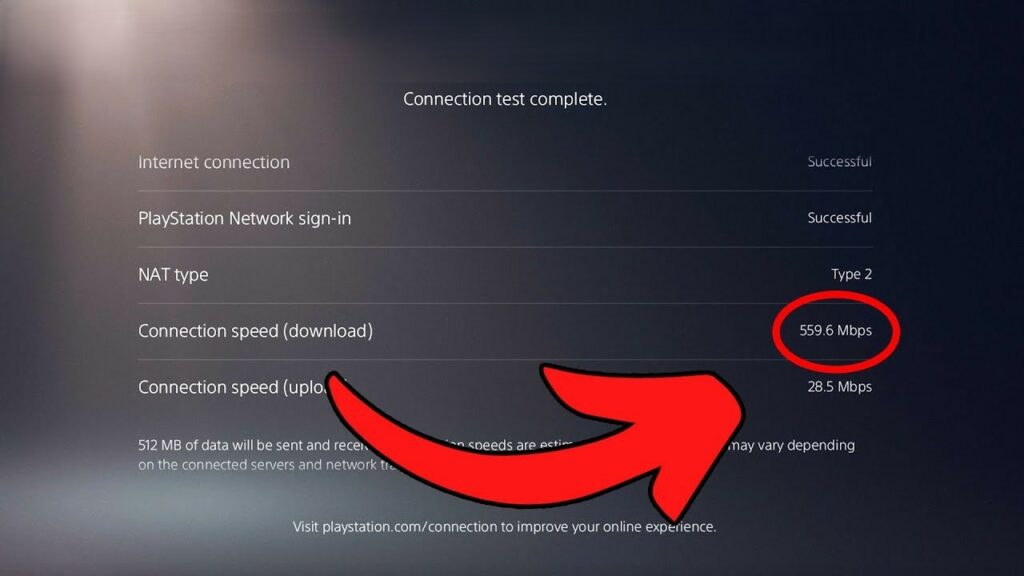
- Run a connection test to confirm you’re on 5GHz
A few catches before you switch
The 5GHz band offers faster speeds and less interference, but the signal doesn’t travel as far. If your console is too far from the router or separated by thick walls you might see less improvement than expected.
Still, for most setups, especially in apartments or close-range rooms, 5GHz will wipe the floor with 2.4GHz. And if you’re hardwiring your connection instead? Even better.
Boost your PS5 downloads and start playing faster
It’s wild that one setting can hold back your shiny new PS5. Whether you’re prepping for 2025’s biggest releases or just catching up on discounted gems, don’t let slow downloads ruin the fun.
Fix your Wi-Fi band, fire up the next title, and let the console do the rest. No more waiting. Just games.