
WhatsApp is Developing an In-App Browser for iPhone Users


WhatsApp is currently developing a new in-app browser for its iPhone application, a significant shift that will allow users to open web links directly within the messaging platform rather than being redirected to Safari or other external browsers. This upcoming feature, identified in the iOS beta version 26.41.10.72, aims to streamline the user experience by keeping communication and web navigation within a single interface. By eliminating the constant switching between apps, WhatsApp seeks to enhance efficiency for its global user base, though the company has not yet provided an official release date for this functionality.
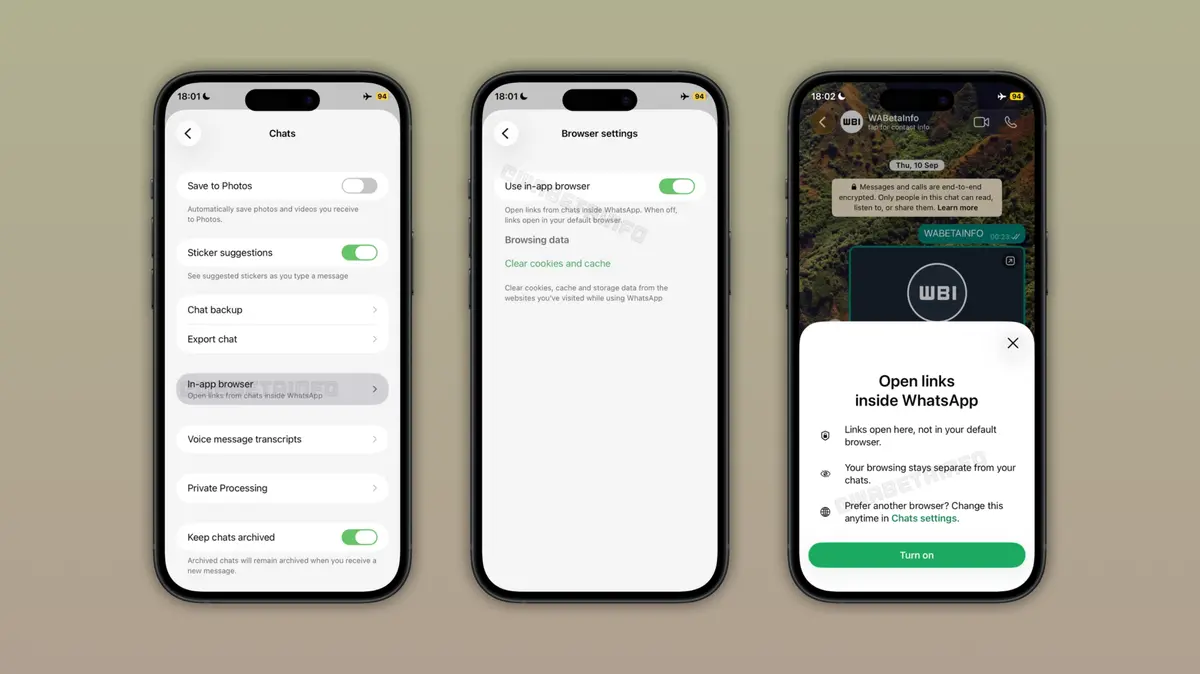
- The upcoming in-app browser allows users to view web content without leaving the WhatsApp interface.
- Users retain the option to disable the feature or open specific links in their default external browser.
- Privacy protections ensure that neither WhatsApp nor Apple can monitor the browsing activity performed within the application.
- Integrated data management tools enable users to clear cookies, cache, and browsing history directly from the settings menu.
Settings Allow Users to Manage the Browser Experience
The implementation of this feature is designed with user autonomy in mind. According to the beta documentation, individuals will find a dedicated toggle within the chat settings menu to enable or disable the in-app browser according to their personal preference. To ensure a smooth transition, the first time a user interacts with a link after the update, an informational pop-up will appear at the bottom of the screen to explain how the navigation system functions. Furthermore, users who prefer their standard browser experience can still choose to open links externally via the three-dot menu, ensuring that the workflow remains flexible for different user needs.
Privacy Standards are Maintained During Browsing
Data security remains a primary concern for the development team at WhatsApp. The company has clarified that the browsing session occurs in a separate, isolated environment, which prevents the browser from interfering with active chat threads. Importantly, WhatsApp emphasizes that it cannot access the contents of the links shared in chats, nor can the company or Apple track the specific websites visited through the internal browser. For those concerned about digital hygiene, the settings menu includes a comprehensive data management section where users can manually wipe their cache, cookies, and other stored browsing information.
Broader Compatibility Replaces Previous Limitations
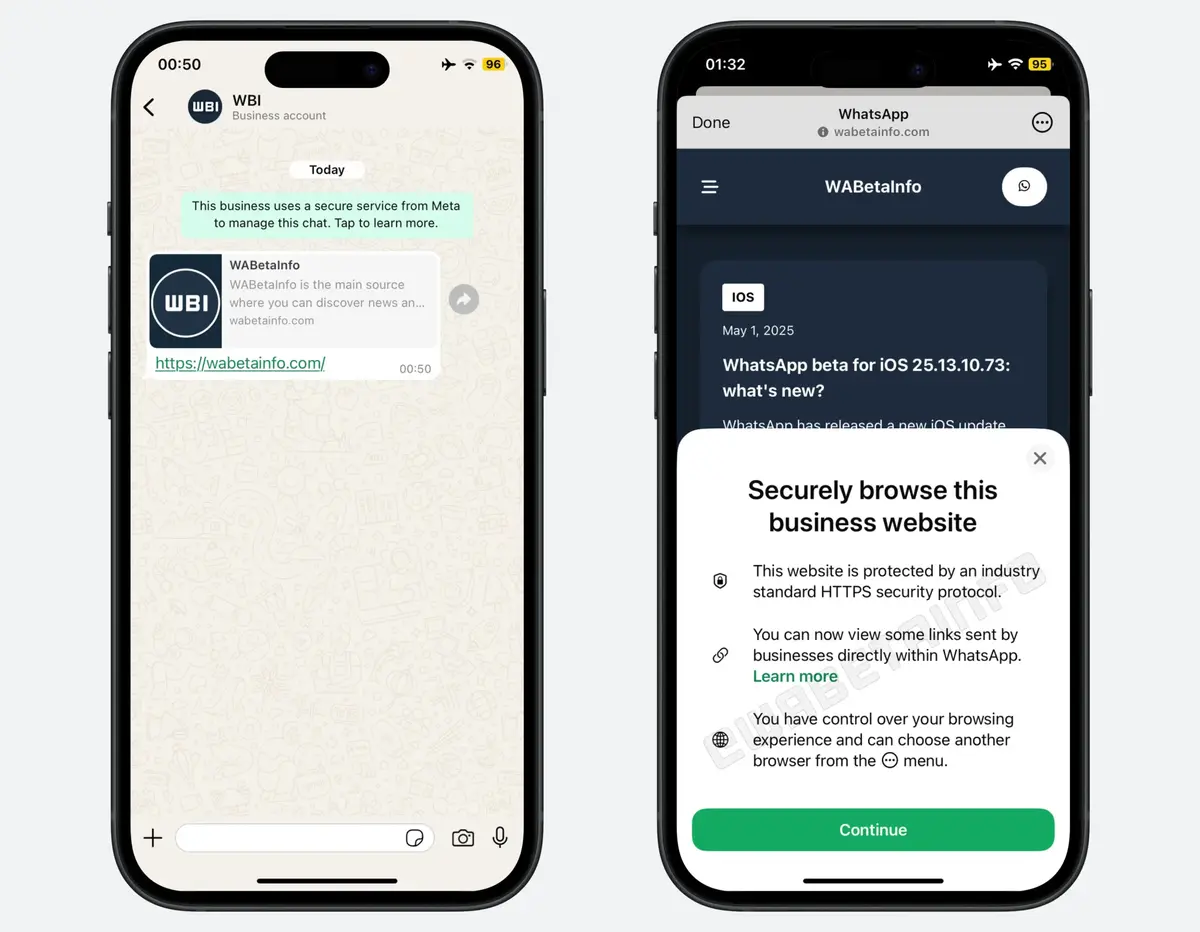
This initiative represents a significant evolution from previous tests conducted by the company. In May 2025, a limited version of an in-app browser was experimented with in the iOS beta, but it restricted functionality to specific business links that met rigorous technical criteria, such as HTTPS protocols. The new iteration removes these constraints entirely, extending the capability to all types of web links. By expanding the scope of this tool, WhatsApp is positioning itself to provide a more consistent experience across all forms of shared content, regardless of the source.
Future Updates Will Define the Rollout Schedule
Although the feature is currently in the active development phase, it has not yet reached the broader beta testing community. The company follows a standard procedure of testing new tools with a small group of users before a full public release. While anticipation is high, the lack of a definitive launch timeline means that iPhone users will have to wait for future app updates to see the browser in action. Whether this feature becomes a daily necessity or a tool that power users choose to disable, it marks a notable change in how the most popular messaging app interacts with the broader internet ecosystem.
We are curious to know how you feel about this upcoming change. Do you prefer the convenience of an in-app browser, or will you be keeping your links open in Safari for better integration with your password manager and extensions? Share your thoughts in the comments section below.
Your comment has been submitted,
it will be published after approval.