
YouTube TV Eliminates Same Wi-Fi Network Requirement for Casting

Google has officially rolled out a significant update to YouTube TV, fundamentally changing how users connect their smartphones to television screens. Moving away from the long-standing requirement that devices must be on the same local Wi-Fi network, the platform has transitioned to an account-based pairing system. This global update allows users to cast content seamlessly as long as the same Google account is active on both the mobile device and the TV, effectively transforming smartphones into powerful companion controllers. By removing restrictive network barriers, Google aims to provide a more fluid and personalized entertainment experience for its international user base.
- YouTube has officially removed the requirement for devices to share the same Wi-Fi network for television casting.
- The new system utilizes account-based pairing to manage connections between mobile devices and smart TVs.
- Users can now interact with Shorts and comment on videos on their phones while primary content plays on the television.
- Google replaced the traditional Cast icon with a more universal pairing button within the updated interface.
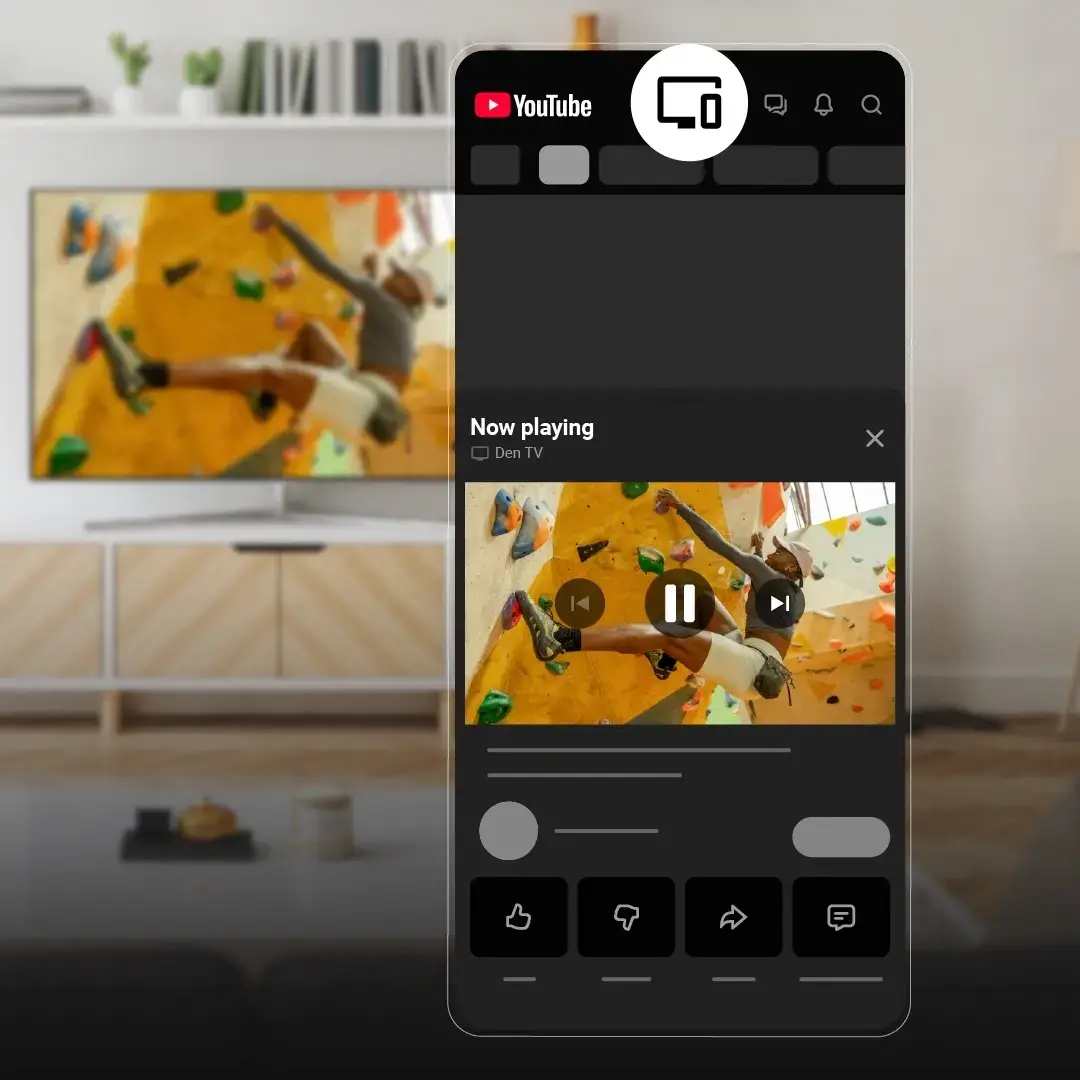
This strategic shift represents a major evolution for the Cast protocol, which has served as the industry standard for years. By decoupling the connection from physical local networks, Google is acknowledging the modern habits of users who expect their digital ecosystems to function regardless of their immediate connectivity status. This change ensures that the television remains the centerpiece of the living room, while the smartphone acts as an intelligent remote and interaction hub.
Connection Flexibility Is Now Being Prioritized
Previously, users frequently encountered connectivity hurdles when their smart TVs and mobile devices were separated by different network segments or guest Wi-Fi configurations. The new, account-driven approach eliminates these technical frustrations entirely. By simply ensuring both devices are logged into the same account, the “cast” functionality becomes instantly available, regardless of whether the user is at home, in a hotel, or at a friend’s house. This increased accessibility is designed to make the viewing experience more consistent and reliable for every subscriber. 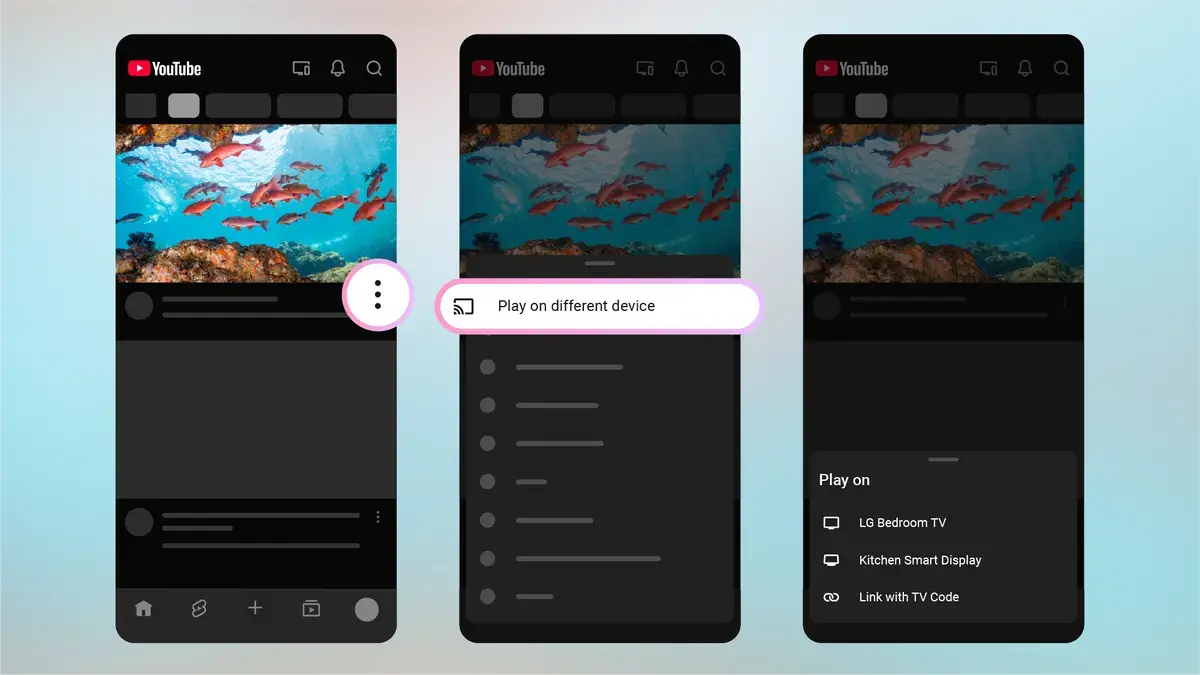
Multitasking Capabilities Are Being Enhanced
Beyond the improvements to connectivity, the update introduces a more robust multi-screen experience. Viewers are no longer limited to just playing a video on the big screen. While a long-form video is active on the television, users can simultaneously explore YouTube Shorts on their mobile devices. Furthermore, the integration allows for real-time engagement—such as liking videos, posting comments, or subscribing to new channels—without interrupting the primary playback on the TV. This design creates a truly synchronized ecosystem where the phone serves as a secondary control layer.
New Features Are Addressing User Expectations
Google has also integrated a “Play on another device” option directly into the menus of videos within the home feed. This allows users to initiate a stream on the TV without needing to start the video on their phone first. While this update streamlines the user journey, some industry analysts have noted that the strict reliance on account-based authentication might present obstacles for guest users who wish to cast from their own accounts. As Google continues to iterate on this feature, it remains to be seen how they will balance personal account security with the ease of collaborative guest viewing.
How do you feel about the transition from local network casting to an account-based system for your home entertainment? Do you believe this will make your viewing habits more convenient, or do you have concerns regarding guest access? We invite you to share your thoughts and experiences in the comments section below.
Your comment has been submitted,
it will be published after approval.