
Google Chrome is improving Autofill!


Google has announced a series of autofill enhancements for Chrome’s mobile and desktop versions that will radically improve the user form-filling experience. These updates expand autofill’s access to data from sources like Google Wallet, making it easier for users to select the correct information when multiple suggestions are present.
Full Sync of Travel and Personal Information
With the new updates, autofill will now be able to access essential information from your Google Account, such as your name, email address, and registered work/home addresses, as long as you’re logged into Chrome’s desktop, iOS, and Android versions.
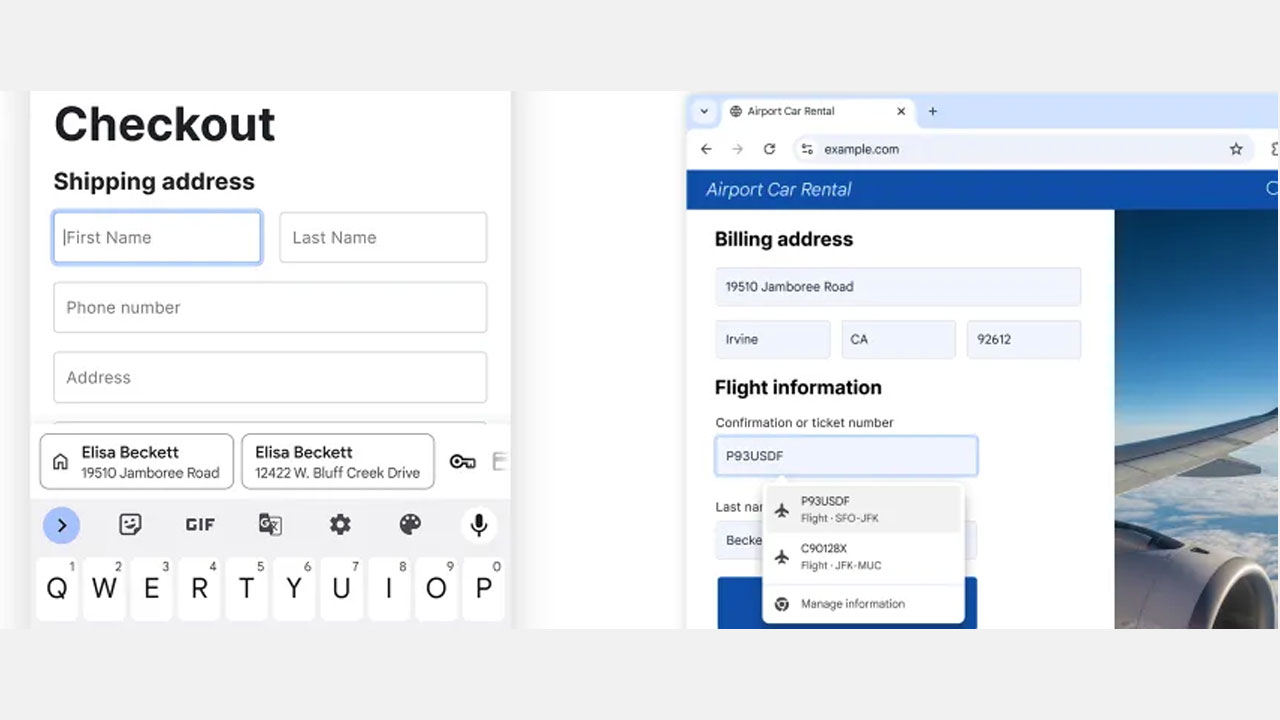
Last month, the enhanced autofill feature (for desktop users) added the ability to autofill details like passport number, driver’s license, loyalty cards, and vehicle information. Now, both the desktop and Android versions will be able to access travel reservation data saved in Google Wallet. This way, when filling out an airport car rental form online, you can autofill details like your flight’s arrival time and date with a single tap.
Google is expanding the autofill suggestions that appear above the on-screen keyboard in Chrome for Android to make them less cluttered and easier to distinguish.
The suggestions will now display two rows of information. For example, if two people with the same name have addresses, more contextual information will be displayed in both rows, making it easier for the user to select the correct person.
Google is also improving Chrome’s ability to fill out forms with international addresses. As part of these improvements, support for Mexican address definitions, which often refer to two side streets, has been added. Support for phonetic names in Japan is also expected to be introduced in the future.
Your comment has been submitted,
it will be published after approval.