
Google Gemini Introduces New Floating Bubble Feature for Android

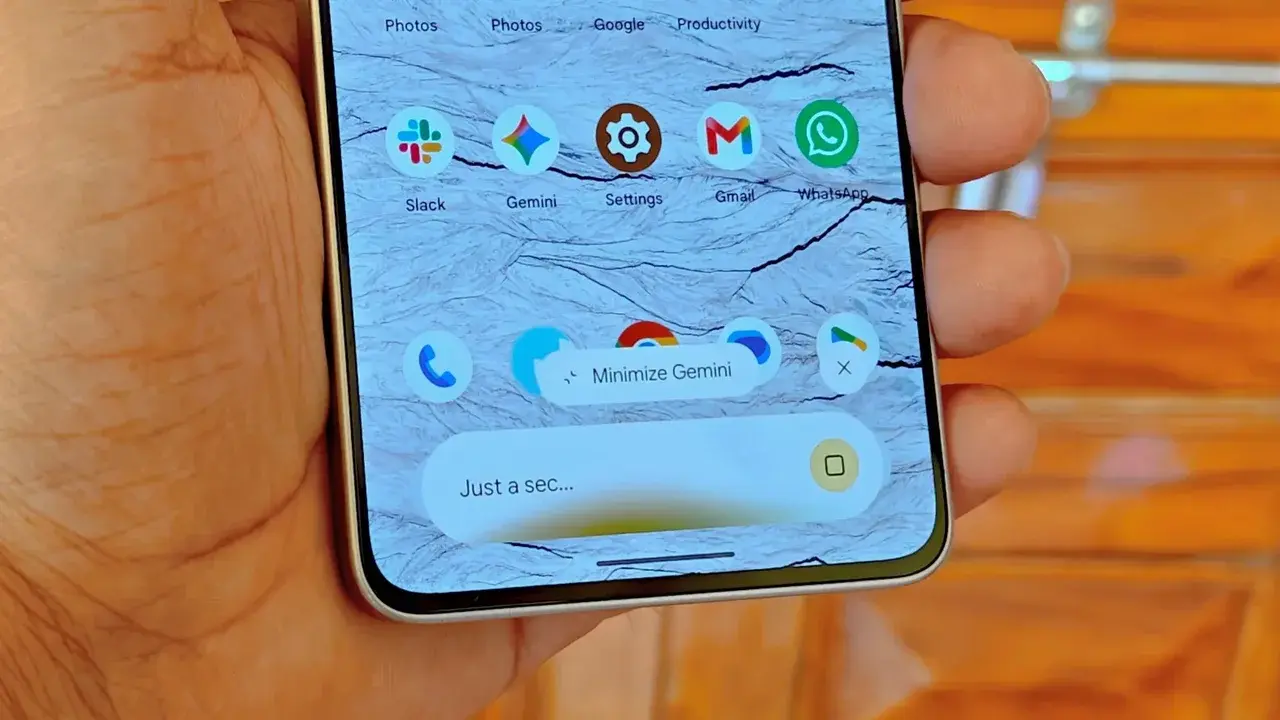
Google has officially rolled out a significant update for the Gemini application on Android, introducing a new multitasking interface that allows users to minimize the AI assistant into a floating bubble. Starting this week, Android users can keep Gemini active in the background while navigating other applications, enhancing overall productivity. This feature is designed to streamline user interaction by enabling a quick transition from a full-screen prompt to a compact, movable icon. By allowing the interface to persist during mobile tasks, Google aims to integrate its AI tool more deeply into the daily workflows of its mobile users.
- The new Gemini update enables a floating bubble mode that allows for continuous background multitasking on Android devices.
- Users can move the interactive bubble across the screen or collapse it to manage their current workspace effectively.
- The current software iteration restricts the bubble to six predefined positions and automatically resets its location after each minimization.
- This update is being distributed globally in a phased rollout to all compatible Android smartphones and tablets.
The implementation of this feature changes how users engage with the AI while performing other tasks. When a prompt is submitted, a minimization button appears in the center of the interface. Once the response begins loading, this button shifts into a pill-shaped capsule on the right side of the screen. 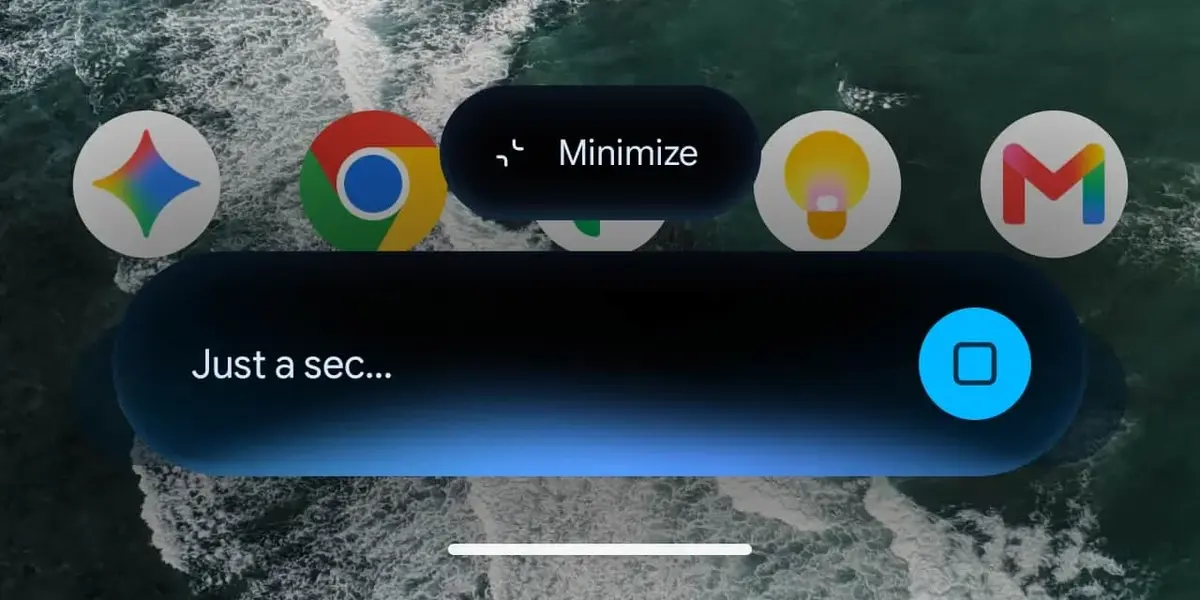 Clicking this capsule transforms the window into a small bubble featuring the Gemini spark logo. This persistent element remains active, allowing users to switch between their ongoing tasks and the AI assistant seamlessly without having to restart the application or rely on sidebar panels.
Users Can Manage the Floating Interface Efficiently
The flexibility of the new bubble allows for basic customization, including the ability to drag and drop the icon to various spots on the display. Although the current version limits placement to six fixed positions, the functionality significantly improves the speed of access. 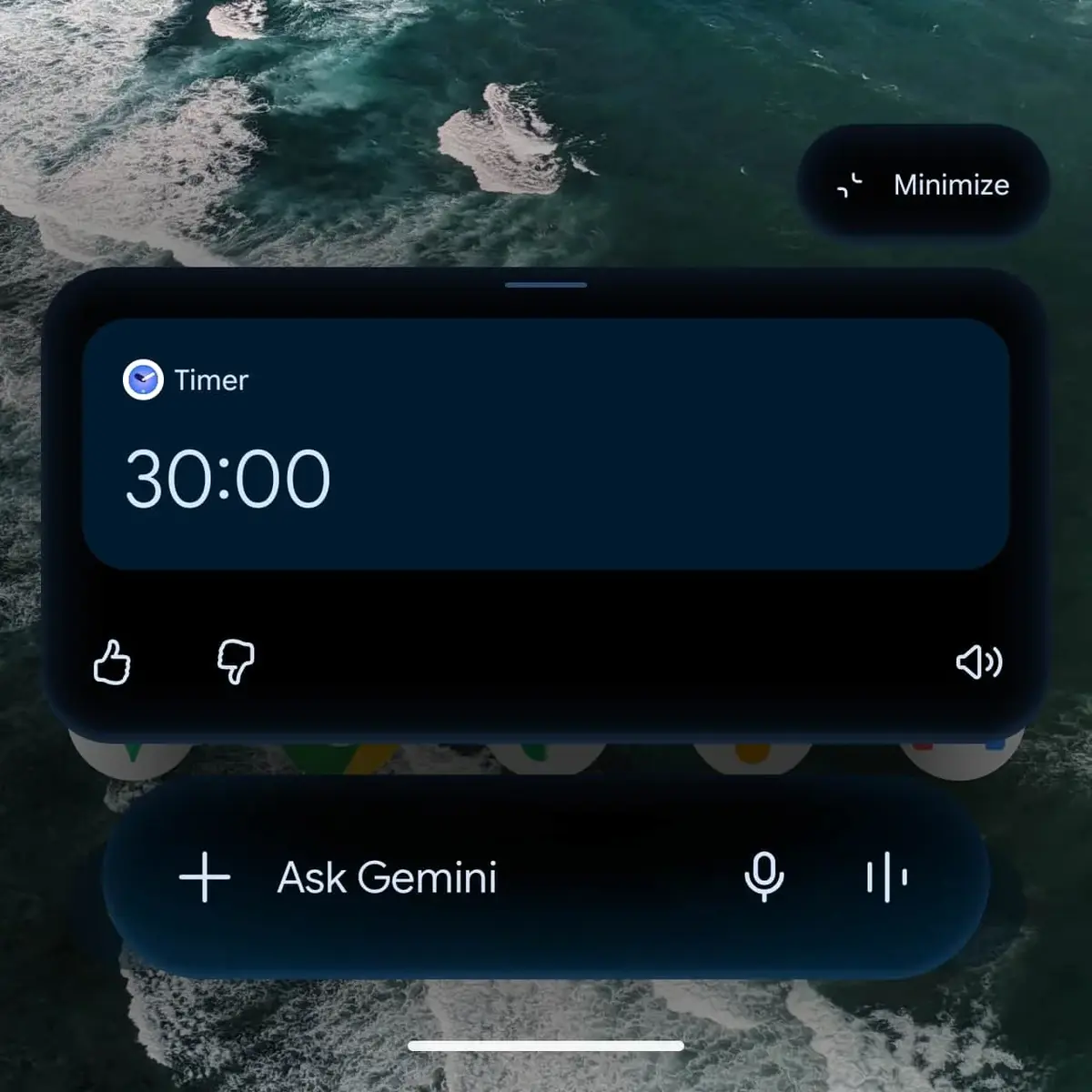 Users can easily expand the window again by simply tapping on the bubble. Additionally, the interface is designed to return to a minimized state automatically if the user interacts with areas outside the Gemini window while a response is loading, ensuring the screen remains uncluttered.
Technical Limitations Are Being Addressed
Despite the improved user experience, some limitations persist in the current build. For example, the bubble consistently retreats to the bottom-right corner of the screen after every minimization action. Furthermore, using the system back gesture while the interface is active will close the entire Gemini window rather than just collapsing it. 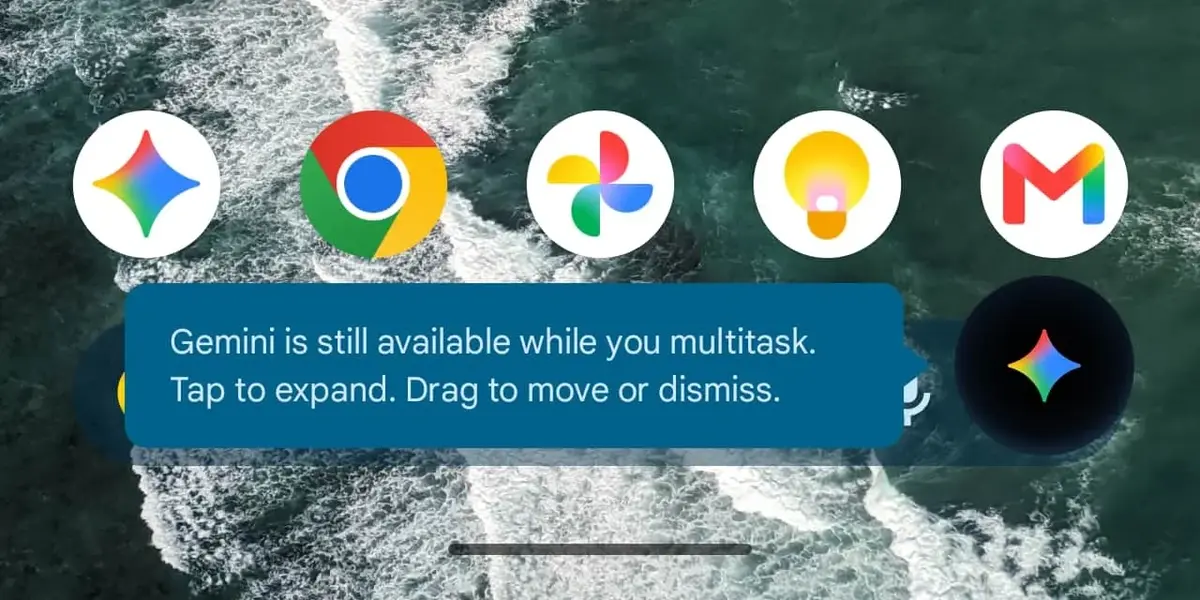 For those seeking deeper integration, Android 17 offers a separate bubble option that provides a different interaction structure compared to the standard Gemini implementation.
These updates align with Google’s broader strategy to enhance the Gemini ecosystem across all platforms. Alongside these UI improvements, the company continues to refine Gemini Live and its integrations with Gmail and Google Photos. With the recent deployment of the Gemini 3.8 Flash version occurring only weeks after previous updates, Google remains committed to rapid development cycles. As the tool becomes more embedded in Android’s operating system, the focus remains on reducing friction for users who rely on AI for complex mobile productivity tasks.
We are curious to hear your thoughts on this new multitasking capability; do you find that having a floating Gemini bubble significantly improves your efficiency, or do you prefer the traditional full-screen interface for your AI interactions? Share your experiences in the comments section below.
Your comment has been submitted,
it will be published after approval.