
Apple Revamps Calendar App Interface in iOS 27 Update

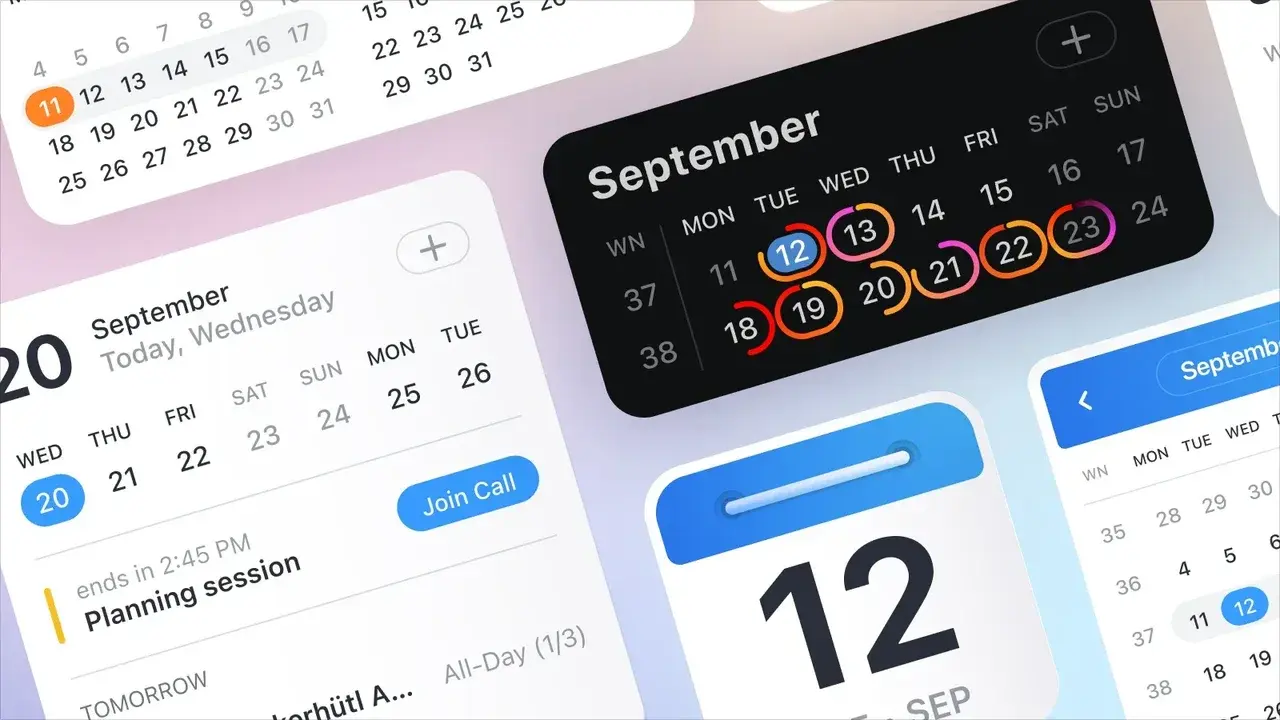
Apple has officially announced a comprehensive overhaul of its Calendar application as part of the highly anticipated iOS 27 update, aiming to modernize the user experience across its core productivity suite. Alongside updates to Notes and Reminders, the redesigned Apple Calendar app introduces a refreshed user interface that prioritizes functionality and visual clarity. By integrating significant structural changes and design refinements, Apple intends to streamline how users manage their daily schedules and appointments. This strategic update addresses long-standing requests from the user community for a more intuitive and efficient interface, ensuring that the application remains a cornerstone of the Apple ecosystem’s productivity tools.
- Apple introduces a modernized user interface for the Calendar application in the iOS 27 update.
- The redesign incorporates improved event detail screens and streamlined creation tools for better data accessibility.
- System-wide Liquid Glass enhancements support increased visual consistency and improved application performance.
Event Details Screens are Being Redesigned
For years, the Apple Calendar application maintained a consistent design language that saw relatively few major changes compared to other system apps. However, the iOS 27 update represents a significant departure from this legacy, bringing a modern aesthetic to the forefront. 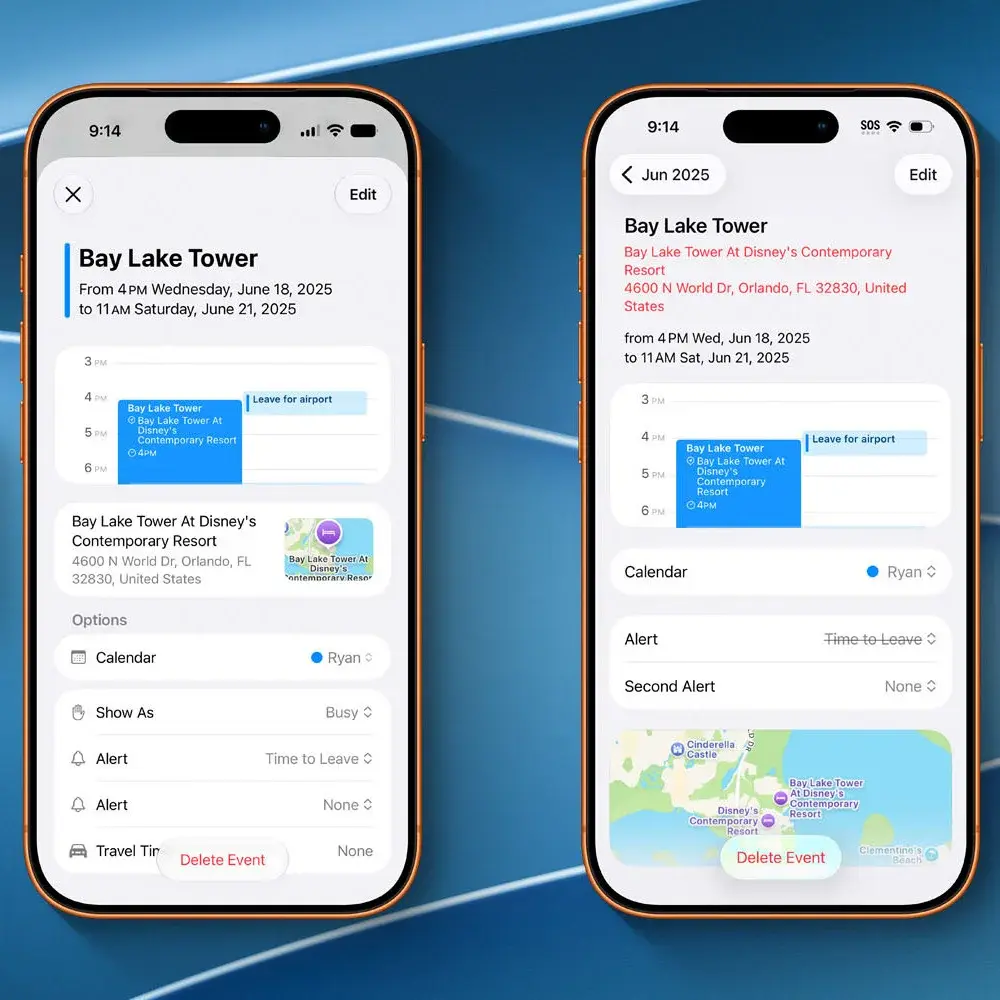 The most notable changes appear in the event details screen, where information has been reorganized to maximize screen real estate and readability.
By utilizing visual icons and clearer typography, Apple has enhanced the scannability of event data, allowing users to absorb critical details at a glance. This structural shift ensures that when a user interacts with a specific event, they encounter a cleaner and more logically arranged interface that reduces cognitive load during busy workdays.
Event Management Tools are Being Optimized
The design improvements extend beyond simple viewing tasks, as the event creation and editing interfaces have also undergone a thorough revision. 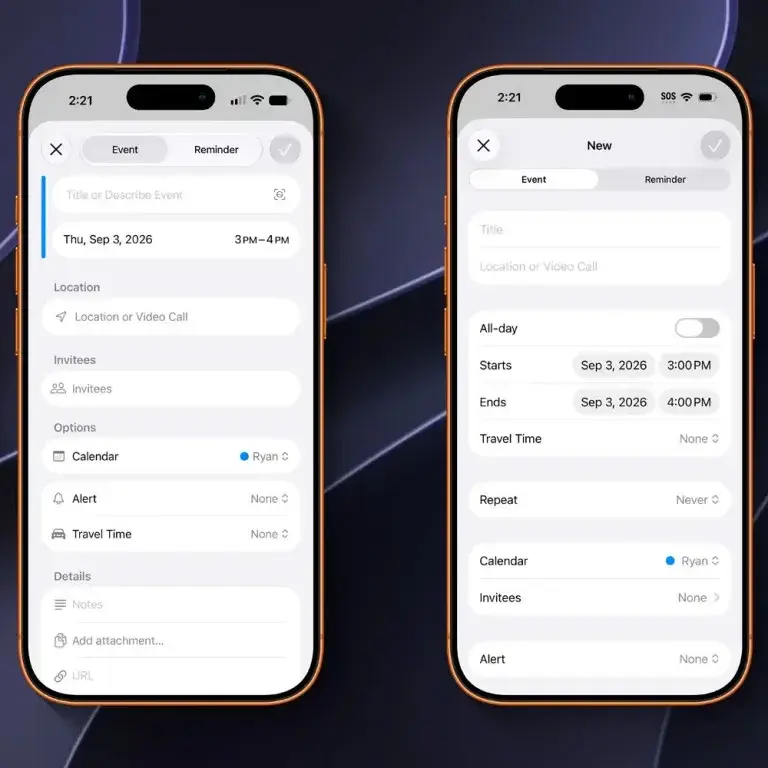 Apple has focused on increasing the amount of information displayed on these screens without overwhelming the user, ensuring that complex scheduling tasks become more manageable.
The integration of intuitive icons and structured headings allows for a more organized approach to defining event parameters, such as locations, invitees, and alerts. These structural adjustments enable users to input and modify event data with greater speed and precision. The new design successfully balances aesthetic minimalism with high-level functionality, creating a more efficient time-management experience for all users.
System Performance is Being Enhanced
Beyond the specific visual updates to the interface, the Calendar app now benefits from the broader Liquid Glass improvements introduced in iOS 27. This integration ensures that the app achieves a higher level of performance and maintains visual harmony with the rest of the Apple software ecosystem.
These changes demonstrate Apple’s continued commitment to refining its core applications to meet modern user expectations. By addressing the long-standing need for a more contemporary design, the company is facilitating a more productive planning process for its global user base. The update marks a pivotal shift in how the application serves users, proving that even foundational tools can be significantly improved through thoughtful design iterations.
We are curious to hear your thoughts on these significant design changes coming to the Apple Calendar app in iOS 27. Do you believe these interface updates will make your daily scheduling more efficient, or do you prefer the classic layout? Please share your feedback in the comments section below.
Your comment has been submitted,
it will be published after approval.