
How to Join the iOS 27 Siri AI Waitlist Today


Apple has officially initiated the rollout of its highly anticipated Siri AI features alongside the recent iOS 27 software update. To gain access to these advanced generative capabilities, users are required to sign up for the official Siri AI waitlist directly through their iPhone settings. This tiered deployment strategy ensures that server loads are managed effectively while providing a stable experience for early adopters. Although the update is available globally, users must meet specific hardware and regional requirements to participate in the program. This process mirrors Apple’s previous infrastructure rollouts for large-scale artificial intelligence models, ensuring that only qualified devices receive the necessary resources.
- Users must update their iPhones to the latest iOS 27 version to initiate the registration process.
- Apple requires participants to set their device language to English to qualify for current beta access.
- Registration for the waitlist does not guarantee immediate activation of the new features.
- The system requires users to re-enroll even if they previously participated in earlier AI beta programs.
Eligibility Criteria are Defined by Apple
Participation in the Siri AI ecosystem is not automatic for all iOS 27 users. Apple has established strict eligibility requirements to ensure optimal performance of the new models. Primarily, users must possess a compatible iPhone model capable of handling the intensive computational demands of the AI. Furthermore, the device language must be set to English, as the current rollout is localized to this language set initially.
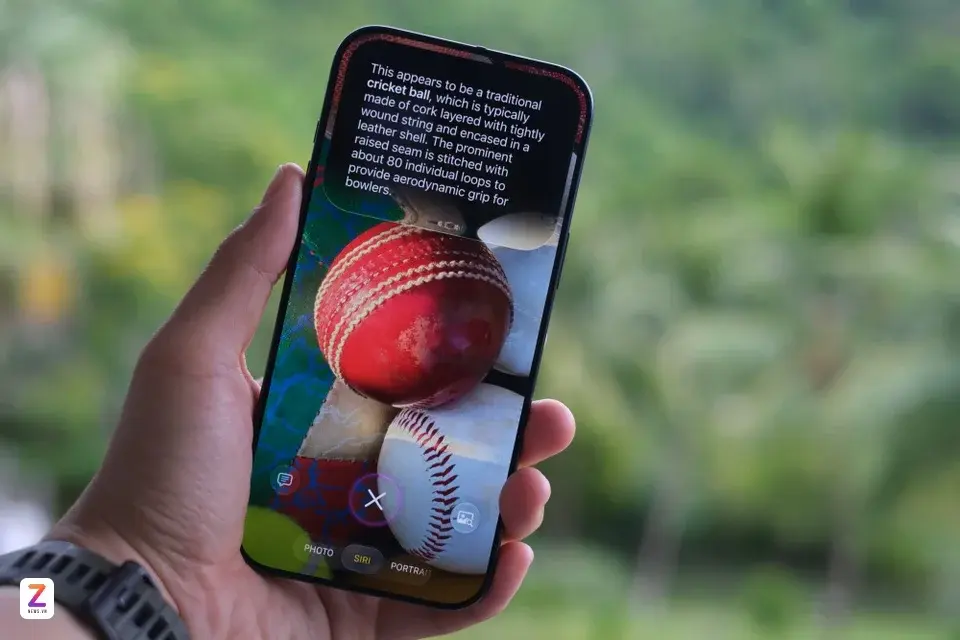
Age and regional restrictions also apply to the registration process. If your device and account settings meet these technical and geographic criteria, you may proceed to the registration portal. It is important to note that even if you have previously tested internal beta versions of Siri, you are still required to register for this new, public-facing waitlist to be considered for the current rollout.
Registration Steps are Outlined for Users
To begin the process, ensure your iPhone is running the latest iOS 27 build. Once the operating system is updated, navigate to the Settings menu and locate the dedicated Siri tab. Within this menu, you will find the “Try Siri AI (beta)” option, which serves as the primary gateway for your application. By selecting this option, you will be prompted to follow on-screen instructions to finalize your entry into the queue.
Upon successful registration, the status of your request remains pending until Apple grants access. This duration is variable, ranging from a few hours to several days for different user groups. Once your access is approved, the system will notify you, prompting the download of additional machine learning models and resource files. These files are essential for the local processing of Siri’s advanced capabilities, ensuring that the assistant operates at full capacity on your device.
Apple is committed to providing ongoing updates throughout this rollout phase. Because the deployment is staggered, patience is encouraged as the company balances system stability with user demand. Keep an eye on your notifications, as the activation process happens silently in the background once the necessary data packets are authorized for your specific device profile.
Have you successfully joined the waitlist for the new Siri AI features on your iOS 27 device, or are you still awaiting approval? We would love to hear about your experience and your thoughts on these new capabilities in the comments section below.
Your comment has been submitted,
it will be published after approval.