
How to Switch Back from an Instagram Professional Account

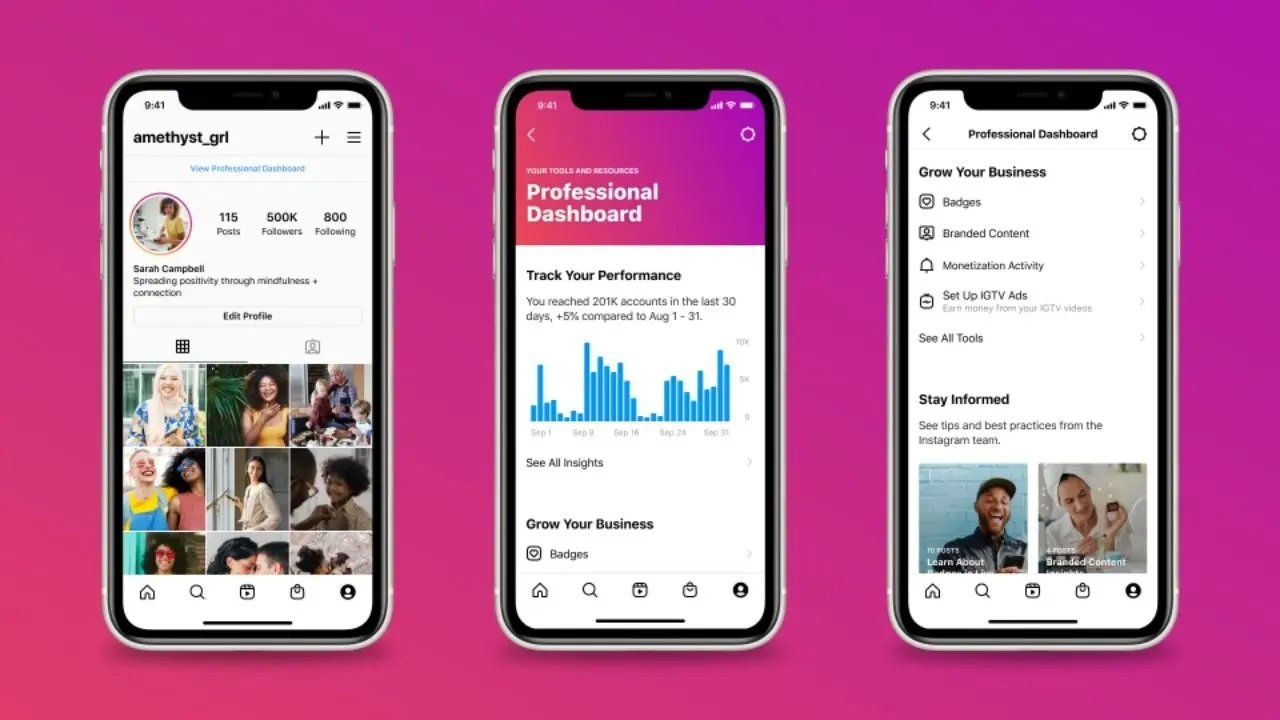
Instagram users who no longer require advanced analytics or business-specific features often seek to revert their profiles to a standard personal status. The process for completing an Instagram professional account switch is straightforward and can be managed directly through the mobile application settings. Whether you are a casual user who mistakenly activated business tools or an individual who simply wants more privacy, changing your account type does not require technical expertise or third-party software. By following a few simple steps within the application menu, users can effectively remove professional branding and return to a private or standard social media profile experience.
- Users can revert to a personal account at no cost through the application settings menu.
- Transitioning from a professional profile results in the immediate loss of access to advanced analytics and promotion tools.
- Switching to a personal account does not result in the deletion of existing followers or published content.
- Once the account becomes personal, users gain the ability to toggle their profile visibility to private.
Professional accounts offer significant advantages for creators and businesses, such as detailed follower insights, post performance metrics, and advertising capabilities. However, these tools may feel cluttered or unnecessary for the average social media user. If you find that your personal feed does not require these metrics, you can easily revert to a standard setup.
Steps Are Followed to Switch Back to a Personal Account
To begin the transition, ensure your Instagram application is updated to the latest version. Open your profile page and locate the menu icon, typically represented by three horizontal lines in the top right corner. Within this menu, navigate to the section labeled ‘Business Tools and Controls’ or ‘Creator Tools and Controls,’ depending on your current configuration. At the bottom of this page, you will find an option to ‘Change Account Type.’ Select ‘Switch to Personal Account’ from the list and confirm your choice when prompted. If this specific menu path is not visible, check your general settings to find the account management options.
Changes Occur After Switching Account Types
It is important to understand the implications of moving away from a professional profile. Once you confirm the switch, your account will no longer provide access to professional dashboards, meaning you can no longer view data regarding post reach, engagement spikes, or follower demographics. Furthermore, any active advertisements or promoted posts will be terminated or paused, as these features are exclusively reserved for business or creator accounts.
Importantly, the structural integrity of your profile remains intact. Your existing library of photos, videos, and reels will not be deleted or hidden. Similarly, your entire follower base will remain unchanged. A significant benefit of returning to a personal account is the added privacy control. You will immediately regain the option to set your account to ‘Private,’ ensuring that only approved followers can view your content.
No Fees Are Charged for This Account Transition
A common concern among users is whether changing account types will incur any hidden fees or penalties. You can rest assured that switching between account types is entirely free of charge. Instagram does not impose financial requirements for moving between personal, creator, or business profiles. If your needs change again in the future, you can easily switch back to a professional account without any payment or complex verification processes. The entire ecosystem is designed for flexibility, allowing users to adapt their profiles as their social media goals evolve over time.
Have you recently decided to simplify your Instagram experience by switching back to a personal profile, or do you prefer the insights provided by a professional account? Share your thoughts and experiences in the comments section below.
Your comment has been submitted,
it will be published after approval.