
macOS 27 Brings Apple Intelligence to Safari Browser


Apple officially unveiled the next generation of its desktop operating system, macOS 27, during the WWDC 2026 keynote, introducing a suite of powerful AI-driven features for the Safari browser. By integrating Apple Intelligence, the company aims to redefine how users interact with the web, focusing on automation, personalization, and enhanced productivity. These updates, slated for release later this year, represent a significant strategic shift toward making Safari the most efficient tool for digital workspace management. From intelligent tab organization to advanced web monitoring, the browser is evolving to handle complex tasks autonomously, ensuring a faster and more streamlined browsing experience for all Mac users.
- Apple Intelligence automatically categorizes and groups browser tabs based on their topical content.
- The new Notify Me feature provides natural language alerts regarding specific changes on tracked webpages.
- Users can generate custom browser extensions using simple natural language prompts.
- The macOS 27 update introduces a standard pull-to-refresh gesture for desktop Safari users.
AI Automates Tab Management Processes
Safari is taking a major step toward reducing digital clutter with its new AI-powered tab management system. 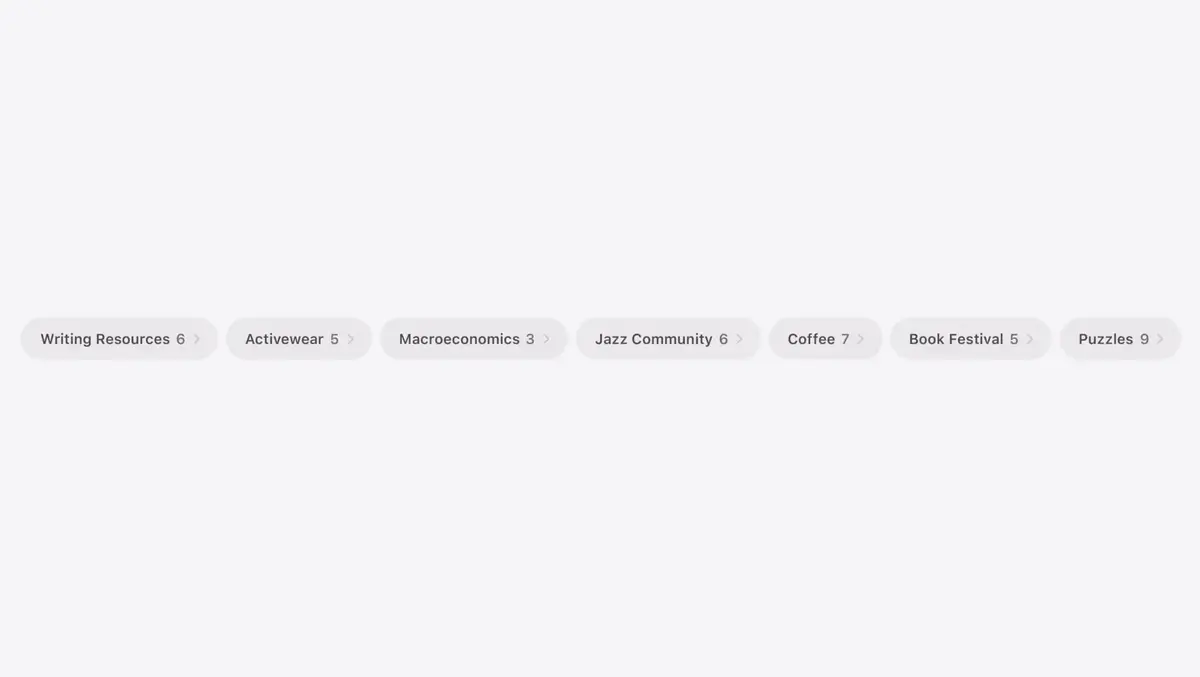 By analyzing the content of open pages, the browser can intelligently group them into logical categories such as ‘Vacation Planning’ or ‘Academic Research.’ This functionality allows users to navigate through extensive research projects without the frustration of losing track of specific pages. These tab groups can be saved for future reference or closed entirely with a single click when no longer required.
This intelligent automation significantly reduces the cognitive load associated with complex online research tasks.
Web Content Changes Are Tracked Automatically
The integration of Apple Intelligence facilitates a new capability known as Notify Me, which enables users to monitor specific websites for updates. 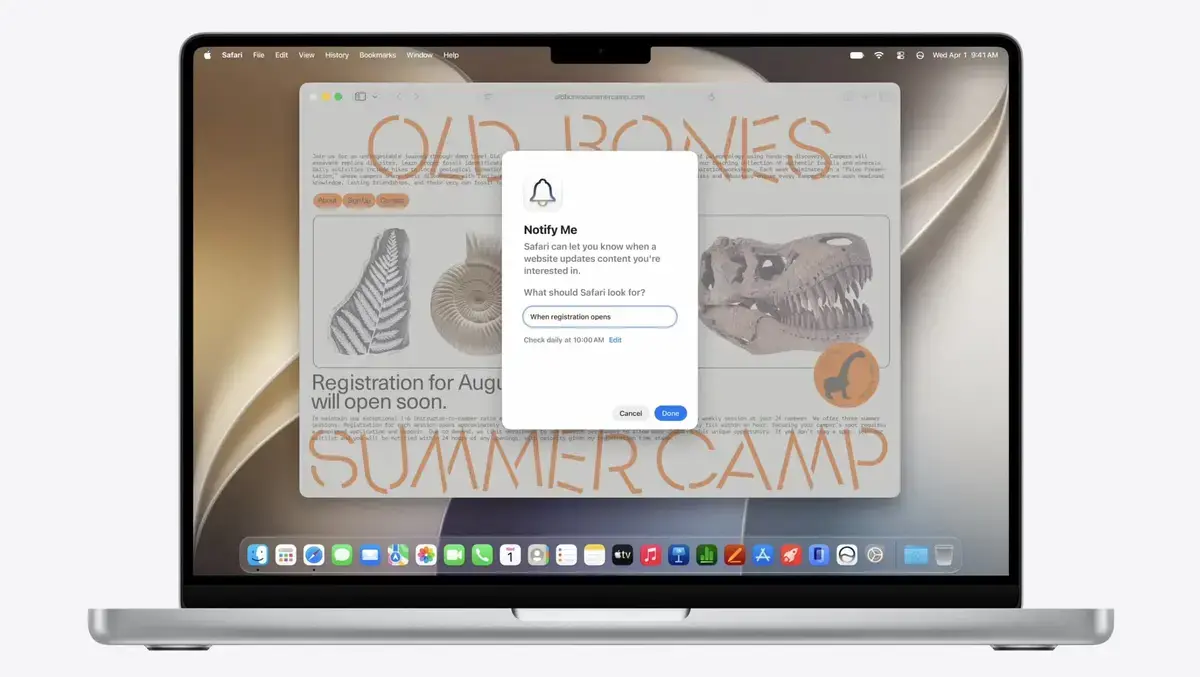 Whether a user is waiting for a price drop on a consumer product or the opening of a registration window, they can simply describe their criteria using natural language. The browser then monitors the site at specified intervals and delivers a notification once the conditions are met.
Extensions Are Designed Through Natural Language
Apple is simplifying the development of browser functionality by allowing users to create custom extensions without writing a single line of code.  By stating a specific requirement, such as creating a tool to capture and save online recipes, the browser generates the necessary logic automatically. This approach democratizes the extension ecosystem and allows for a highly personalized internet experience that caters to individual workflows.
Refresh Gestures Are Standardized Across Devices
The familiar pull-to-refresh gesture, which has long been a staple of the mobile experience on iOS and iPadOS, is officially arriving on the desktop. [image_4] With macOS 27, users can refresh a webpage simply by pulling down from the top of the content area. This implementation bridges the gap between mobile and desktop interfaces, providing a consistent and intuitive navigation experience for long-time Apple users.
Security Standards Are Being Raised
Beyond visual updates, Safari is strengthening its defense mechanisms against credential threats. The browser can now identify compromised passwords and initiate automatic updates without requiring manual intervention from the user. This background security enhancement ensures that sensitive personal information remains protected while users focus on their primary tasks.
Performance Levels Are Being Optimized
In addition to new features, Apple has focused heavily on the underlying architecture of Safari to improve overall performance. Users can expect faster page load times, optimized JavaScript execution, and smoother UI animations, all of which contribute to a more responsive browsing environment in macOS 27.
How do you think these new AI-powered additions will influence your daily browsing habits, and which feature are you most excited to try out? Please share your thoughts and predictions in the comments section below.
Your comment has been submitted,
it will be published after approval.