WhatsApp is ready to revolutionize how drivers interact with the app. After years of limited integration via Siri on Apple CarPlay, the platform is finally launching its own native application interface for drivers. The updates extend beyond in-car systems, including a suite of AI-powered summarization features and advanced media tools.
What Changes with the Native WhatsApp CarPlay App?
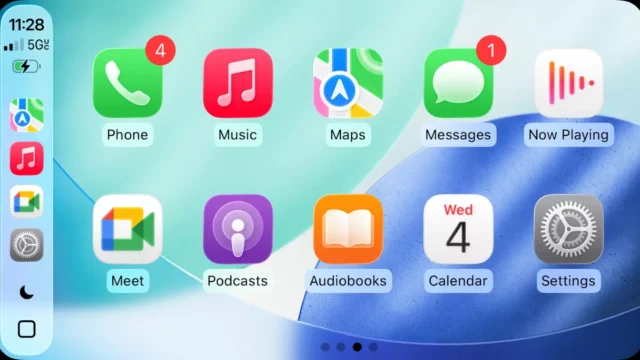
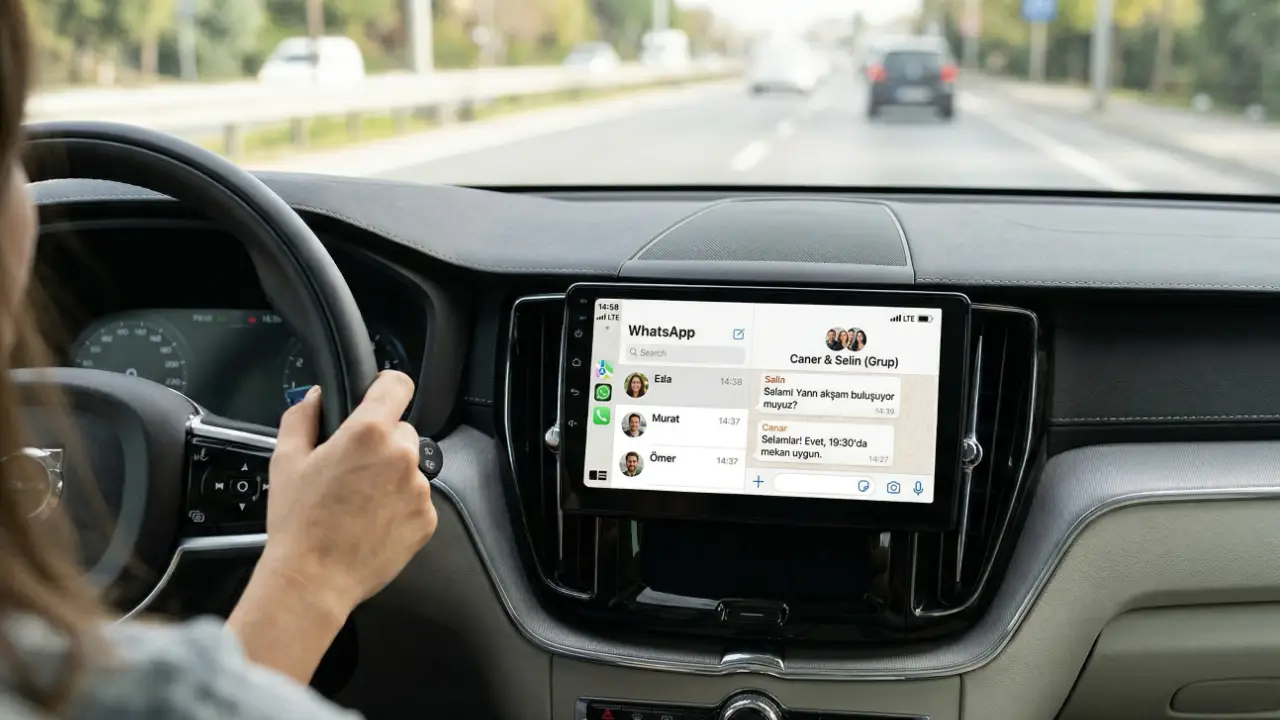
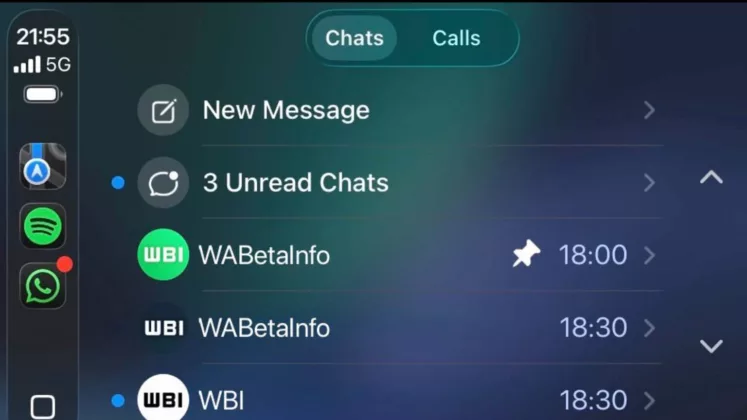
Until now, CarPlay users could only listen to or reply to messages using voice commands through Siri. However, the latest beta versions (as of March 30, 2026) reveal a dedicated interface designed specifically for the road:
- Direct Chat List Access: You can now view a list of your most recent conversations (typically covering the last 20–25 days) directly on the infotainment screen without touching your phone.
- Contact Details and Visuals: Profile information and contact details are now accessible through a simplified, driving-friendly menu.
- Enhanced Call Management: Managing incoming and outgoing calls is now as fluid as using the native iOS Phone app on CarPlay.
- Safety-First Design: While the interface is visual, it is optimized to prevent driver distraction. Users can see who messaged them but cannot read full chat histories on screen, ensuring focus remains on the road.
AI Will Summarize Unread Messages for You
One of the most anticipated features is the AI-powered “Summarization” tool. For those overwhelmed by active group chats, the AI can now generate a concise recap of unread messages. This is particularly useful while driving, as it allows you to catch up on long conversations without scrolling or listening to dozens of individual voice-read messages.
Privacy: Meta is utilizing Private Processing for this feature. The summarization happens on-device, maintaining end-to-end encryption. Meta claims that no one, not even the company itself, can access the content being summarized.
“Liquid Glass” Aesthetics and Media Tools
WhatsApp is also modernizing its visual language with the Liquid Glass design. This is most visible in the redesigned voice note player, which features a translucent, floating playback bar. Key improvements include:
- Circular Progress: A new playback indicator that circles the sender’s profile picture.
- 5-Second Rewind: A long-awaited button that lets users skip back five seconds to catch parts of an audio message they might have missed.
- High-Quality Drafts: A new “Save as Draft” feature for edited photos and videos, ensuring your creative work isn’t lost if you decide not to send a file immediately.
The native CarPlay experience is currently rolling out to iOS beta testers via TestFlight. A wider public release is expected to coincide with the iOS 26 cycle later this year. Do you think having a visual chat list on your dashboard will make your commute safer, or is it an unnecessary distraction? Share your thoughts in the comments!
Would you like me to research the Android Auto equivalent of these features or provide a step-by-step guide on how to join the WhatsApp Beta program? Let me know!