
Accessing your Android phone on Windows 11 is now much easier!

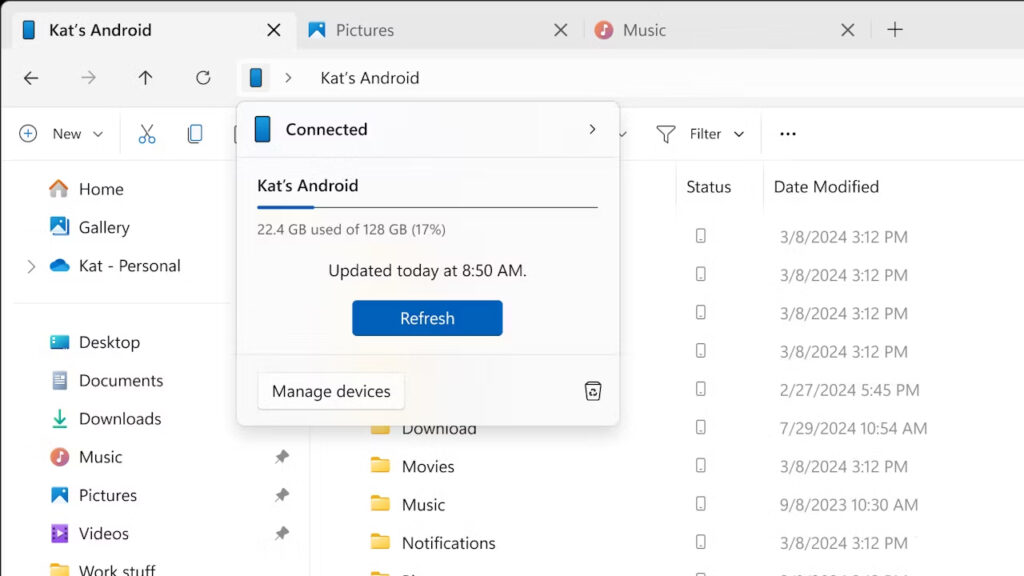
Microsoft is making accessing your Android phones via Windows 11 easier every day. This integration process, which started with the Your Phone app, continued with features such as receiving phone notifications to your computer, screen mirroring and file sharing. Now, Microsoft is coming up with a new feature that will allow you to manage your Android phones via File Explorer.
Android-File Explorer testing has started for Windows 11
According to the announcement made on the Windows Insider Blog, all Insider versions have access to the Android File Explorer testing. Whether you are the latest Canary user or a safe Preview user, you can start using this feature starting today.
Before using this new feature, Microsoft lists the following requirements to access the Android file system via File Explorer:
- Your Android phone must have at least Android 11 or a higher version.
- Have the BETA version of the Link to Windows app (version 1.24071 and above) installed on your Android phone.
- Be enrolled in the Windows Insider Program, your computer must be running Windows 11, and you must be included in any Insider Channel.
Windows 11 becomes Windows 98 in five minutes
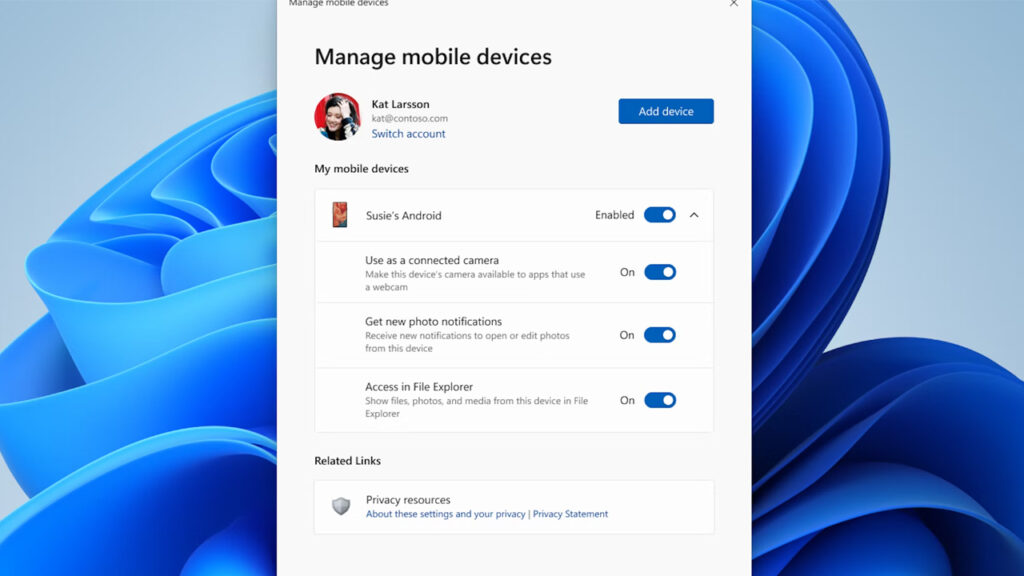
If you meet these requirements, you should go to “Settings > Bluetooth & devices > Mobile Devices” and select “Manage Devices” and grant your computer access to your phone. From there, you should see a toggle button called “Access in File Explorer”. If you don’t see it, the feature may not be available to you yet. So you’ll have to wait a bit.
Your comment has been submitted,
it will be published after approval.