
Google Enhances Android Backup System with Granular App Controls


Google has officially rolled out a significant update to the Android backup system, allowing users to exercise granular control over how individual application data is stored in the cloud. Recently deployed through Google Play services version 26.24, this feature enables Pixel device owners to manage their backup preferences with unprecedented precision. By navigating to the system settings under Accounts and Backup, users can now dictate exactly which applications sync their data, effectively preventing unnecessary information from consuming limited Google storage space. This development represents a major shift toward greater transparency and user agency within the Google ecosystem.
- Users can now individually select which specific application data is stored in their Google accounts.
- The system automatically enables backups for all applications by default unless manually adjusted by the user.
- This granular control feature is currently limited to Pixel devices and remains unavailable on other third-party Android smartphones.
Users can now optimize their Google storage by preventing unnecessary application data from being backed up automatically.
Application Data Management Becomes More Transparent
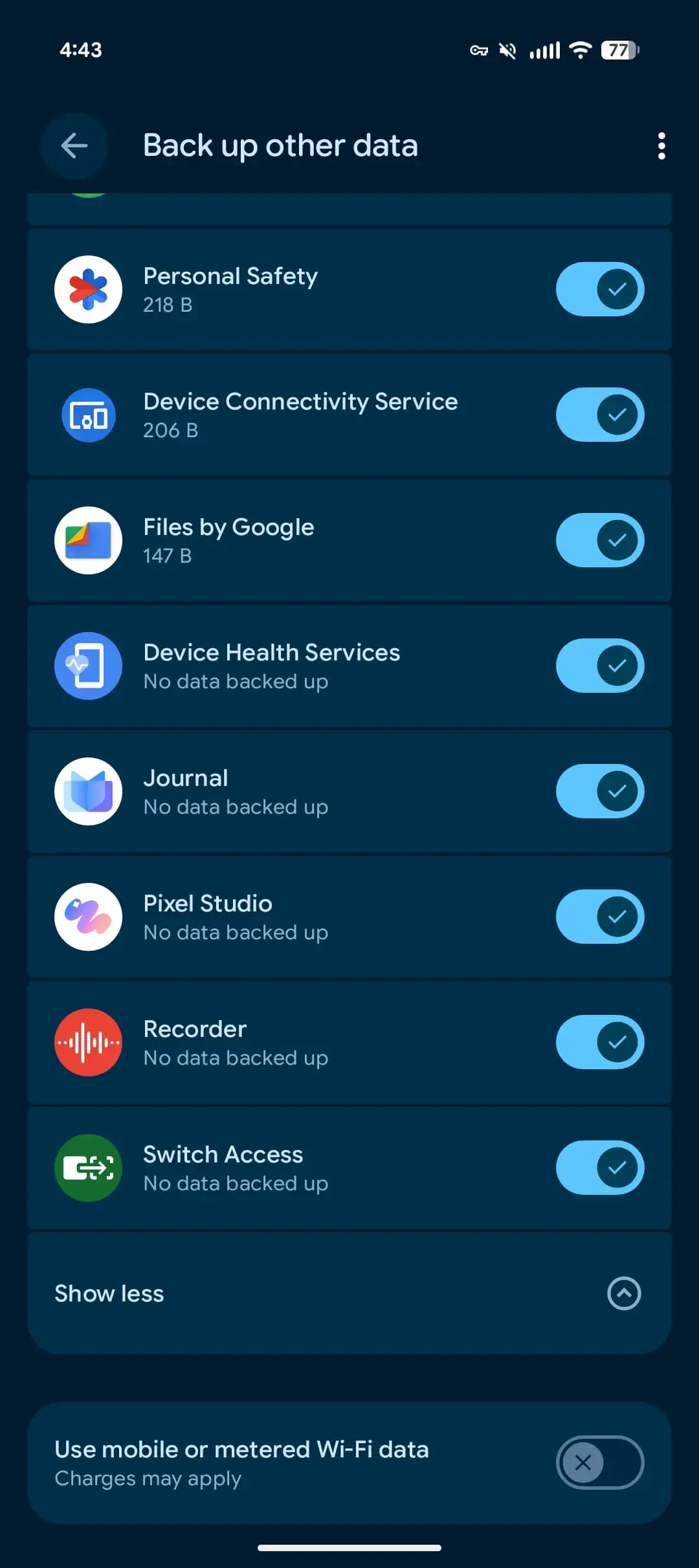
Prior to this update, the Android backup menu provided only a high-level overview, displaying total app counts and overall storage consumption. The new interface changes this by identifying and listing the top three applications that utilize the most storage. 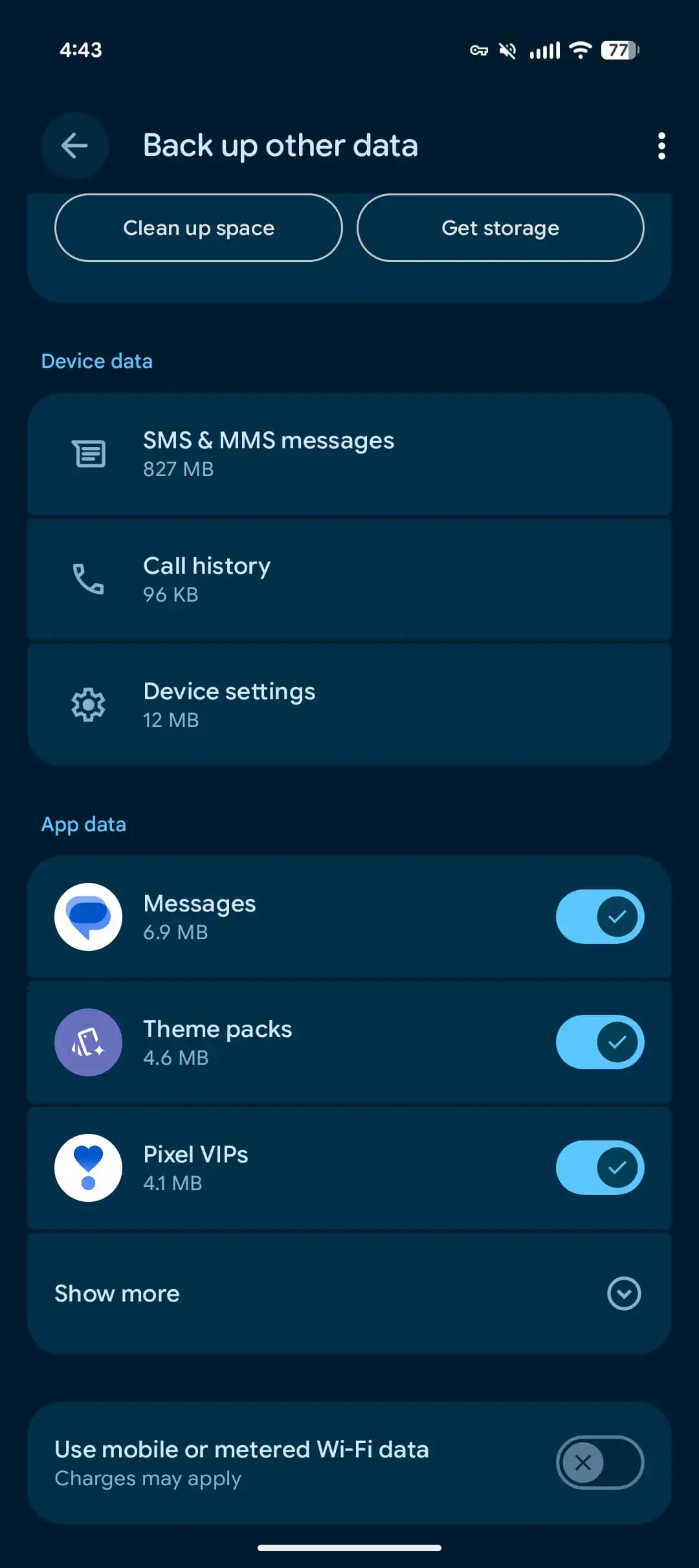 Users can expand this view to see a comprehensive list of all installed applications, where toggle switches allow for immediate customization of backup settings.
  When a user chooses to disable backups for a specific application, the system presents a clear notification confirming that existing data for that app will be removed from the linked Google account.
System-Level Data Remains Outside These Controls
It is important to note that this new management mechanism is exclusively designed for third-party application data. 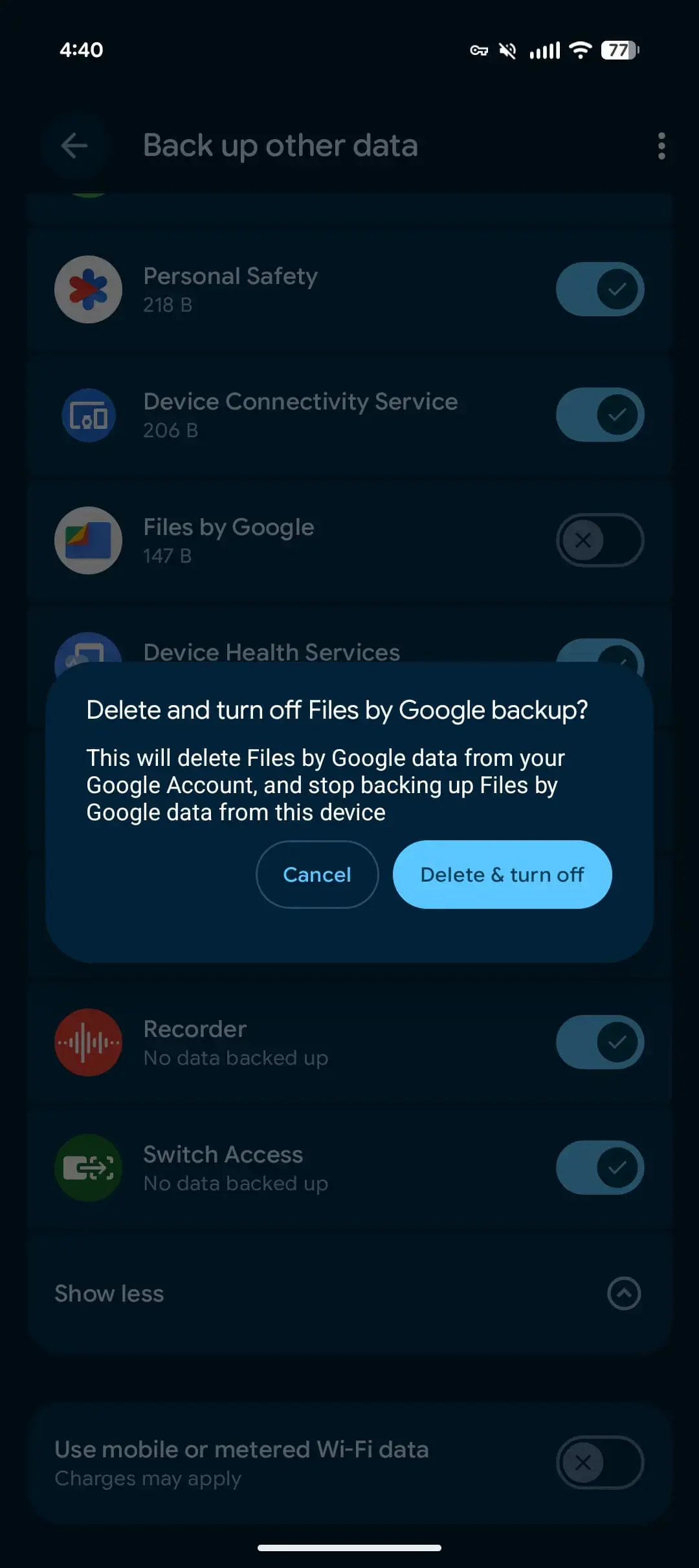 Essential system information, including SMS and MMS message history, call logs, and device-level configurations, remains outside the scope of these individual app controls. This structural separation ensures that critical system integrity and recovery capabilities are maintained, regardless of individual app preferences. This refined functionality operates seamlessly on modern devices running Android 16 and 17, marking a steady advancement in how the operating system handles user data.
The update ensures that critical system settings and device logs remain protected from accidental user configuration changes.
Google One Design Receives a Modern Refresh
Beyond the improvements to the backup infrastructure, Google has introduced a visual overhaul for the Google One application. 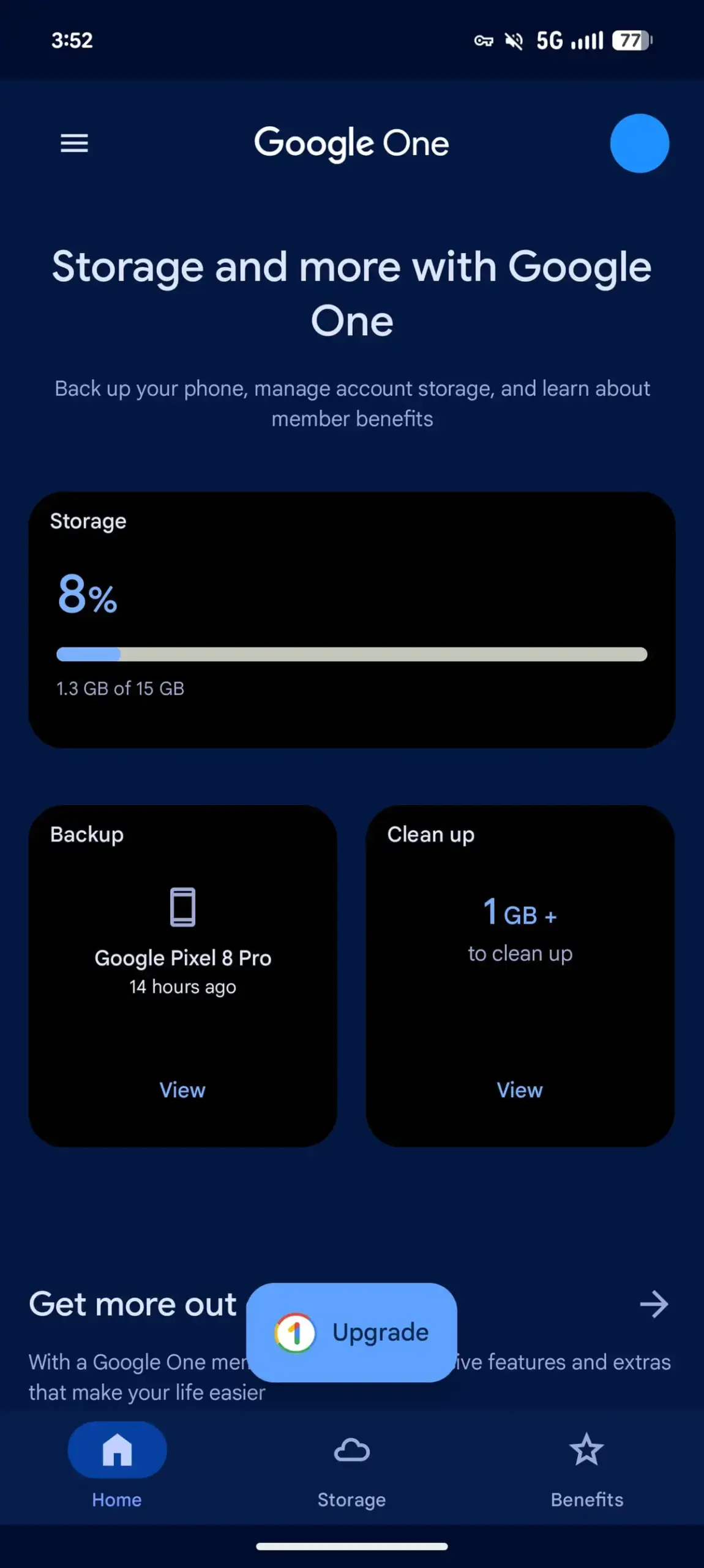 The application, which transitioned to the Material 3 Expressive design language last year, has now adopted an edge-to-edge layout.
 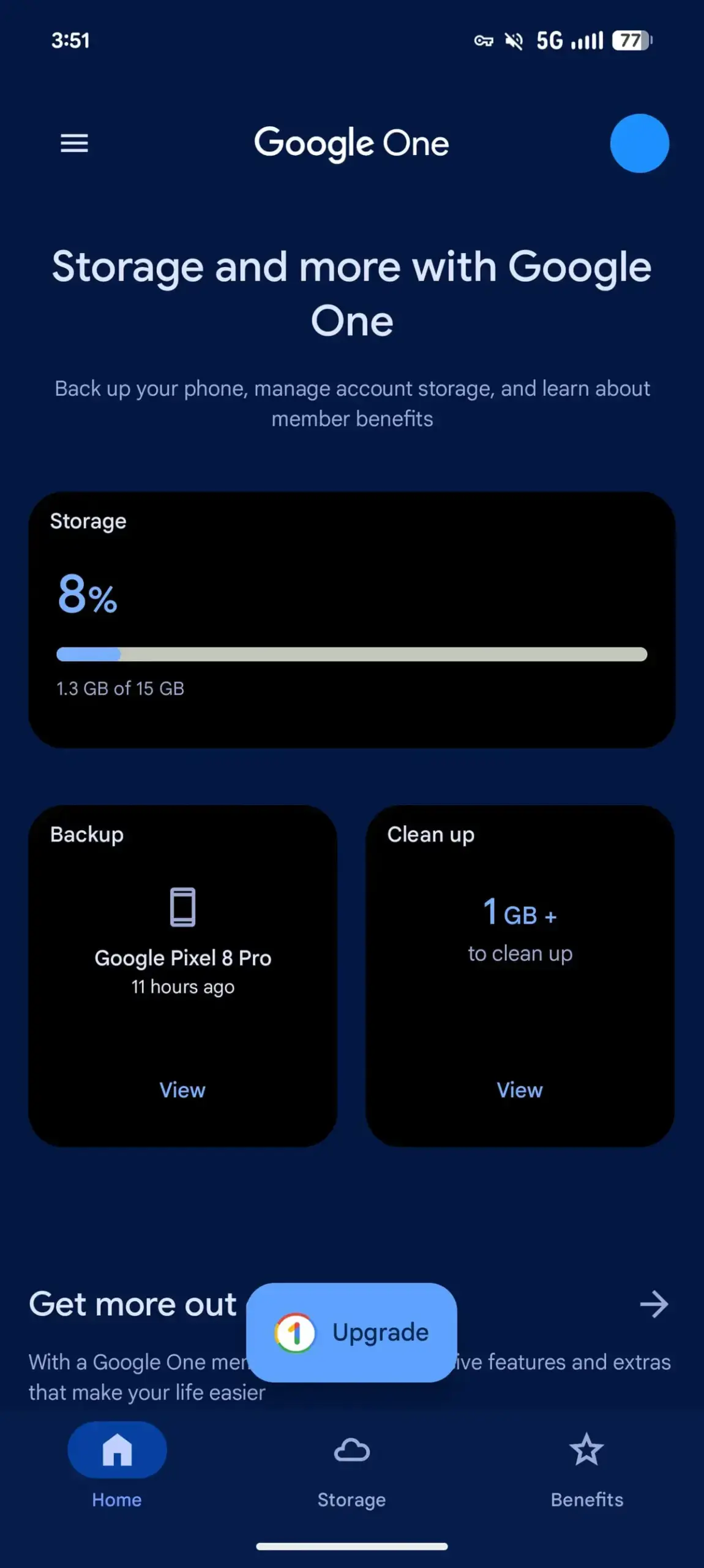 This design update allows the app’s navigation and status bars to integrate more fluidly with the overall interface, providing a more consistent and modern visual experience for users managing their subscriptions and cloud storage.
How useful do you think these new app-specific backup controls will be for managing your cloud storage limits? Have you started seeing these options on your device yet; please share your thoughts with us in the comments section below!
Your comment has been submitted,
it will be published after approval.