
iPhone Duo Transforms Into iPad With New Foldable Interface

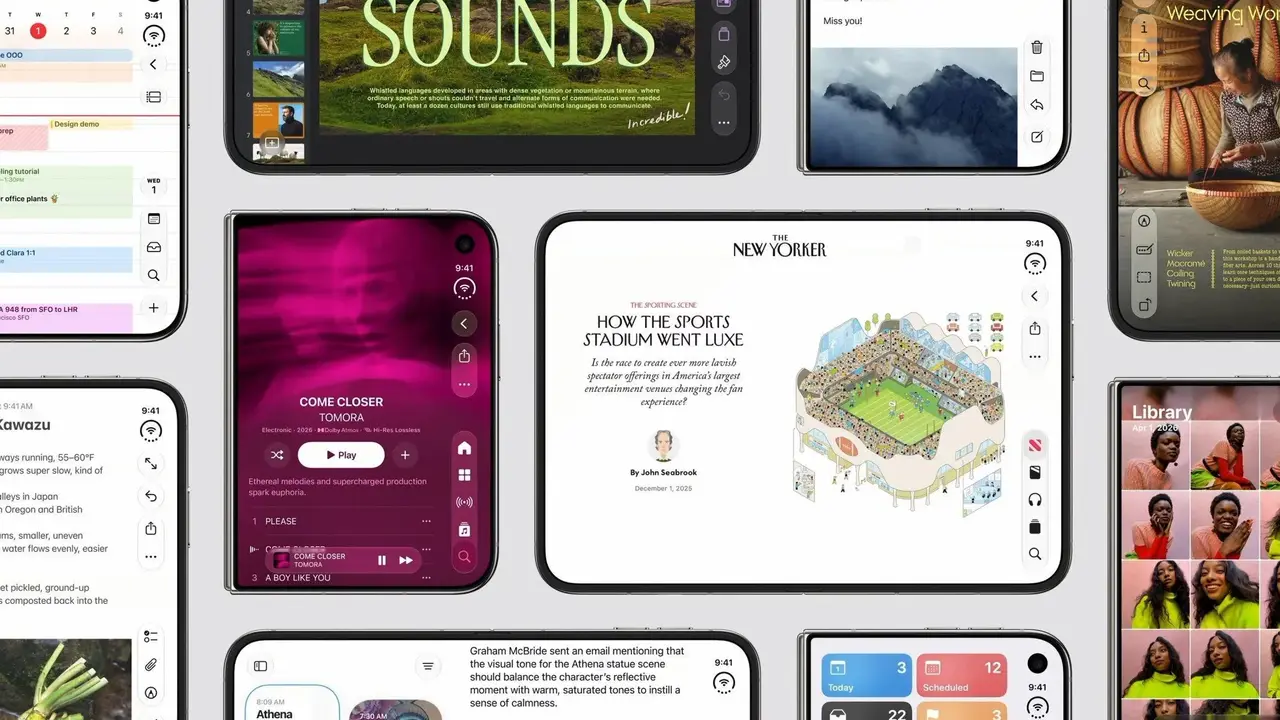
Apple is preparing to launch its first foldable smartphone, the iPhone Duo, on October 23 in over 70 countries and regions with a starting price of $1,999. Recent App Store interface reveals indicate that the device will function similarly to a compact iPad when unfolded. These internal screenshots showcase how native Apple applications adapt to the larger display, utilizing sidebars and split-screen layouts to maximize productivity. The device marks a significant shift in Apple’s mobile strategy, bridging the gap between its smartphone and tablet ecosystems while introducing a specialized version of iOS designed specifically for flexible hardware.
- The iPhone Duo features a 7.6-inch internal display that utilizes an iPad-style interface with sidebars and split-view capabilities.
- Apple has relocated the Dock and navigation bars to the right edge of the screen to maintain consistency across various folding modes.
- The device will be officially released on Friday, October 23, in more than 70 regions with a starting price of $1,999.
Applications Adopt an iPad-Style Layout
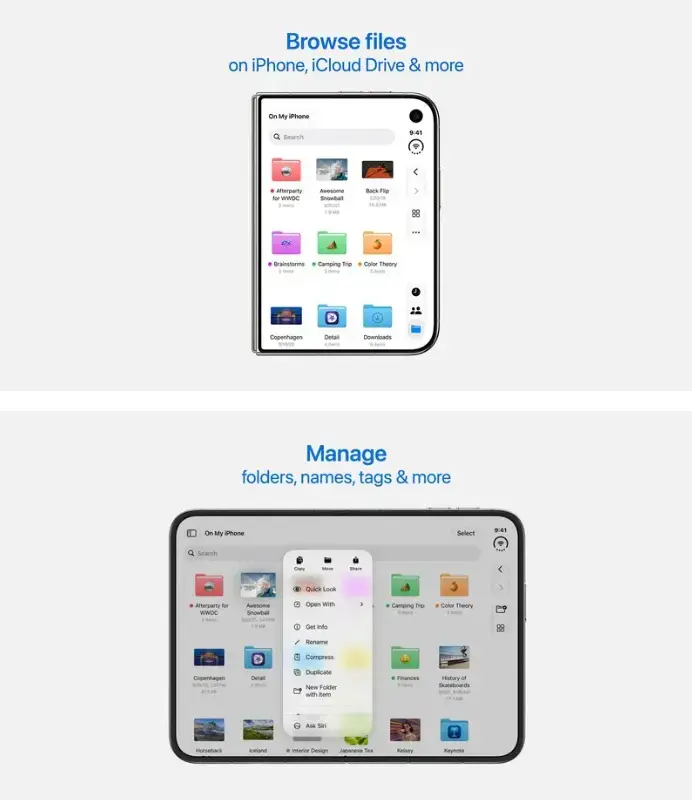
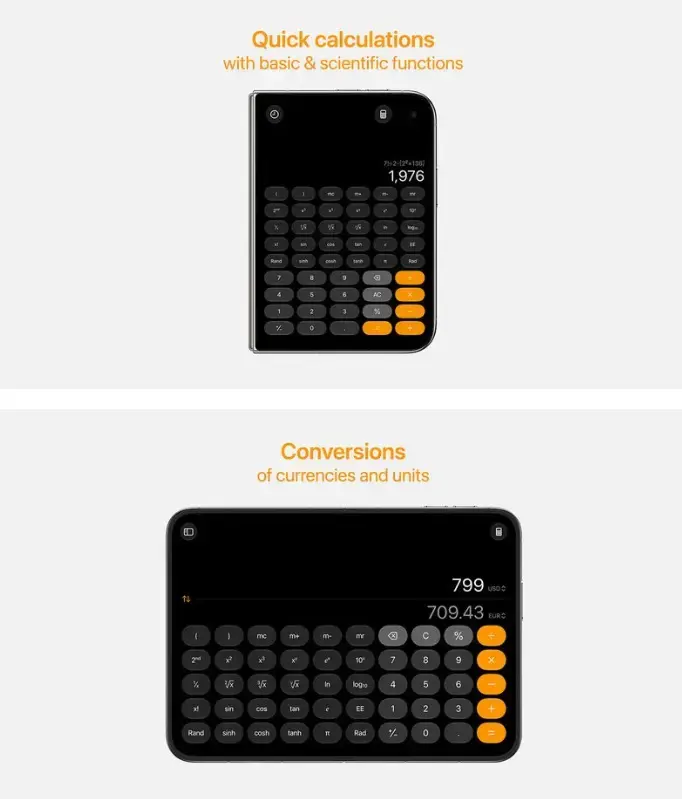
The latest interface leaks suggest that the iPhone Duo will operate in a horizontal orientation for the majority of its use cases. In this mode, many native Apple applications transition to a layout that closely resembles iPadOS. Rather than stretching a single-column view, the interface allocates a portion of the screen to a dedicated sidebar. This allows for more efficient navigation without the need for traditional bottom-tab bars, which can be hidden with a single tap to provide more screen real estate.
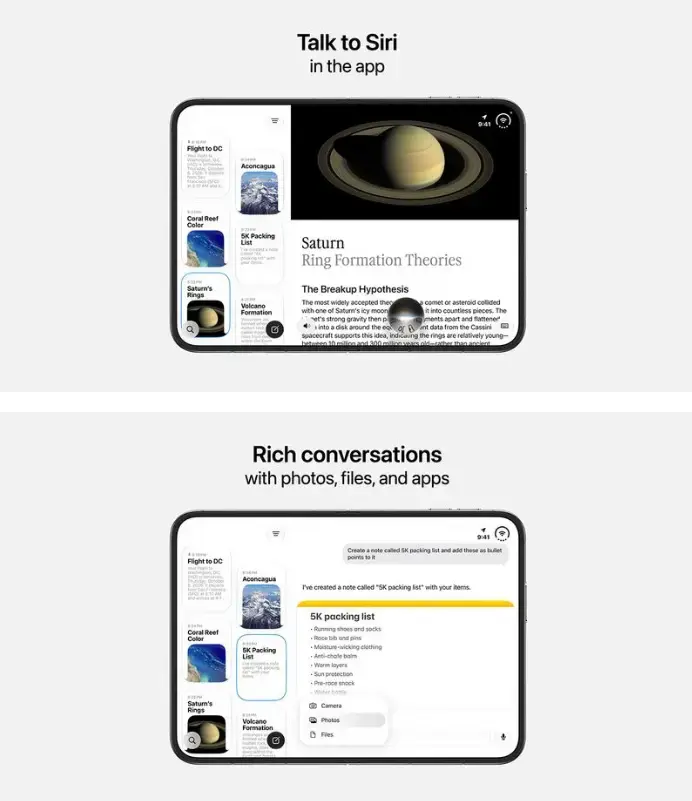
Specific applications demonstrate how this extra space is utilized for multitasking. For instance, the Contacts app splits the screen to show the list of names on the left while keeping the editing and detail area open on the right. Similarly, the Siri interface displays past conversation history in boxes on the left side, while the active query remains visible on the right. This dual-pane approach ensures that users can interact with complex data without constantly switching between different screens.
Navigation Elements Move to the Right Edge
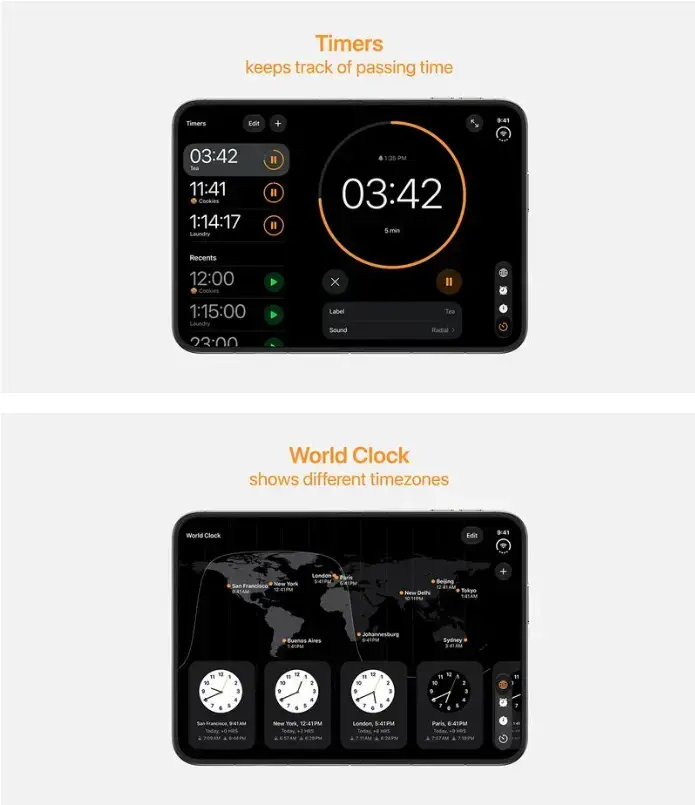
One of the most significant design changes in the iPhone Duo involves the placement of system-wide navigation tools. The Dock and various navigation bars are positioned vertically along the right edge of the display, regardless of whether the device is open or closed. This layout remains consistent unless the device is held vertically in its unfolded state, in which case the menus return to the bottom of the screen, mimicking the behavior of a standard iPad.
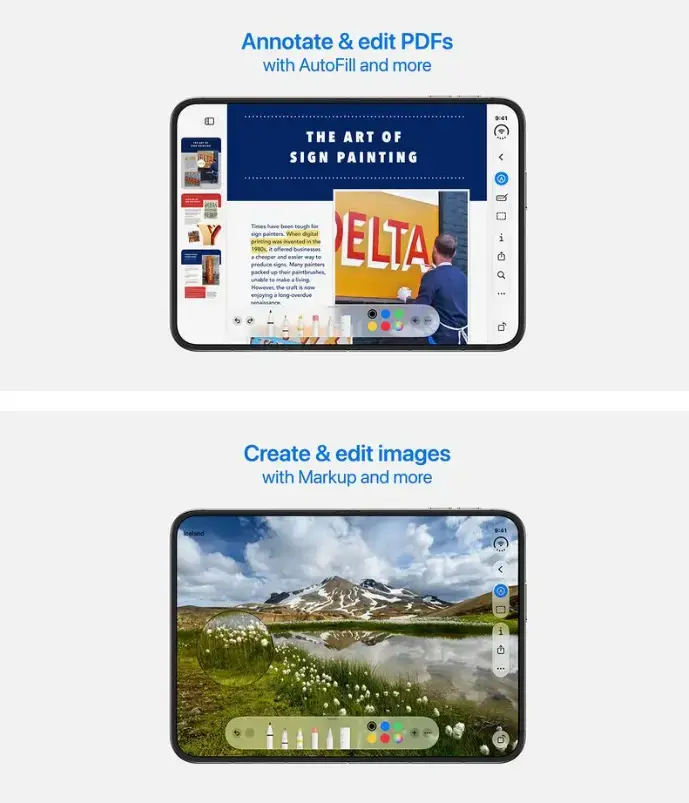
For productivity-focused applications like Preview, tool palettes are situated at the bottom of the display. The combination of a large drawing area and a bottom-aligned toolbar suggests that photo editing and creative applications will benefit significantly from this form factor. By keeping tools organized at the periphery, Apple ensures that the main content remains the focal point of the user experience.
Dynamic Island and Face ID Systems are Redesigned
The internal display of the iPhone Duo introduces a cleaner aesthetic by removing the permanent Dynamic Island. This change is facilitated by the implementation of Touch ID instead of Face ID and the integration of an under-display front camera. However, the Dynamic Island functionality still exists as a software element; Live Activities and notifications appear from the side of the screen when triggered. Meanwhile, the 5.4-inch external display maintains a smaller, vertical Dynamic Island that houses the external camera module.
The home screen layout also undergoes a transformation to suit the foldable aspect ratio. The left side of the unfolded screen is dedicated to the “Today View” widgets, while the right side displays traditional application icons. System shortcuts, such as the flashlight and camera, have been moved to the bottom-right corner, and the status bar now sits in the top-right corner to accommodate the unique screen geometry.
Hardware Supports Multiple Viewing Modes
The iPhone Duo is designed to be versatile, supporting several physical configurations beyond just being open or closed. Users can prop the device up like a laptop for video conferencing, fold it into a “tent” mode for media consumption, or hold it partially open like a book for reading. The 7.6-inch internal display is optimized for these positions, allowing users to run two applications side-by-side or open multiple windows within the Safari browser.

Third-Party Developers Must Update Their Apps
With the commercial launch set for late October, Apple is urging developers to prepare their software for the new hardware. Developers can use Xcode 27.1 to recompile their applications and ensure compatibility with the foldable screen. While older applications will continue to function, they will not be able to utilize the full screen area unless they are updated. Furthermore, Apple has announced that by April 2027, all app submissions to the App Store must include screenshots specifically tailored for the iPhone Duo display.
This strategic move to keep navigation buttons consistent across different modes addresses one of the primary complaints regarding foldable devices: the confusing nature of shifting interfaces. While Apple seems to have solved the consistency issue, the ultimate success of the iPhone Duo will depend on how quickly third-party developers embrace this new iPad-like ecosystem for a pocketable device.
Do you think the $1,999 price tag is justified for a device that effectively replaces both an iPhone and an iPad? Share your thoughts on Apple’s foldable strategy in the comments below!
Your comment has been submitted,
it will be published after approval.