
Nothing Launches Essential Apps to Transform Home Screen Experience

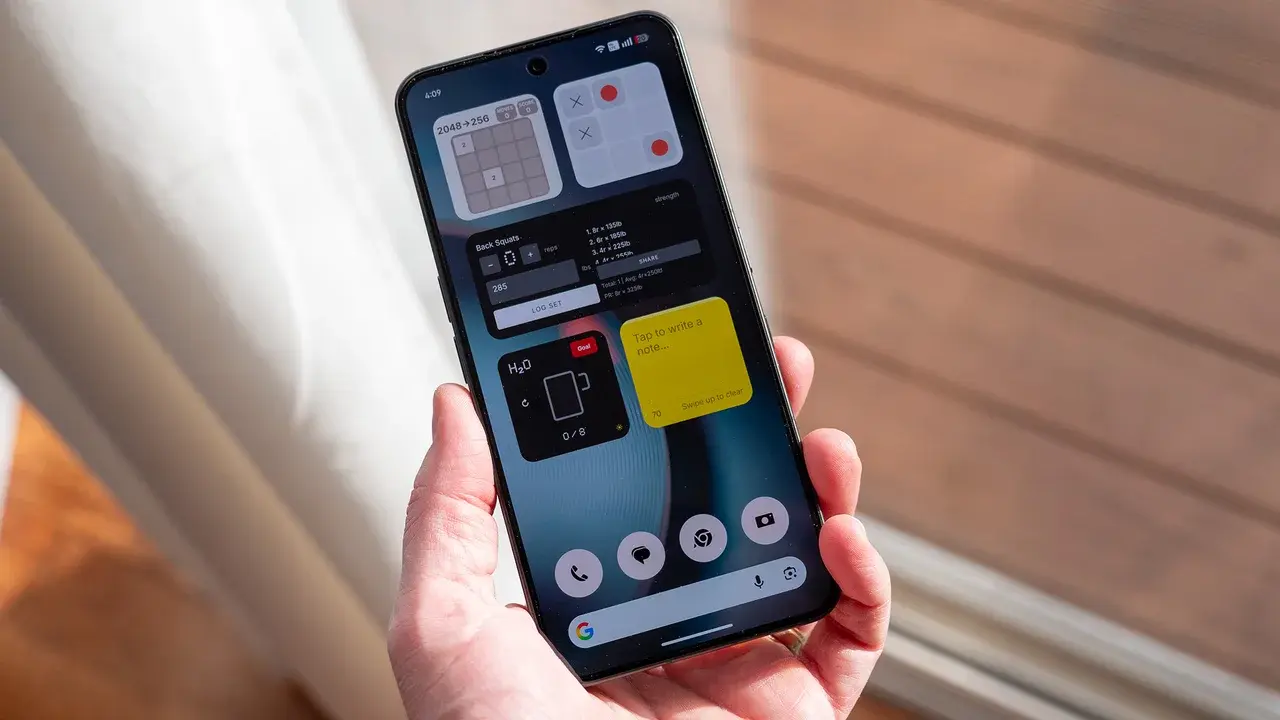
Nothing has officially introduced its new Essential Apps suite, designed to significantly enhance the home screen experience for its smartphone users. This innovative tool, which is now available for download on the Google Play Store, functions as a powerful widget builder that empowers users to customize their mobile interface without requiring advanced technical skills. By launching this application, Nothing aims to grant its user base greater control over the aesthetic and functional aspects of their device’s home screen, ensuring that the interface aligns perfectly with individual preferences and daily productivity needs.
- Nothing released the Essential Apps suite on the Google Play Store to facilitate custom widget creation.
- The application utilizes a conversational interface to generate widgets without the need for manual coding.
- Users can integrate these custom widgets directly with native system tools like calendars and weather updates.
- The platform includes a centralized library for managing and updating all created home screen elements.
Widget Creation Processes Have Become Simplified
The core innovation behind the Essential Apps suite is its ability to bypass complex coding requirements. Instead of navigating difficult development environments, users can now describe their desired widget features through simple natural language commands. The system processes these requests rapidly, delivering functional widgets to the home screen in a matter of seconds. 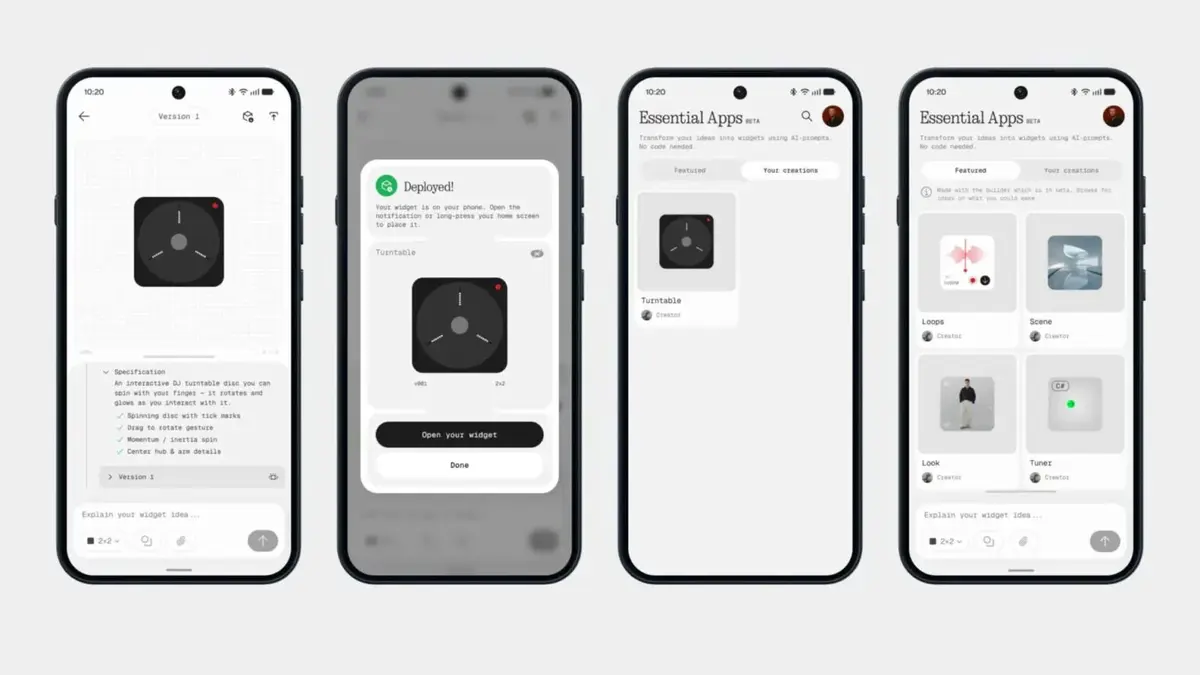
This technology effectively democratizes interface design by removing the barrier of entry for non-technical users.
By streamlining the interaction between user intent and software execution, Nothing ensures that personalizing a smartphone is no longer an arduous task. The application is fully optimized for Nothing hardware, allowing for seamless integration with existing local system tools. This compatibility means that users can pull real-time data from native applications, such as weather forecasts, calendar events, and system settings, directly into their bespoke widgets.
Management Features Improve Interface Control
Beyond the initial creation phase, the suite provides a comprehensive management environment for all active widgets. Users are equipped with a central hub where they can organize, edit, or delete their custom interface elements at their convenience. This library system ensures that maintaining a clean and functional home screen remains an intuitive process throughout the device’s lifespan.
The ability to modify widgets in real-time gives users unprecedented flexibility in managing their digital workspace.
Nothing emphasizes that the smartphone interface should function exactly as the user envisions it. By eliminating the necessity for programming knowledge, the company has made advanced personalization accessible to a broader audience. The direct deployment feature allows users to save significant time, as changes made within the library are reflected immediately on the home screen. This focus on user-centric design reflects the company’s broader commitment to refining the interactions between people and their technology.
How do you feel about this new approach to interface customization? We would love to hear your thoughts on whether this widget builder changes the way you interact with your device, so please share your feedback in the comments section below.
Your comment has been submitted,
it will be published after approval.