
Office 2021 Support is Ending: 5 Critical Options Explained


Microsoft has officially announced that support for Office 2021 is coming to a definitive end on October 13. As the lifecycle of this productivity suite concludes, the company will cease providing technical assistance, security patches, and critical bug fixes for the software. This transition leaves millions of global users facing a security dilemma, as running outdated, unsupported software leaves systems highly vulnerable to modern cyber threats. Microsoft confirmed that it will also discontinue updates for online support documentation, effectively withdrawing all official troubleshooting resources for this specific version as the support window closes.
- Microsoft will terminate all technical support and security updates for Office 2021 on October 13.
- The company has reduced its support lifecycle for office software from ten years down to five years.
- Users face significant security risks if they continue operating unsupported software versions.
- Several alternatives exist ranging from newer perpetual licenses to cloud-based subscription models and open-source software.
Security Risks are Increasing for Legacy Users
While users are technically capable of continuing to run Office 2021 after the cutoff date, experts strongly advise against this practice. Without regular security patches, any newly discovered vulnerabilities in the software will remain unpatched, providing a direct gateway for malicious actors to compromise user systems. 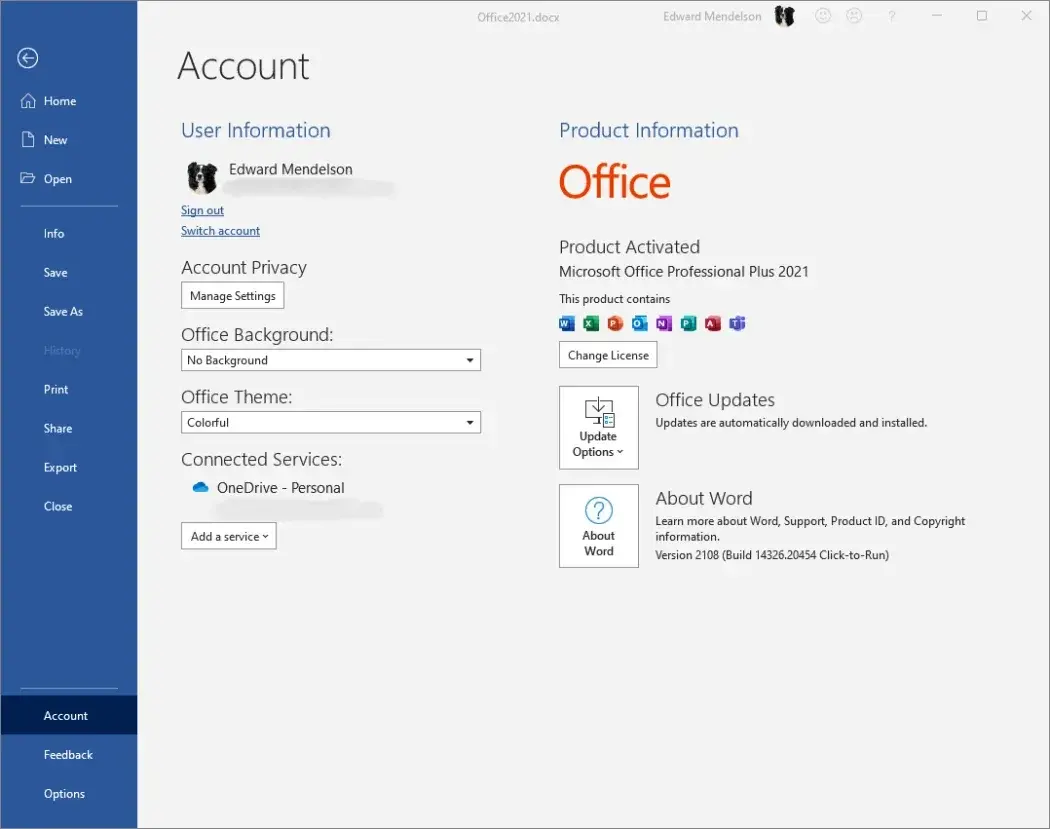 Historically, Microsoft provided decade-long support windows for its office applications; however, this duration has seen a steady decline. While Office 2019 enjoyed a six-year lifespan, Office 2021 has been restricted to a mere five years, signaling a strategic shift toward more frequent software turnover.
Users Have Five Potential Paths Forward
Those currently relying on Office 2021 must evaluate their next steps to maintain productivity and system integrity. One option is to continue using the software without official support, though this path is fraught with digital security risks. A second, more secure choice involves upgrading to Office 2024, which maintains the traditional model of a single, one-time purchase without recurring subscription fees.
Alternatively, migrating to the Microsoft 365 subscription model provides users with a constantly updated suite of tools, which remains the company’s preferred ecosystem. For those seeking cost-effective solutions, Microsoft offers free online-only office tools; however, these versions often lack the advanced command sets and offline capabilities found in desktop software. Finally, users may choose to abandon the Microsoft ecosystem entirely in favor of various free alternatives such as Google Workspace, LibreOffice, or OnlyOffice, which provide robust features for standard document, spreadsheet, and presentation tasks.
Strategic Shifts Are Shaping Software Usage
This transition process highlights Microsoft’s broader strategy of steering its user base toward cloud-integrated, subscription-based productivity models. By shortening the support life of perpetual licenses, the corporation effectively encourages more frequent upgrades or full migrations to their recurring revenue services. Regardless of the choice made, maintaining software that receives consistent security updates is essential in the current digital climate. Users must weigh their specific feature requirements against the long-term benefits of staying within a supported and patched environment to ensure their workflow remains both efficient and secure.
How are you planning to handle the end of Office 2021 support in your own workflow, and which of these five options do you find most appealing for your needs? Share your thoughts and experiences in the comments section below.
Your comment has been submitted,
it will be published after approval.